
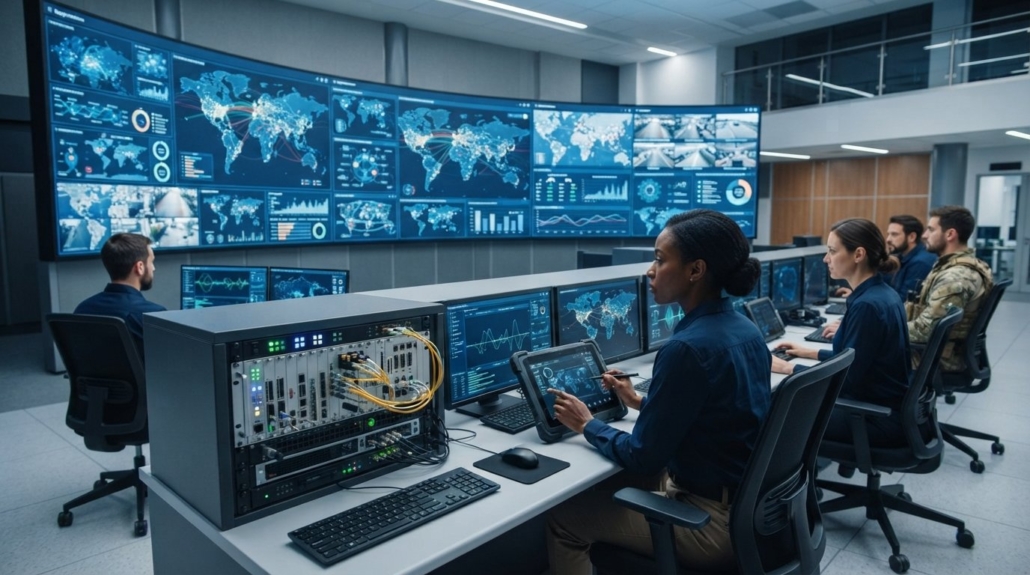
Control Room Video Wall Solutions: 2026 System Design & Hardware Guide
The single point of failure in most mission-critical operations isn’t an external network outage; it’s the operating system powering your display processor. When critical incidents unfold, sub-second latency delays and OS rendering crashes immediately blind your operators. If you’ve ever battled signal drops from EDID handshake failures across mismatched displays or paid recurring license fees for bloated software suites, you already know that off-the-shelf PC architectures can’t survive true 24/7 demands. Deploying resilient control room video wall solutions requires eliminating these software vulnerabilities entirely.
You don’t have to accept system freezes, signal lag, or operational downtime to achieve dynamic, multi-window canvas management. In this guide, you’ll discover how to engineer high-reliability, zero-latency video walls using dedicated hardware-accelerated processing, modular routing, and unified display control. We’ll examine how pure FPGA architectures eliminate operating system vulnerabilities, how hot-swappable modular switching hardware preserves mission uptime, and how modern hardware standards ensure uncompromised situational awareness in 2026.
Key Takeaways
- Compare dedicated FPGA hardware against software controllers to select high-reliability control room video wall solutions immune to OS crashes and rendering lag.
- Eliminate display dropouts, tearing, and handshake failures by enforcing pixel clock synchronization and active EDID emulation across all incoming video feeds.
- Apply ISO 11064 ergonomic standards to calculate optimal operator sightlines, viewing distances, and pixel pitch requirements before procuring display hardware.
- Specify modular matrix switcher chassis with hot-swappable I/O cards to guarantee continuous 24/7 uptime and enable painless future resolution upgrades.
- Streamline multi-window canvas switching with direct hardware interfaces that avoid complex third-party software overhead and recurring licensing fees.
What Defines Modern Control Room Video Wall Solutions?
A mission-critical video wall is not an oversized television; it is a synchronized, high-throughput visualization engine. While commercial digital signage loops pre-rendered promotional media, modern control room video wall solutions aggregate dozens of disparate data feeds into a unified Common Operational Picture (COP). These systems ingest baseband HDMI, IP streams, telemetry data, and remote workstations, presenting them across a continuous visual canvas.
Operating environments in emergency management, utility monitoring, and defense cannot tolerate thermal throttling or system reboots. Hardware deployed in these facilities must carry true 24/7/365 continuous-duty industrial ratings, featuring high Mean Time Between Failures (MTBF) power modules and advanced thermal dissipation. In life-safety applications, displaying uncompressed video with zero frame drops ensures operators spot critical telemetry spikes and emergency indicators instantly. Understanding foundational video wall display architectures helps engineering teams specify hardware that isolates signal paths and eliminates catastrophic display blackouts.
The Core Components of Command Center Video Systems
Every deployment relies on three primary hardware layers working in tandem:
- Commercial Display Arrays: Tiled ultra-narrow bezel (UNB) LCD panels or seamless, fine-pitch direct-view LED (DVLED) cabinets engineered for high ambient light rejection and off-axis viewing.
- Processing and Switching Hardware: Centralized hardware processors and modular matrix switchers that route uncompressed 4K video feeds, manage multi-window scaling, and synchronize display timings without operating system overhead.
- Operator Interface Stations: Dedicated KVM consoles and rapid-switching hardware controllers that let dispatchers manipulate wall presets, push local displays, and reposition mission windows with zero latency.
Mission-Critical Use Cases: SOC, NOC, and Emergency Operations
Different command centers impose unique operational demands on video distribution:
- Security Operations Centers (SOC): SOC teams require concurrent viewing of dense multi-camera CCTV walls, access control logs, and automated perimeter alarms on single canvas layouts, frequently integrating dedicated surveillance inputs from providers like CCTVSecurityPros – Professional Security Cameras and Systems.
- Network Operations Centers (NOC): NOC environments prioritize high-density data visualizations, live throughput telemetry, and distributed server cluster status metrics across wide aspect ratios.
- Transportation & 911 Dispatch Centers: Public safety setups require instant incident mapping, automated emergency dispatch feeds, and live traffic camera routing where sub-second latency is vital to coordinate field response units.
Video Wall Architectures: Hardware Processors vs. AVoIP vs. PC Controllers
Selecting the right routing architecture dictates whether your visualization canvas stays responsive during an operational surge. Integrators designing control room video wall solutions evaluate three primary topologies: dedicated hardware processors, distributed AV-over-IP (AVoIP), and software-based PC controllers. Federal engineering standards like the NUREG-0700 human-system interface guidelines stress continuous signal integrity and predictable latency for overview displays. How your backplane handles video switching determines whether operators maintain situational awareness or face black screens.
Pure FPGA Hardware-Based Video Wall Processors
Dedicated hardware processors route signals across internal crossbar switching backplanes driven by Field Programmable Gate Arrays (FPGAs). Processing happens entirely in hardware at the pixel level rather than executing code through an operating system. This architecture ensures real-time scaling, zero dropped frames, and sub-millisecond input-to-display latency. Because these units don’t use standard hard drives or desktop operating systems, they boot in seconds and provide total immunity to malware, memory leaks, and OS crashes. For a deep dive into FPGA backplane capacity, review our detailed guide to video wall processors.
Distributed AV-over-IP Ecosystems in Monitoring Environments
Distributed AVoIP systems route video packets through managed network switches using separate encoders and decoders at every endpoint. Deploying on 1GbE networks requires compression codecs such as H.264 or JPEG-XS, which introduce multi-frame latency and visible artifacts on fine vector graphics. Moving to 10GbE delivers visually lossless, uncompressed feeds, but demands significant network architecture planning, IGMP snooping management, and heavy backplane bandwidth. Furthermore, corporate and municipal cybersecurity policies often prohibit routing high-volume video streams across shared IT networks.
Software-Driven PC Controllers: Risks in 24/7 Operations
Software-based controllers rely on rackmount industrial PCs equipped with multi-port graphics cards and PCIe capture boards. While they run native SCADA applications and browser windows directly on the wall canvas, they introduce substantial vulnerabilities into 24/7 environments. Multi-stream 4K capture loads trigger CPU resource contention, background operating system updates enforce sudden reboots, and rolling graphics driver patches often disrupt display arrangements.
For operations that demand absolute uptime without recurring software fees, explore field-tested hardware processors and modular switchers at HDTV Supply.
Critical Engineering Requirements for Mission-Critical Video Distribution
Mission-critical operations require physical infrastructure engineered for continuous signal integrity. If pixel clocks drift across adjacent displays, visual tearing and operator eye fatigue immediately compromise incident response. Redundant hardware topologies mandate dual parallel signal paths and hot-swappable N+1 power supplies. If a primary power supply or video transmission cable drops, backup circuits instantly sustain the load without blacking out the canvas.
EDID Management and HDCP Compliance Across Heterogeneous Feeds
Command centers routinely ingest mixed video signals, ranging from legacy 1080p surveillance streams to native 4K workstation outputs. When an operator switches layouts, standard displays often renegotiate handshakes, causing several seconds of black screens. Dedicated hardware eliminates this disruption through continuous internal EDID emulation. Source computers remain locked to a constant virtual monitor profile, enabling instantaneous layout switching without desktop reorganizations. Mastering HDMI matrix switcher EDID management ensures these mixed formats coexist reliably. Non-blocking hardware processors manage HDCP 2.2 encryption keys in parallel, preventing protected video streams from blanking out adjacent non-encrypted SCADA graphics.
Sub-Millisecond Processing and Multi-Windowing Layout Flexibility
High-density operations depend on flexible window composition. Processors must handle Picture-in-Picture (PiP), Picture-by-Picture (PbP), and freeform overlapping canvases without dropped frames. Dedicated hardware scalers interpolate pixels across multi-panel seams, eliminating edge distortion and bezel misalignment. Adhering to ISO 11064 control center ergonomic standards requires layouts that preserve visual hierarchy and legible text across varying viewing distances. When emergency incidents escalate, hardware-level macro triggers recall saved window presets in milliseconds. This delivers complete operational agility, ensuring modern control room video wall solutions respond instantly to evolving threats.
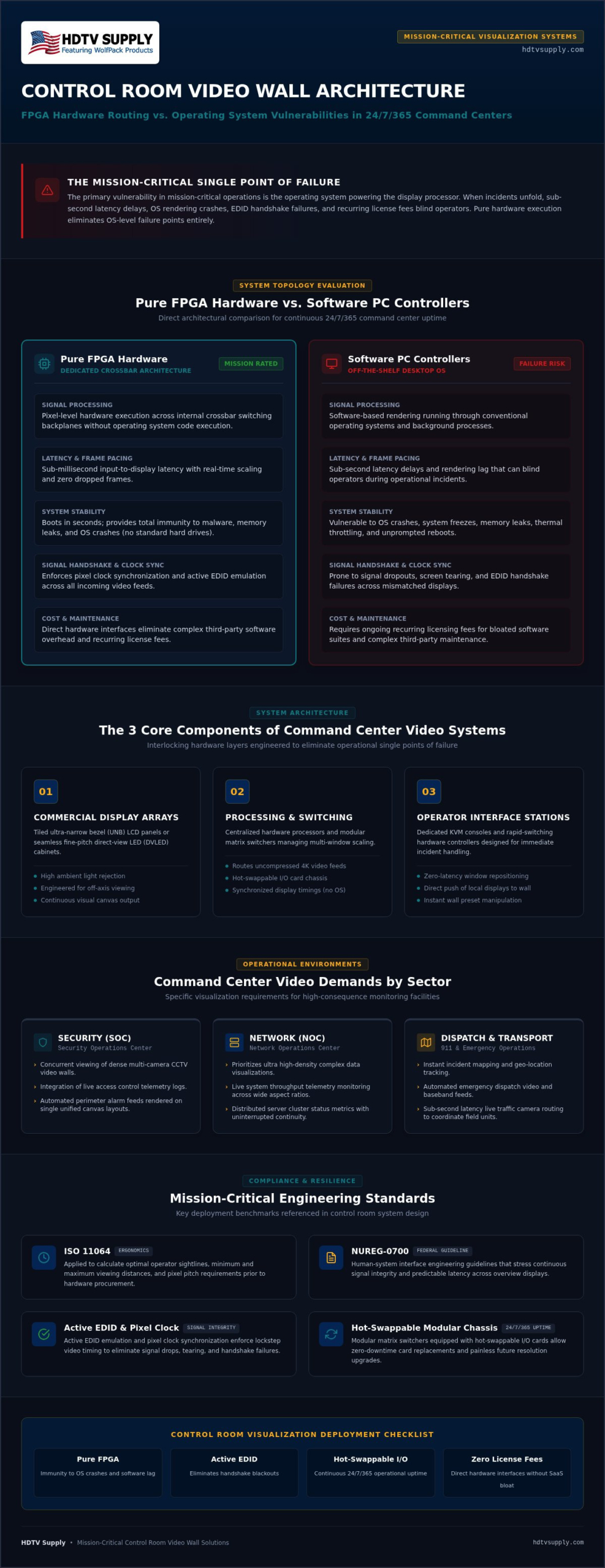
How to Design and Deploy a Control Room Video Wall: 5-Step Process
Engineering a dependable visualization array demands a methodical workflow. Skipping basic signal verification or thermal calculations leads to premature hardware failures in 24/7 environments. By systematically auditing source devices, infrastructure lines, and layout requirements, integrators can deploy resilient control room video wall solutions that remain stable under continuous operation.
Step 1 & 2: Source Auditing and Visual Ergonomics Calculation
Begin with a comprehensive catalog of every physical input device. Document native resolutions, frame rates, color spaces (such as 4:4:4 versus 4:2:0 chroma subsampling), and HDCP requirements. Next, establish operator sightlines to prevent neck strain during long operational shifts. Calculate distance-to-display ratios to determine whether the array requires fine-pitch direct-view LED modules or ultra-narrow bezel LCD panels. Ensure the total pixel count of your display canvas matches or exceeds the native aggregate resolution of all simultaneous operational windows.
Step 3 & 4: Processing Selection and Signal Extension Infrastructure
Match your processing backplane to the aggregate bandwidth of your inputs. For multi-source command environments requiring rapid expansion, integrating a chassis-based modular HDMI matrix switcher alongside a dedicated video wall processor provides the necessary crossbar throughput. Choose transmission lines that avoid signal degradation across long runs:
- Uncompressed HDBaseT: Extends 4K video, bidirectional RS-232, and power over category cabling up to 100 meters without frame drops.
- Armored Fiber Optic Lines: Recommended for runs exceeding 100 meters or when crossing high-electromagnetic-interference (EMI) plant environments.
- Thermal Rack Engineering: Calculate total rack BTU dissipation. Position dedicated processors with minimum 1RU spacing and enforce front-to-back forced ventilation to prevent thermal throttling.
Step 5: Operator Control Interface and Preset Configuration
Eliminate complex software interfaces from the operations floor. Build dedicated emergency presets that switch multi-screen canvases with a single tap on a localized touch panel. Program macro switching layouts that automatically isolate alert windows during critical incidents. Finally, perform an exhaustive 48-hour burn-in stress test with all inputs running active 4K 60Hz content to ensure zero handshake dropouts before sign-off.
Need pre-configured, tested hardware ready for immediate installation? Review our commercial video wall processors and modular matrix switchers at HDTV Supply.
Selecting Hardware Infrastructure for Resilient Command Centers
Proprietary software suites often trap integrators in costly recurring licensing cycles and rigid vendor ecosystems. Engineering resilient control room video wall solutions requires selecting modular, field-serviceable hardware platforms that adapt to evolving video formats. Card-based chassis allow facility managers to swap input and output cards directly in the equipment rack, preventing system obsolescence and eliminating the expense of replacing field cabling. When managing mission-critical operations, immediate access to knowledgeable hardware technical support ensures rapid troubleshooting without the bureaucratic delays common to proprietary software vendors.
Modular Matrix Switchers and Dedicated Video Wall Processors
Deploying specialized routing hardware ensures signal distribution remains completely segregated from host PC networks. Integrators achieve robust physical signal distribution using three core commercial hardware categories:
- WolfPack Modular Matrix Switchers: These chassis feature hot-swappable I/O slots supporting mixed combinations of HDMI, DVI, SDI, and HDBaseT cards. Field technicians can hot-swap cards or expand chassis capacity without powering down the entire command center rack.
- HDMI Video Wall Processors: Dedicated standalone processors manage multi-screen grid configurations, bezel compensation, and complex window slicing entirely at the hardware level, bypassing software rendering pipelines.
- WolfPackSecure 4K 60 4:4:4 HDMI Matrix Switchers: High-bandwidth crossbar switchers deliver pristine, uncompressed 18 Gbps throughput across every channel. They route full-chroma 4K feeds without chroma sub-sampling or packet loss, maintaining text sharpness on technical maps and SCADA displays.
Simplifying Operator Workflows with WolfPad Control Systems
Complex control interfaces slow operator response during high-stress operational escalations. Custom control programming frequently requires dedicated programmer support and expensive maintenance contracts. Implementing WolfPad TV Control Systems eliminates this friction entirely. The system provides an intuitive, pre-configured tablet interface that lets operators drag, drop, and route video inputs across physical displays in real time.
Pairing WolfPad interfaces directly with WolfPack routing frames and HDMI Video Wall Processors centralizes control over the entire visualization environment. Operators switch routing presets, reassign camera groups, and manage multi-window layouts from a single screen. Integrating pre-tested, hardware-driven switching components gives command facilities the continuous uptime, deterministic switching, and hardware-level stability required for true 24/7 reliability.
Deploying Zero-Failure Visualization Architecture
Engineering resilient control room video wall solutions comes down to eliminating single points of failure before hardware ever mounts to the rack. When operational awareness is on the line, software-dependent PC controllers and unmanaged network encoders introduce unacceptable latency and reboot risks. Relying on dedicated FPGA hardware processing with active EDID emulation ensures your visual canvas remains responsive, sharp, and uninterrupted through every high-stress operational surge.
Specifying proven commercial-grade hardware guarantees continuous 24/7/365 mission-critical duty cycles. Modular WolfPack chassis support custom hot-swappable I/O configurations up to uncompressed 4K 60Hz 4:4:4, allowing you to expand inputs and service cards without rewiring the facility or powering down the rack. Pre-configured, tested components ensure your system delivers deterministic switching from day one.
Ready to engineer a rock-solid command center? Explore Commercial Video Wall Processors and Modular Systems at HDTV Supply and connect directly with experienced AV specialists for technical support on your system design.
Frequently Asked Questions
What is the difference between a video wall processor and a matrix switcher?
A matrix switcher routes whole video inputs to whole individual outputs, while a video wall processor splits, crops, and scales inputs across multiple screens to create a single cohesive canvas. Matrix switchers handle point-to-point distribution without altering pixel layouts. Dedicated processors enable advanced multi-windowing, Picture-in-Picture (PiP), and bezel compensation across tiled displays. In comprehensive control room video wall solutions, both units frequently work together to route and shape incoming feeds.
Why are hardware FPGA video wall processors preferred over PC-based software controllers?
Hardware FPGA processors process visual data directly at the circuit level without an operating system, making them completely immune to OS crashes, virus infections, and unexpected update reboots. PC controllers run background tasks that cause CPU throttling and frame drops under heavy graphical loads. In 24/7 mission-critical operations, FPGA hardware guarantees instant cold boot times, deterministic switching speed, and sub-millisecond video processing that software-driven computers simply cannot match.
Can a control room video wall display mixed 1080p and 4K resolutions simultaneously?
Yes, dedicated hardware processors feature independent scaling engines on every input and output card to handle mixed resolutions seamlessly. A 1080p legacy surveillance camera and a native 4K workstation feed can sit side by side without distortion. Internal EDID management locks the correct resolution profile to each source device, preventing resolution renegotiations or desktop layout collapses when routing feeds across different sections of the display canvas.
How does bezel correction work in multi-screen LCD video walls?
Bezel correction, or bezel compensation, digitally masks and offsets pixels behind the physical frames of adjacent displays so diagonal lines and continuous graphics appear aligned. Without this hardware feature, straight imagery looks disjointed or misaligned when crossing from one panel to the next. Hardware processors adjust pixel spacing along horizontal and vertical borders, creating a visually unified image that lets operators track moving targets or read maps without distortion.
What is the maximum latency acceptable for command and control video walls?
Command center video walls generally require an end-to-end latency below 33 milliseconds, or roughly two frames, with life-safety and emergency operations demanding sub-millisecond performance. High latency causes disorienting mouse lag for operators interacting with real-time remote desktops and delays visual confirmation of time-sensitive alarms. Selecting pure hardware-driven control room video wall solutions keeps processing latency under one frame, preserving real-time situational awareness during dynamic field responses.
How do operators switch visual layouts during an active emergency incident?
Operators trigger pre-configured layout presets using physical push buttons, desktop control panels, or touch interfaces like WolfPad TV Control Systems. With a single tap, the processor instantly redistributes inputs, expanding priority feeds to dominant central windows while shifting secondary telemetry to perimeter panels. This instantaneous hardware switching avoids manual window resizing, eliminates mouse hunting across huge visual spaces, and prevents operator confusion during high-pressure triage situations.
Can HDMI signals be extended reliably from operator desks to a central server rack?
Yes, HDMI signals extend reliably using dedicated point-to-point HDBaseT transmitters or fiber optic extenders. Standard copper HDMI cables experience significant signal degradation and handshake drops past 15 to 30 feet. Uncompressed HDBaseT transmitters push 4K 60Hz video, control signals, and power up to 100 meters over a single category cable, while armored optical fiber extensions transport critical feeds hundreds of meters across noisy industrial environments without electromagnetic interference.
Leave a Reply
Want to join the discussion?Feel free to contribute!