
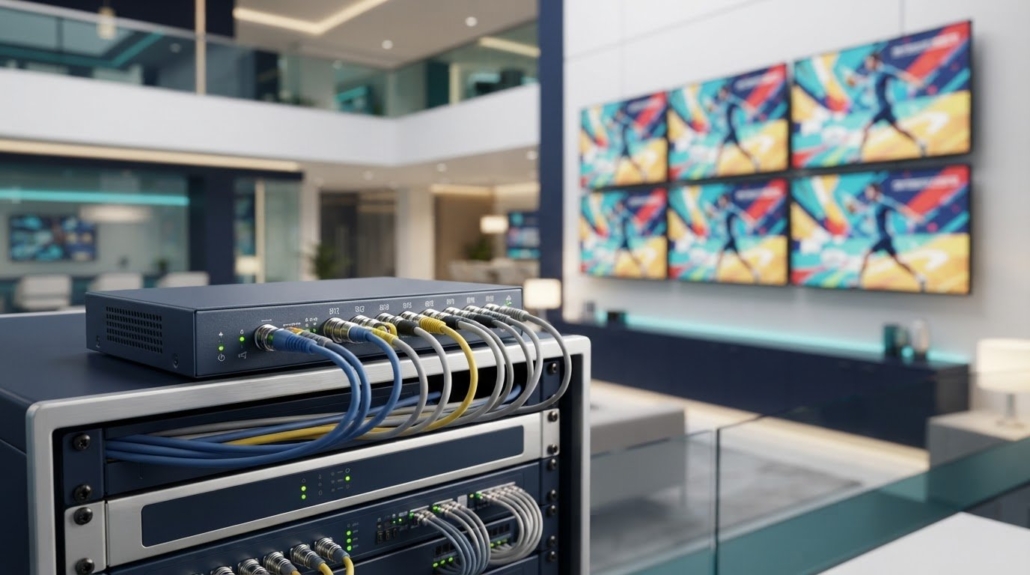
Commercial Video Distribution Amplifier Services for AV Systems
One video feed can serve multiple displays without relying on a simple split. A commercial video distribution amplifier takes a single input and sends the same signal to multiple isolated outputs, with amplified video available at two or more outputs. That makes it useful when a source needs to reach several screens or other video devices while maintaining signal performance.
Choosing a commercial video distribution amplifier involves more than counting outputs. Signal format, cable-related loss, gain, and equalization all affect how the signal reaches each destination, while remote control can make adjustments easier. This guide explains how analog and HD distribution amplifiers work, what their performance features do, and how to assess their fit for a commercial AV system. It also covers how these devices differ from related equipment and when matrix switching is a better fit for flexible source-to-display routing.
Key Takeaways
- Identify whether your signal format and source are compatible with the amplifier before planning connections to multiple displays.
- Assess cable-related signal loss and output performance to determine whether amplification, gain adjustment, or equalization is needed.
- Remote control and status reporting can simplify system adjustments when supported by the amplifier and network setup.
- For systems that need display control, video wall processing, or flexible source routing, compare the relevant HDTV Supply offerings with your system requirements.
What is an Analog/HD Video Distribution Amplifier?
A video distribution amplifier takes one video input and sends the same signal to multiple isolated outputs. It provides an amplified signal to two or more outputs, helping distribute a source to several displays or video devices. A commercial video distribution amplifier must match the signal format and connection type used throughout the system.
Supported formats vary by amplifier. Analog options include composite and component video. Other video distribution equipment may support NTSC, ATSC, QAM16, QAM32, or QAM64 signals. These format names describe different signal standards or modulation formats, so matching the source output to the amplifier input matters. An amplifier designed for one connection or format doesn’t automatically support another.
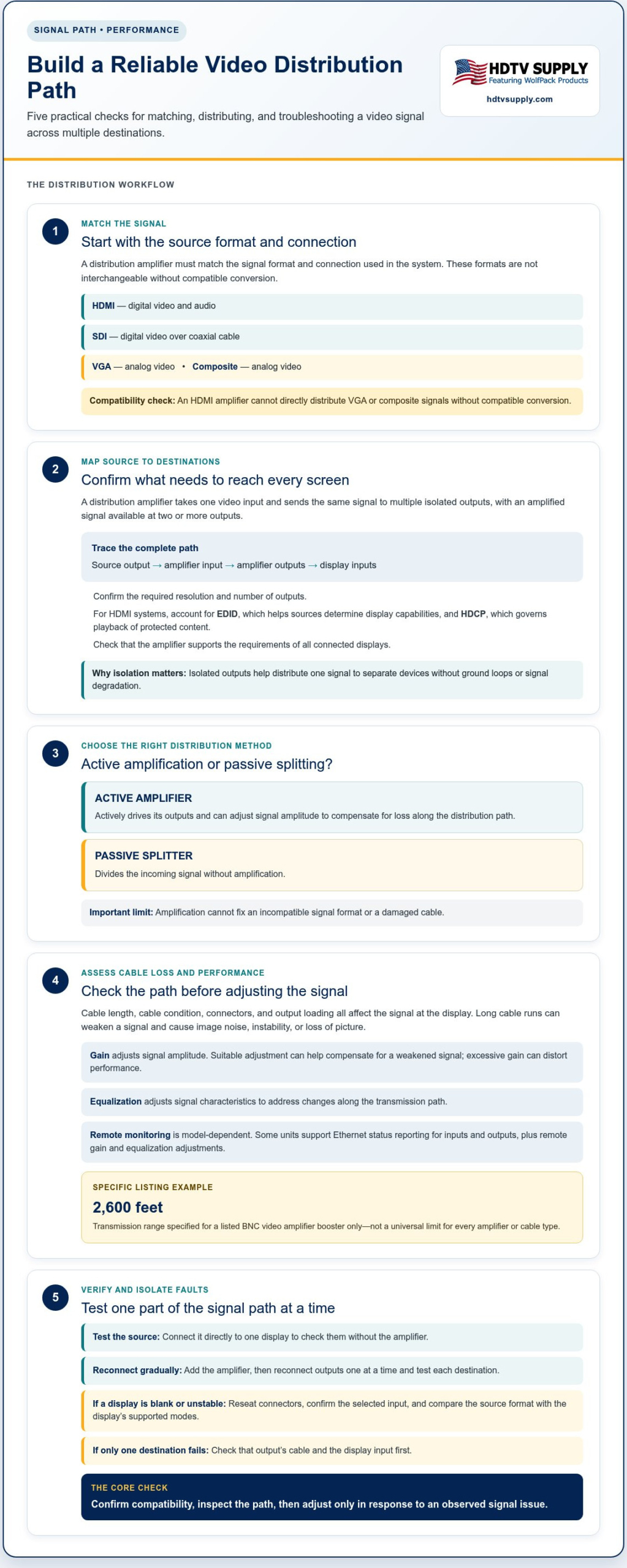
HDMI carries digital video and audio, SDI carries digital video over coaxial cable, VGA carries analog video, and composite carries video as an analog signal. Because their connectors and signal types differ, an HDMI amplifier cannot directly distribute VGA or composite signals without compatible conversion.
Choose an amplifier by tracing the signal path from source to displays. Match the source output to the display inputs, then confirm the required resolution and number of outputs. In HDMI systems, account for EDID, which helps source devices determine display capabilities, and HDCP, which governs playback of protected content. Verify that the amplifier supports the requirements of all connected displays.
If a display is blank or unstable, connect the source directly to one display to test them, then reconnect the amplifier and outputs one at a time. Reseat connectors, confirm the selected input, and compare the source format with the display’s supported modes. If only one destination fails, check that output’s cable and display input first.
For warranty, certification, and support details, review the written warranty terms, applicable safety or compliance certifications, and technical documentation. Check whether support covers setup and signal compatibility, and keep the model and system details handy when troubleshooting.
Amplifier features and signal performance
An amplifier actively drives its outputs, while a passive splitter divides the incoming signal without amplification. The difference matters when one source feeds several displays or a cable run weakens the signal. An active device can adjust signal amplitude to compensate for loss along the distribution path, but it cannot fix an incompatible format or damaged cable.
Cable length, cable condition, connectors, and output loading all affect the signal that reaches a display. A BNC video amplifier booster listing specifies a transmission range of 2600 feet. Treat that figure as specific to the listed booster, not a universal limit for every amplifier or cable type. Match the equipment to the signal path and connection requirements.
Long cable runs can weaken a signal, causing image noise, instability, or loss of picture. Displays with different resolutions can also create compatibility issues, particularly when digital sources and displays negotiate different supported modes. Check the signal at the source, amplifier, and display, then test outputs individually to isolate the problem.
Evaluate these features against the actual system:
- Active or passive operation: Choose active amplification when the system needs driven outputs to counter signal loss. A passive splitter only divides the incoming feed.
- Output isolation: Isolated outputs help distribute one signal to separate devices without ground loops or signal degradation.
- Adjustment and monitoring: Some models support remote adjustment of gain and equalization, plus input and output status reporting over Ethernet.
- Signal path: Match connectors, cable type, and required signal format from source through every output.
For example, if a long BNC run produces a weak image, inspect the connections and cable path before adjusting amplification. If a short run works but a distant display fails, test that output separately. This helps distinguish a distribution issue from a source or display fault.
For a system with multiple screens, compare the signal path and distribution requirements with professional AV equipment before selecting components.
Remote control, gain, and equalization
Install the amplifier between the video source and its destinations, then connect its control interface if it supports remote adjustment. Configure the signal path first, monitor input and output status, and adjust gain or equalization only to address an observed issue.
Gain controls signal amplitude. When a long cable run weakens the signal, suitable gain adjustment can help compensate, but excessive gain can distort performance. Equalization adjusts signal characteristics to address changes along the transmission path. Use the amplifier’s controls as designed and assess the image after each adjustment.
Remote management can reduce the need to access equipment physically. Some video distribution amplifiers support gain and equalization adjustment, as well as input and output status reporting over Ethernet. These features depend on the model. Ethernet status can help locate a fault by showing whether the input signal reaches the amplifier and whether an output reports an issue.
Use a methodical setup sequence:
- Connect the source: Route the source output to the amplifier input using the compatible connection and format.
- Connect destinations: Attach each display or video device to an output, then confirm the intended signal appears.
- Connect network control: For an Ethernet-capable model, connect it to the control network and access its supported interface.
- Review status: Check input and output reporting before changing signal settings.
- Adjust and test: Change gain or equalization in measured increments, then compare the image at the affected destination.
For example, if one distant display shows a degraded image while another remains clear, inspect the affected output’s cable path first. Check its status, then adjust the amplifier only if the signal path and connections are sound. If every display has trouble, review the source format and amplifier input before changing output settings.
Remote controls do not replace signal-path troubleshooting. A status report can narrow down the issue, while a direct source-to-display test helps distinguish amplifier settings from a cable or display fault. Record the working configuration so you can compare future adjustments with a known baseline.
Analog/HD video distribution amplifier function
A video distribution amplifier takes one source feed and delivers it to multiple video destinations. Its job is distribution, not source selection: each output carries the input signal rather than a separately chosen program. This suits systems where several displays need the same camera, receiver, or other source at once.
Along the signal path, the amplifier adjusts video amplitude to compensate for loss during distribution. This can help maintain the signal as it travels through cables to connected equipment. Isolated outputs also help distribute a signal without ground loops or signal degradation. They cannot repair a damaged cable or make incompatible equipment work together, so matching formats and connections still matters.
Map the system as a path: source, amplifier input, amplifier outputs, then displays. For example, one video source can feed several monitors showing the same content. An amplifier does not route different sources independently to different screens. That requires a switching or matrix function.
- One source, shared content: Use distribution when destinations need the same feed.
- Multiple outputs: Connect each destination to an appropriate output, then check the signal at each screen.
- Signal compensation: Use amplification to address signal loss along the distribution path.
- Separate routing needs: Choose switching or matrix equipment when displays require different sources.
This distinction helps prevent a common design mismatch. If every screen in a venue needs the same program, distribution is the right function. If a video wall needs content arranged across panels, a processor handles that display function. If screens must show different source feeds, a distribution amplifier alone cannot provide the required routing.
Before selecting equipment, document the source signal, cable path, destinations, and whether screens share content. Then plan your video distribution system around the signal flow and display requirements.
HDTV Supply: WolfPad TV Control Systems
HDTV Supply offers WolfPad TV Control Systems for projects where managing televisions is part of the AV requirement. If your system needs more than one shared video feed, choose equipment based on how sources must reach displays. WolfPad TV Control Systems address TV control, while HDMI Video Wall Processors are relevant when the goal is processing content for a video wall. For routing HDMI sources to displays, consider WolfPackSecure 4K 60 4:4:4 HDMI Matrix Switchers.
A distribution amplifier and a matrix switcher serve different needs: amplification distributes one signal, while matrix switching routes sources. Define the system’s signal format, destinations, and control requirements before selecting equipment. Visit HDTV Supply to explore options for your AV system.
Plan Your AV System’s Next Step
Before choosing equipment, map the system’s signal flow and decide whether the priority is shared content, source routing, or display control. This helps ensure a commercial video distribution amplifier is considered for the right role, rather than treated as a substitute for every AV component.
For source routing, HDTV Supply offers WolfPack Modular Matrix Switchers. Venues distributing television content can explore professional commercial video distribution options, while WolfPad TV Control Systems are designed for TV control. Match the equipment category to the task, then bring your source and display requirements into the discussion.
Contact HDTV Supply about your AV system to discuss the next step. A clear signal-flow plan gives you a practical starting point for selecting equipment and moving your project forward with confidence.
Frequently Asked Questions
What is a commercial video distribution amplifier and how does it work?
A commercial video distribution amplifier sends a source signal to multiple video destinations, with amplification available across its outputs. For example, a venue can distribute one receiver’s feed to several screens showing the same program. It does not select different content for each display. For independent source routing, a matrix switcher serves a different role.
Which video formats and resolutions do commercial distribution amplifiers support, including 4K, 8K, and HDR?
Supported formats vary by model and signal type. Analog and broadcast-related formats include composite video, component video, NTSC, ATSC, QAM16, QAM32, and QAM64. Digital formats such as 4K, 8K, and HDR require equipment explicitly designed for those signals. For example, a product name that includes “4K 60 4:4:4” identifies those capabilities for that named matrix switcher, not every amplifier.
How many outputs and what cable distances do commercial video distribution amplifiers support?
Output counts and cable reach depend on the specific device and signal path. Video distribution amplifiers provide two or more outputs, while a BNC video amplifier booster listing specifies a transmission range of 2600 feet. That range applies to the listed booster, not every amplifier or cable setup. For system planning, match the output count and cable type to the destinations and route.
What are the best commercial video distribution amplifiers for digital signage, conference rooms, and broadcast systems?
Choose an amplifier that matches the source and display formats, connection types, required resolution, output count, and cable path. For digital signage, conference rooms, or broadcast systems where screens need different sources, choose switching or matrix equipment instead of a distribution amplifier.
How much do commercial video distribution amplifiers cost in the United States?
These are specific listings, not a general market price range.
Leave a Reply
Want to join the discussion?Feel free to contribute!