
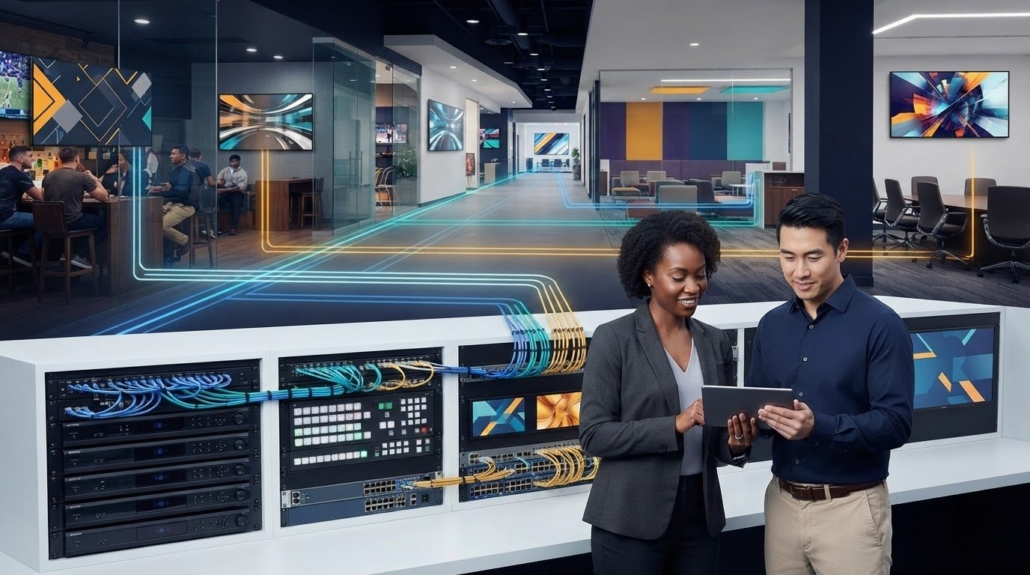
Digital Signage Video Distribution System: A Practical Guide
What if the most scalable distribution option isn’t the right fit for your venue? A digital signage video distribution system involves more than sending a signal from a source to a screen. Content management, playback, switching, and distribution each have a distinct role. Mixing them up can lead to equipment that doesn’t match the job.
To deliver video across a building or venue, start with the signal path and display layout. The right approach depends on your content sources, screen groups, display locations, control requirements, and existing infrastructure. A few nearby displays may need a simpler path than screens spread across multiple areas.
This guide explains the components in a signage system and how content travels from source to screen. You’ll compare IP, RF, and direct AV distribution against practical project requirements, then identify hardware categories to consider for your layout. The goal is to match your sources, distribution method, and displays before selecting equipment.
Key Takeaways
- Separate content preparation and scheduling from playback and AV routing to identify which parts of the system manage or move video.
- Trace the signal path from source to display to see where players, switching equipment, and transport fit.
- Compare IP, RF, and direct AV against your venue’s layout and infrastructure before choosing a digital signage video distribution system.
- Inventory sources, content needs, screen groups, display locations, and system owners to build a practical hardware plan.
- Compare WolfPack Over IP Matrix Systems and other AV categories with your completed source-to-screen design.
What a Digital Signage Video Distribution System Does
A signage system brings together several jobs that are easy to confuse. Content creation produces the message, such as a promotion, announcement, or video. Content management software organizes and schedules that material. Playback turns it into a video signal. AV routing selects where the signal should go, and distribution carries it to one or more displays. The screen presents the result.
Definition: A digital signage video distribution system is the signal path and equipment that deliver prepared video from a playback source to one or more signage displays. It transports content, but doesn’t create or schedule it.
How content moves from source to screen
Start with the content publisher or media source. A signage player may receive a schedule from a content management system, then play the selected media as an output signal. That signal can pass through routing or distribution equipment before travelling along the chosen path to the display. The components depend on the architecture, source types, screen layout, and project requirements.
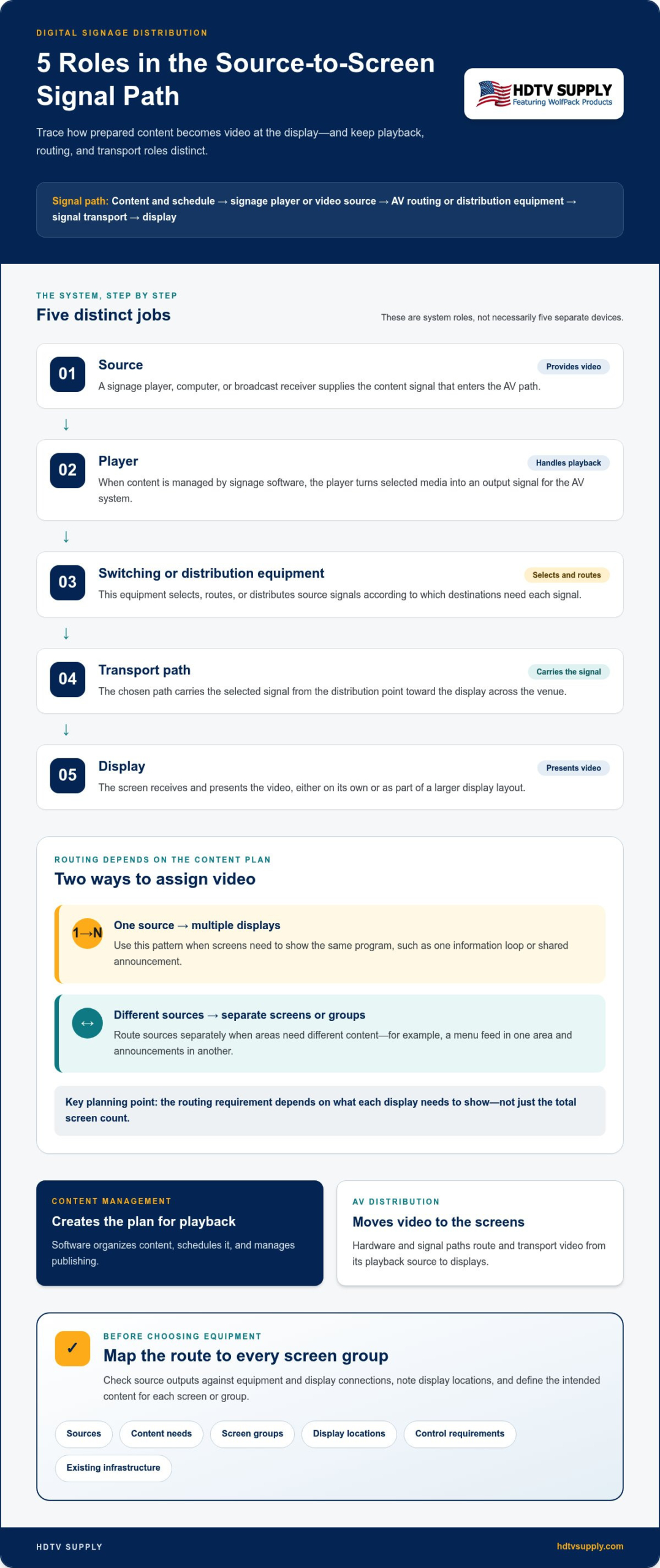
Source-to-screen path: Content and schedule → signage player or video source → AV routing or distribution equipment → signal transport → display
Each stage has a distinct role. The player handles playback, a switcher or distribution device directs or sends the signal, the transport path carries it to the screen, and the display renders it. A compact system may connect a source directly to a nearby screen. A larger design may add equipment to serve screens in separate locations.
One source can feed multiple displays when they need to show the same program. For example, a venue might send one information loop to screens in several common areas. Another design may route separate sources to different screens or groups, such as a menu feed in one area and announcements in another. The routing requirement depends on what each display needs to show, not just the total screen count.
Distribution system versus signage software
Signage software and AV distribution work together, but they aren’t interchangeable. Software manages content, schedules, and publishing. Distribution hardware and signal paths move video from its playback source to the displays. A signage player can act as one source within a wider AV system, alongside other video sources if the design calls for them.
This distinction prevents a common planning mistake: assuming that a content management platform alone determines how video reaches every screen. The software may control what plays, while the AV design determines how that output is routed and transported. A useful overview of the broader signage category, including its software and hardware roles, appears in Digital Signage.
Keep the responsibilities clear as you plan. Prepare and schedule content in the appropriate software, identify the playback source, then map the AV path to each screen or group. This makes it easier to specify distribution equipment without confusing content functions with signal delivery.
How Digital Signage Video Distribution Architectures Work
To design a digital signage video distribution system, trace the signal in order, from the device that provides content to the screen that presents it. Each stage has a distinct job. Some systems combine stages in one device, while others use separate equipment to support more sources, destinations, or display layouts.
From content source to distribution equipment
Sources may include a signage player, computer, or broadcast receiver. Check source outputs against the distribution equipment and display connections: the available signal types and connections must fit the planned route. Keep a simple equipment map so every source has a defined path to its intended screen or screen group.
- Source: The source supplies the video, such as a scheduled signage presentation from a player or a feed from a receiver. It provides the content signal that enters the AV path.
- Player: When content is managed by signage software, a player turns the selected media into output for the AV system. It handles playback, not distribution to every display.
- Switching or distribution equipment: This equipment selects, routes, or distributes source signals according to the system design. It controls which signal reaches which destination.
- Transport path: The selected path carries the signal from the distribution point toward the display. It connects the equipment across the venue using the chosen architecture.
- Display: The screen receives and presents the video, either independently or as part of a larger display layout.
These stages don’t always require five separate devices. A source may connect directly to a nearby display, or distribution equipment may sit between them. The signal path depends on the source, display connections, venue, and transport approach. Confirming those details early helps avoid a design that routes video correctly on paper but doesn’t match the equipment connections in the project.
From distribution path to display layout
The layout determines how signals need to be assigned. In a one-to-many design, one source feeds multiple screens that show the same content, such as a shared announcement. In a routed design, different sources can be assigned to separate displays or groups, so one area can show a menu while another presents a notice. The distribution equipment and path must reflect that content plan.
Map every display location, not just the total screen count. Screens spread across a venue may need a different transport arrangement from displays positioned together. Also note whether a group of panels will function as a video wall. That layout may need video processing in addition to signal distribution. The video wall processor guide explains the processor’s role in that type of design.
Before selecting hardware, record each source, its intended destinations, and the path between them. Then compare the plan with the relevant AV distribution hardware to explore equipment categories that fit the system architecture.
IP, RF, or Direct AV: Compare Signage Distribution Approaches
Choose a transport path based on the display plan, not a universal ranking of technologies. An IP-based design carries video through network infrastructure. RF distributes video as television channels over a coaxial path. Direct AV connects sources and displays through AV routing equipment and its associated signal paths. Each approach has different dependencies. The right fit depends on the venue’s infrastructure, source arrangement, screen locations, and how content must be assigned.
| Transport approach | Typical fit | Planning questions | System dependencies |
|---|---|---|---|
| IP | Systems where video distribution is organized around network infrastructure. | Who owns and manages the network? How is it laid out, and who handles operational responsibilities? | Network design, connected endpoints, and coordination with the team responsible for network operations. |
| RF | Setups that distribute video as television channels to displays. | Are screens intended to receive channel-based content? Is coaxial distribution part of the venue’s design? | RF distribution equipment and a coaxial signal path suited to the system plan. |
| Direct AV | Systems organized around physical AV sources, routing equipment, and display destinations. | Which source should feed each screen or group? Where will the routing equipment sit? | Compatible source and destination connections, AV routing equipment, and the planned signal paths. |
When an IP-based distribution path may fit
IP is one architecture option, not an automatic choice for every building. It may suit a project planned around network-connected distribution, but the network’s topology, ownership, and operating responsibilities need to be part of the AV design. Map who manages the network and how the video system will be coordinated with that team. Include those responsibilities and dependencies in the design before choosing this path.
When RF or direct AV may fit
RF may fit when the design distributes sources as television channels over coax. Consider direct AV when the system is built around physical sources that need to be routed to defined screens or groups. In either case, map the inputs, destinations, and paths first. A professional HDMI modulator guide provides more context on coax distribution, while this HDMI matrix switcher guide covers matrix-system fundamentals.
Compare approaches against the actual venue. A shared source feeding several nearby screens creates different routing needs from multiple sources assigned to separate areas. Specify a digital signage video distribution system around content destinations and existing infrastructure, not a technology label alone. Use the table to identify dependencies, then include them in the hardware plan. HDTV Supply’s AV distribution hardware catalog offers categories to explore as you develop that plan.
Plan a Digital Signage Distribution System Before Selecting Hardware
Start with system requirements, not a hardware list. A clear plan connects each content source to the displays it must serve and identifies the people responsible for operating each part. It also captures practical needs that can affect equipment choices, such as existing infrastructure, audio, access to AV equipment, and expected changes to the system.
Planning principle: Document the source, destination, and content requirement for every route.
Build a source-and-display schedule
Create a schedule before comparing distribution hardware. Record each source, its intended screen group, the content it carries, and the person or team responsible for controlling it. This makes it easier to distinguish shared feeds from separate routing requirements.
- Source: Identify each signage player, computer, receiver, or other video source in the plan.
- Screen group: List the displays assigned to that source, including their locations.
- Content requirement: Note what each group needs to show and whether the content is shared or distinct.
- Control owner: Name the person or team responsible for content, playback, and AV equipment.
- Display type: Flag any video-wall layout separately from ordinary single-screen destinations.
For example, a group of displays showing the same announcement has a different routing requirement from two areas that need separate content. Keep those groups distinct in the schedule. A video wall also deserves its own note because its display arrangement may involve processing beyond standard screen distribution.
Account for operations and future changes
Plan for how the venue will use and manage the displays once the system is operating. Identify who updates content, who manages playback sources, and who administers the AV equipment. Clarify handoffs between those roles so routine changes don’t depend on an unclear process.
Then record conditions that could change the design. Consider whether the venue may add sources, relocate screens, create new screen groups, or send different content to existing destinations. Note display and equipment locations, plus who needs access to the equipment for day-to-day operation. These details help shape the distribution path and account for likely project changes.
- Document existing network, coaxial, or direct AV infrastructure relevant to the planned routes.
- Record whether audio must accompany video or be handled separately.
- Note equipment locations and operational access needs.
- List likely additions or content changes so they can inform hardware selection.
Venue requirements vary. A sports bar TV distribution guide offers a venue-specific example of planning for screen groups and changing content needs. Other sites should build a route schedule around their own sources and display layouts.
Use the completed schedule to compare distribution hardware with actual routes, infrastructure, and operating responsibilities. Explore AV distribution hardware with that plan in hand.
HDTV Supply WolfPack AV Options for Signage Distribution
Once the source-and-display plan is complete, use it to narrow the hardware categories for your digital signage video distribution system. Match equipment to the signal path you’ve documented, including source types, intended screen groups, transport approach, and any video-wall requirement. Distribution hardware is one part of the design, so consider the complete route as you compare options.
Match WolfPack categories to the planned signal path
HDTV Supply’s WolfPack AV line includes categories relevant to signage distribution. Compare each with your system requirements rather than assuming one category suits every layout.
- WolfPack Over IP Matrix Systems: Explore this category when your planned distribution approach uses IP. Use your source-and-display schedule to map where each source needs to go and identify the network path in the design.
- WolfPack HDMI Matrix Systems: These systems are listed with free video-wall processing. If your plan includes a video wall, note that requirement when comparing this category with the rest of the signal path.
- WolfPack HDMI-over-LAN Splitters: These are listed as supporting up to 47 TVs. This is the stated support for this splitter category, not a general capacity claim for other products or system designs.
These categories suit different planning contexts. An IP-based route, an HDMI matrix arrangement, and HDMI-over-LAN splitting aren’t interchangeable labels for the same design. Start with the signals and destinations in your schedule, then consider which category aligns with the architecture. Avoid choosing equipment by screen count alone. Note whether displays share a source, need separate assignments, or form a video wall.
Move from project requirements to product exploration
Keep your source-and-display schedule nearby as you explore. It provides a practical reference for comparing intended inputs and destinations with the category under consideration. Include the content assigned to each screen group, display locations, and the system’s transport approach. This keeps product exploration focused on the complete route, rather than a single component.
HDTV Supply’s online catalog includes more than 12,000 AV products, with categories to review alongside the WolfPack options. You can explore products online or call for assistance. Keep your project plan at hand so you can focus on relevant categories and match distribution equipment to the system’s requirements.
Explore HDTV Supply’s AV catalog or call for assistance as you identify equipment categories for your planned signage distribution system.
Turn Your Distribution Plan Into the Next Project Step
Turn your route map into a working project document. Keep the source, destination, content requirement, and responsible owner together for each route. This gives your team a shared reference as requirements develop and makes changes easier to track before they affect equipment choices.
Use the document to review the planned signal path against your venue’s needs. If a source, screen group, or operating responsibility changes, update the plan before finalizing hardware selection. A digital signage video distribution system is easier to scope when the design reflects both the current layout and the decisions that may shape future adjustments.
With your requirements organized, explore available AV options and identify categories that align with your design. Explore HDTV Supply’s AV product catalog and move your signage project forward with a clearer path from source to screen.
Frequently Asked Questions
Can digital signage displays also show live television?
Yes. A signage environment can include television sources alongside prepared content. For example, a workplace might show scheduled notices on lobby screens and a television feed on staff-area displays. The arrangement depends on which sources should reach which screens and how the venue is organized. Map the intended destinations for each feed, then plan the routing around those requirements rather than assuming every signage system handles broadcast content the same way.
Does a digital signage video distribution system create or schedule content?
Not necessarily. A digital signage video distribution system handles the AV path, while content creation and scheduling are typically handled separately. For example, a communications team might prepare and schedule a message in a signage platform, then send it to a player for playback. Distribution equipment carries the player’s output to the assigned displays. AV routing hardware alone doesn’t provide a content-management platform.
Can one digital signage system serve public and staff-only displays?
Yes, if the design separates destinations according to the content and sources intended for each group. A facility might reserve internal notices for staff displays while showing public announcements in shared areas. The routing plan should reflect those distinctions so each feed reaches its intended screens. Document the source and destinations for every content group before selecting the distribution architecture, especially if public and staff displays are managed by different teams.
What information should I gather before planning a signage distribution system?
List each source and the content it provides, then record display locations and which screens need shared or separate feeds. Assign an owner for content updates and another for AV equipment administration if those responsibilities differ. Also note audio requirements, video-wall plans, and infrastructure constraints. For example, identify whether a screen needs accompanying audio or whether a planned wall has a distinct processing requirement. This brief supports a clearer system design.
Can digital signage use HDMI sources and network-based distribution together?
Yes, a system can combine HDMI sources with network-based distribution if the equipment and architecture support the required signal path. For example, a media source could enter the AV system over HDMI, with distribution continuing through a network-based path. Document where the source enters, what equipment connects the stages, and which displays receive the signal. Compatibility depends on the components selected.
Is a video wall processor the same as a digital signage distribution system?
No. A processor handles video-wall presentation requirements, while a distribution system describes how video gets from sources to displays. A venue may need both: distribution to deliver a source to the wall and processing to support the wall’s display arrangement. They solve different parts of the design. Specify whether the project needs signal delivery, wall processing, or both before choosing equipment.
Leave a Reply
Want to join the discussion?Feel free to contribute!