
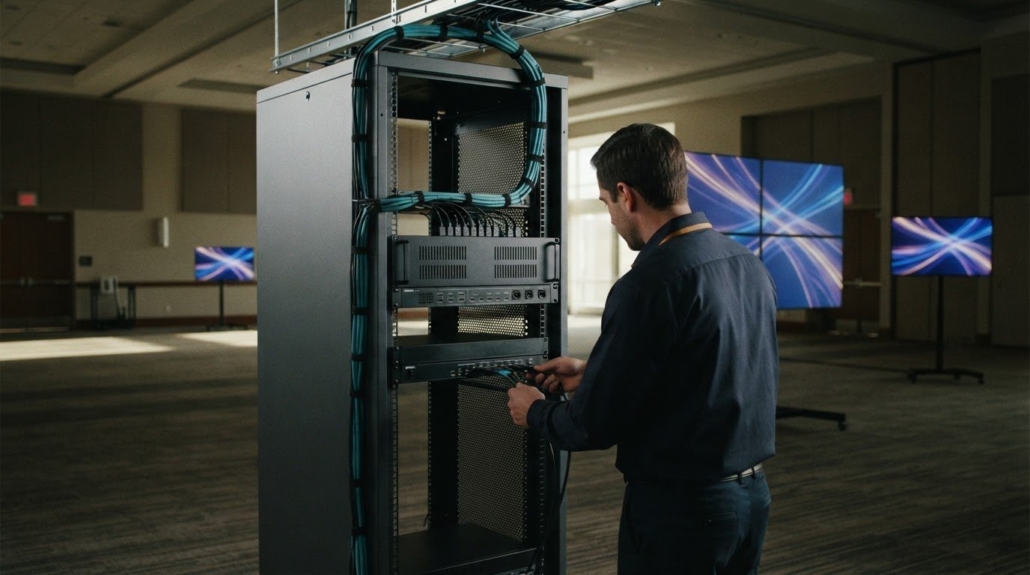
Event Space Video Distribution System Codec Examples
A higher-resolution feed doesn’t, by itself, tell you how much network capacity to reserve. An event space video distribution system’s bandwidth needs also depend on codec efficiency and whether adaptive bitrate can adjust stream quality as available capacity changes. UHD has four times the resolution of full HD (1080p), but the encoded stream’s data rate is what drives transmission load.
When planning video across displays, resolution is only one consideration. Two feeds at the same resolution can place different demands on a network if their codecs or bitrate settings differ. Ignoring these factors can use more network capacity than expected or make it difficult to maintain the intended picture quality.
This guide explains how codec choices, resolution, and adaptive bitrate affect bandwidth, then applies those factors to practical event-space examples. You’ll learn what shapes network demand and how to plan a distribution design before choosing the signal path and equipment.
Key Takeaways
- Match display resolution to viewing distance and content needs before setting the distribution path.
- Build an equipment plan around the sources, displays, switching, and control the venue requires.
- Compare HDMI, SDI, HDBaseT, and AV over IP by how each fits the signal route and system design.
- Use the source and display count to shape matrix switching needs, then consider WolfPad TV Control Systems for managing TV distribution.
Video resolution
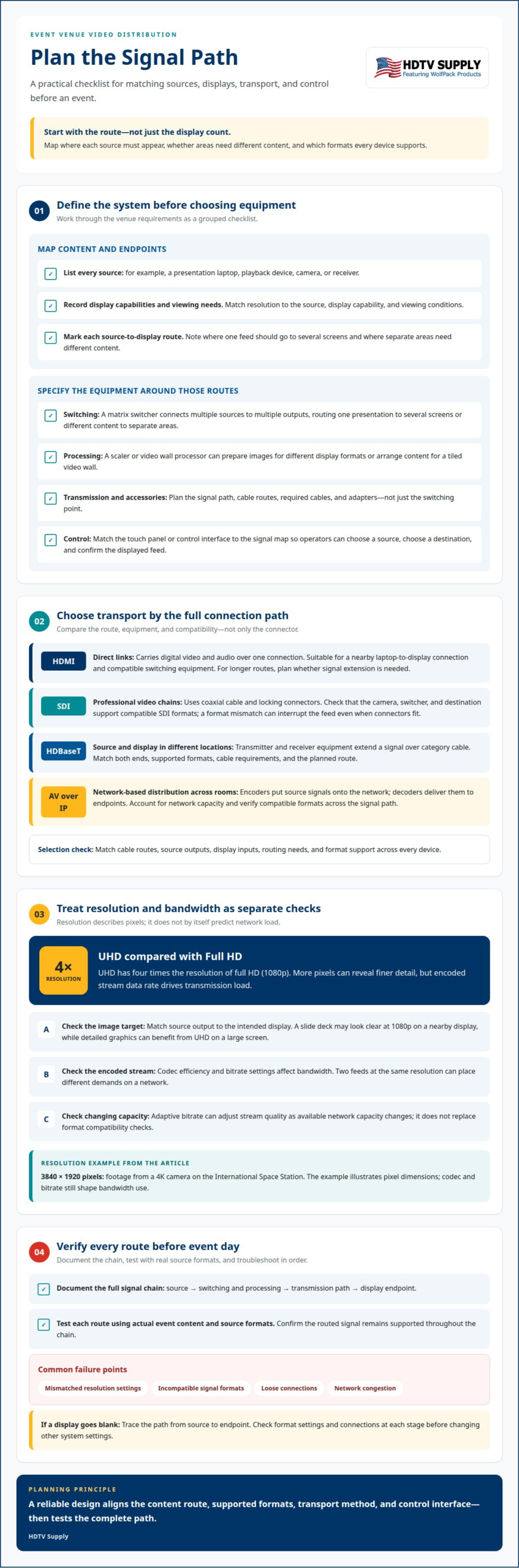
Ultra-high-definition video has four times the resolution of full HD, or 1080p. More pixels can reveal finer detail, but they also affect encoding and transmission demands. For an event space video distribution system, plan resolution around the source, display capability, and viewing conditions.
Resolution describes the image’s pixel dimensions, not the complete signal requirement. A 4K camera on the International Space Station has provided footage at 3840×1920 pixels. The encoded stream’s codec and bitrate also shape bandwidth use, so resolution alone cannot predict network load.
Situation: A presentation venue receives a UHD feed but has displays with different supported resolutions. Action: Map each source and display, then set output formats supported by the connected equipment. Result: Each display has a defined signal target, rather than assuming every endpoint can handle UHD.
Installation costs vary by venue. The scope depends on equipment, the number of sources and displays, cable routes, and required signal formats. A setup with few endpoints differs from one that needs varied outputs and complex routing.
Start by listing video sources, display resolutions, and required routes. Define where each source must appear and whether displays need different content. Select distribution equipment that supports those formats, then plan cable paths and control. Use the signal map to guide installation, connecting sources, switching equipment, transmission paths, and displays. Test each route with the actual source formats before an event.
Common failures include mismatched resolution settings, incompatible signal formats, loose connections, and network congestion. Reduce the risk by documenting the full signal chain and testing every route with event content. If a display goes blank, trace the path from source to endpoint. Check format settings and connections at each stage before changing other system settings.
For example, a slide deck may look clear at 1080p on a nearby display, while detailed graphics benefit from UHD on a large screen. Match source output to the intended display, then verify the routed signal remains supported throughout the chain. Adaptive bitrate can adjust stream quality as network capacity changes, but it doesn’t replace format compatibility checks.
What video distribution equipment is needed for an event venue?
Begin with the signal sources, such as a presentation laptop, playback device, camera, or receiver. Each source feeds the routing stage, where an operator selects the content for each display. For example, a venue might send slides to the main screen while routing a camera feed to lobby monitors. Choose equipment based on these signal paths, not just the number of displays.
A matrix switcher connects multiple sources to multiple outputs, allowing flexible routing. It can send one presentation to several screens or different content to separate areas. A scaler or video wall processor can prepare and arrange images for displays with different formats or a tiled video wall. Choose components to match the actual source and display formats.
Transmission equipment carries signals from the switching point to the displays. Depending on the design, the path may use HDMI cabling, HDBaseT extenders, SDI, or AV over IP network hardware. Cable routes, distance, and signal format help determine the right option. Include the required cables and adapters in the equipment plan, rather than leaving them until the last minute.
Control hardware lets operators select sources and destinations. A touch panel or control interface can simplify tasks such as routing a laptop to the ballroom screen. In a venue with multiple zones, make the control steps clear: choose the source, choose the destination, then confirm the displayed feed. The interface should match the signal map.
Situation: A venue has a presentation screen, a video wall, and lobby displays. Action: Map each source-to-display route, then specify switching, processing, transmission, cabling, and control components. Result: The equipment list follows the system design, and each endpoint has a defined signal path. For venue routing components, browse professional video distribution equipment.
Choose a transport method by matching cable routes, source outputs, display inputs, and routing needs. HDMI, SDI, HDBaseT, and AV over IP address different connection requirements. For an event space video distribution system, the signal path matters as much as the connector. Confirm format compatibility across every device before choosing a method.
HDMI: Connecting a laptop beside a display is a straightforward example. HDMI carries digital video and audio over one connection, making it suitable for direct source-to-display links and compatible switching equipment. Longer routes may need signal extension, so plan the full cable path rather than assuming a short patch connection will work.
SDI: Routing a camera feed to production equipment illustrates SDI’s role. SDI uses coaxial cable and locking connectors, making it useful in signal chains built around professional video equipment. Check that the camera, switcher, and destination support compatible SDI formats. A format mismatch can interrupt the feed even when the connectors fit.
HDBaseT: A source in a control room can connect to a display elsewhere using HDBaseT equipment over category cable. A transmitter and receiver extend the signal between those points. Their supported formats and cable requirements determine the usable path. Match both ends and include the required transmitter or receiver in the equipment plan.
AV over IP: A venue routing sources to displays across several rooms may use network-based video distribution. Encoders put source signals onto the network, and decoders deliver them to endpoints. Network capacity, switch configuration, and stream settings affect performance. Plan multicast or unicast behavior for the system design, then test routes under realistic network conditions.
Situation: A ballroom needs a camera feed, presentation laptop, and lobby display. Action: Map each route, compare device interfaces, and select a transport method for each path. Result: Direct HDMI links, SDI camera routing, HDBaseT extensions, or network streams each have a defined role. A mixed design can work when formats and conversion points are planned together.
How many displays and video sources can an event video distribution system support?
There’s no universal capacity for every venue. The system’s input and output connections set a core limit, while its architecture determines routing flexibility. A matrix switcher routes selected sources to selected displays. A splitter sends the same source to multiple destinations. The right choice depends on whether rooms need shared or independent content.
Start with an inventory of sources and destinations. Include presentation laptops, cameras, playback devices, confidence monitors, lobby screens, and video walls. Record which sources need to reach each display. For example, a ballroom might show a laptop on the main screen and a camera feed on overflow displays. This route map reveals the required inputs and outputs.
Count destinations by signal path, not just by physical screen. A video wall may use several panels to display one composed image. A processor can manage the wall layout, while the distribution system routes content to it. Treating the wall as a single destination on the signal map helps distinguish routing needs from panel connections.
More endpoints also affect transport and control. HDMI connections, HDBaseT extensions, and AV over IP endpoints have different equipment requirements. With network video, each stream and destination adds to network demand. Control design matters too: operators need clear selections for source, room, and display, especially when separate spaces show different content.
Situation: A venue adds lobby screens to an existing ballroom setup. Action: Map each source-to-display route, identify shared feeds, and check the switcher’s available inputs and outputs. Account for processing and transmission equipment on each path. Result: The design shows whether the existing routing can support the new destinations or needs expansion.
Capacity planning should also include event-day changes. A spare source connection can support a backup laptop, while an unused output may simplify future display additions. These are design choices, not fixed system limits. Explore video distribution options for a setup matched to your source and display map.
HDTV Supply: WolfPad TV Control Systems
HDTV Supply offers WolfPad TV Control Systems for venues that need a dedicated TV control option. For a distribution plan with several sources and display zones, include system control in the design alongside switching and signal transport.
HDTV Supply also offers commercial video distribution equipment, HDMI Video Wall Processors, WolfPack Modular Matrix Switchers, and WolfPackSecure 4K 60 4:4:4 HDMI Matrix Switchers. These offerings align with distinct needs: TV distribution, video wall processing, and matrix switching. Match the equipment category to the signal routes and display setup established in your venue plan.
Contact HDTV Supply to discuss video distribution equipment for your event space.
Turn the Signal Plan Into a Clear Next Step
Turn your routing decisions into a practical equipment brief. Record source types, destination zones, the desired control approach, and any video wall requirements. This gives each purchasing decision a clear purpose instead of treating components as separate choices. Your event space video distribution system should match how content moves through the venue, including how operators select feeds during an event.
HDTV Supply offers WolfPack Modular Matrix Switchers, a Sports Bar TV Distribution System, and WolfPad TV Control Systems. These options address matrix switching, venue TV distribution, and TV control needs. Use the equipment brief to identify which category aligns with your system design, then consider how each device fits the planned signal routes. For a focused discussion of your requirements, contact HDTV Supply. A well-defined plan makes the next equipment decision easier to approach.
Frequently Asked Questions
What is an event space video distribution system?
An event space video distribution system routes video from sources to selected displays across a venue. Sources can include presentation devices, cameras, and playback equipment; destinations may include screens in meeting rooms or shared areas. For example, an operator can send a presenter’s laptop to the main screen and a camera feed to a confidence display. The system also depends on compatible signal formats and control methods.
What cable lengths and video resolutions do common distribution methods support?
Supported lengths and resolutions depend on the equipment, cable type, and signal format. HDMI, SDI, HDBaseT, and AV over IP do not share a universal limit. For an event space video distribution system, review the transmitter, receiver, switcher, display, and any extender as one signal chain. Test the intended resolution over the installed route, especially when a long cable run connects distant rooms.
What network bandwidth and switches are required for AV over IP video distribution?
Required bandwidth depends on encoded bitrate and the number of active streams. For an event space video distribution system using AV over IP, calculate traffic for concurrent streams and allow for other network use and overhead. Choose switches with sufficient capacity and the routing behavior the design requires. If using multicast, configure the network to handle those streams, then test with the intended sources and endpoints connected.
Leave a Reply
Want to join the discussion?Feel free to contribute!