
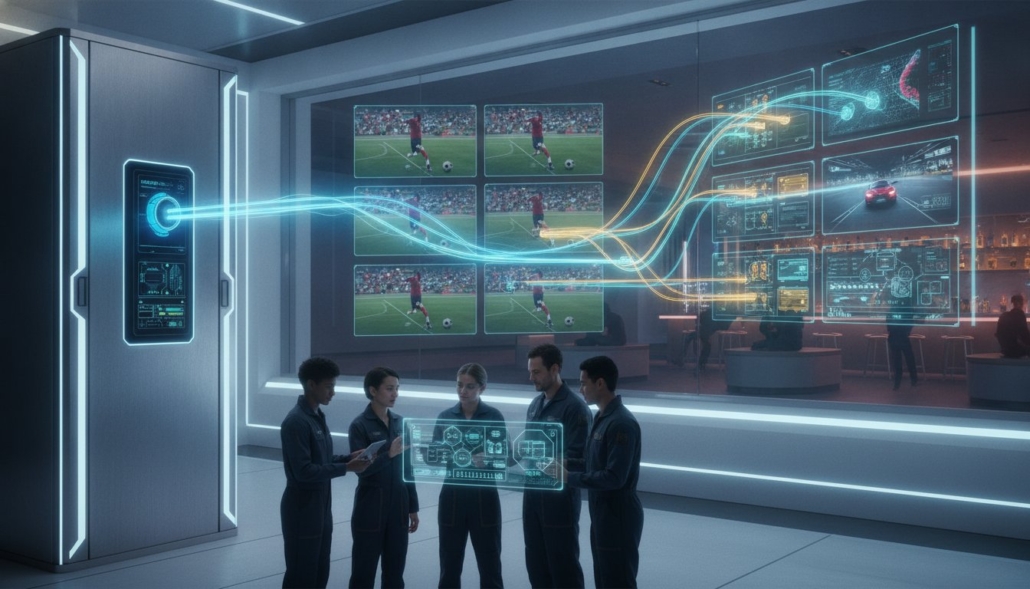
HDMI Modulator vs Matrix Switcher: 2026 Pro AV Guide
Your choice of video distribution hardware will dictate your venue’s operational efficiency for the next decade. While many technicians reflexively reach for Cat6 cabling, the most cost-effective path to 4K clarity often involves the infrastructure you already own. Deciding between an hdmi modulator vs matrix switcher isn’t just a technical preference; it’s a strategic decision that impacts signal latency, installation labor, and your ability to scale to hundreds of screens.
We understand the pressure of managing tight budgets while meeting the zero-latency demands of live sports environments. You need a system that’s easy for staff to control and won’t fail during the championship game. This 2026 Pro AV guide promises to demystify the mechanics of RF modulation and cross-point switching. We’ll compare WolfPack modular matrix systems against high-density HDMI modulators to help you select the architecture that fits your specific cabling and performance requirements. By the end of this article, you’ll know exactly which solution provides the crystal clear 4K distribution your venue deserves.
Key Takeaways
- Learn how to leverage existing coaxial cabling with HDMI modulators to distribute high-definition video to an unlimited number of screens without new wiring.
- Identify the critical performance benefits of WolfPack Modular Matrix systems for high-stakes environments that demand zero-latency 4K switching and independent source routing.
- Master the technical trade-offs between an hdmi modulator vs matrix switcher to ensure your venue infrastructure supports the latest 2026 Pro AV standards.
- Discover how to streamline facility management by integrating WolfPad TV control systems for intuitive, centralized command of complex display networks.
- Reduce installation labor and hardware waste by utilizing free custom AV design services to map your system architecture before purchasing.
Understanding the Core Conflict: Modulator vs. Matrix Switcher Architectures
Selecting the right video distribution system in 2026 requires a clear understanding of your venue’s physical infrastructure and performance goals. The debate over an hdmi modulator vs matrix switcher centers on one fundamental question: Do you need to route specific content to specific screens, or do you need to broadcast content to a massive number of displays simultaneously? Choosing your architecture must happen before you purchase hardware, as these two systems utilize entirely different transport mediums and signal processing logic.
Matrix switchers operate on a “many-to-many” logic, using dedicated Cat6 or HDMI cables to maintain high-bandwidth signal integrity. In contrast, modulators use a “one-to-many” broadcast approach, pushing signals over shared coaxial RF networks. This creates a trade-off between absolute signal precision and massive distribution scale. For high-performance zones where every millisecond counts, the matrix is king. For sprawling facilities where cabling costs would otherwise be prohibitive, the modulator is the logical choice.
What is an HDMI Matrix Switcher?
A matrix switcher utilizes cross-point switching technology to route any connected input to any connected output at the same time. Modern professional modular HDMI matrix switcher systems, like the WolfPack series, often incorporate HDBaseT technology to send 4K video, audio, and control signals over a single Cat6 cable up to 330 feet. The primary advantage here is zero-latency switching. Because the signal isn’t being encoded or compressed for broadcast, the transition between sources is instantaneous. This makes it the standard for live environments, control rooms, and premium sports bar zones where sync issues can’t be tolerated.
What is an HDMI Modulator?
An HDMI modulator functions by converting a digital HDMI signal into a radio frequency (RF) signal, essentially turning your video source into a private “TV channel.” This hdmi to coax conversion allows you to distribute video to an unlimited number of displays using the existing RG6 coaxial wiring found in most older buildings. You don’t need a dedicated receiver at every TV; the internal tuner of the television handles the decoding. While this introduces a small amount of processing latency, it offers unparalleled scalability for large-scale venues like stadiums or multi-floor hospitality centers where running new Cat6 lines is cost-prohibitive.
The HDMI Modulator: Leveraging Coaxial Infrastructure for Massive Scale
High-density modulators are the workhorses of large-scale video distribution. These multi-input devices take HDMI sources and encode them into digital RF signals. This hardware is designed for maximum rack-space efficiency, often housing four, eight, or sixteen channels in a single 1U chassis. When comparing an hdmi modulator vs matrix switcher, the modulator’s ability to broadcast over shared infrastructure is its defining trait. It doesn’t require a direct home-run cable for every display, which fundamentally changes the installation logic for large facilities.
The “Existing Wire” advantage is the primary driver for modulator adoption. Most commercial buildings, hotels, and older sports bars are already pre-wired with RG6 coaxial cable. By using a modulator, you bypass the need for expensive and labor-intensive Cat6 cable pulls. You simply inject the RF signal into the existing distribution network. Adding a new display is as simple as installing a basic splitter and tuning the TV to the correct channel. This simplicity eliminates the need for specialized external receivers at every screen, as the television’s internal QAM or ATSC tuner handles the decoding.
When Scalability Trumps Latency
In massive venues like stadiums or casinos, distributing content to hundreds of screens is a logistical challenge. Modulators allow you to manage these sources exactly like a local cable company. An hdmi modulator multi input serves as a central hub for venue-wide broadcasting, ensuring every TV receives the same high-definition feed without individual receivers. However, this process involves encoding and decoding, which introduces a latency of 200ms to 500ms. While this delay is invisible for digital signage or standard broadcast, it’s a critical factor to weigh when evaluating an hdmi modulator vs matrix switcher for environments where live interaction or perfectly synced audio is required.
The “Unlimited Screen” Economics
The economics of RF distribution become highly favorable once you exceed 16 displays. In a matrix system, every additional TV requires a dedicated output port and a receiver. With a modulator, the cost-per-screen drops significantly as you scale because you’re only limited by the signal strength of your RF amplifiers. You’ll reduce labor costs by avoiding new cable runs through walls and ceilings. Maintenance is also more straightforward for general staff. Instead of troubleshooting complex digital handshakes or HDCP errors at every node, technicians use standard RF signal meters to verify connectivity across the entire coaxial trunk. If you’re planning a large-scale project, our team at HDTV Supply can help you calculate the exact hardware requirements for your specific layout.
The HDMI Matrix Switcher: Direct High-Bandwidth Routing for Performance
While modulators excel at massive distribution scale, the modular HDMI matrix switcher is the definitive choice for high-performance zones. Systems like the WolfPack series provide uncompressed 4K 60Hz 4:4:4 video signals, ensuring every display receives a pixel-perfect image without the compression artifacts common in RF modulation. In the technical evaluation of an hdmi modulator vs matrix switcher, the matrix wins on absolute fidelity and speed. It’s the standard for environments where signal quality cannot be compromised.
Zero-latency switching is the primary performance driver for this architecture. Live sports environments, sportsbooks, and gaming lounges can’t tolerate the half-second delay inherent in encoded broadcast systems. A matrix switcher routes signals at hardware speeds with no perceptible lag. To overcome the physical limits of standard copper cables, professionals utilize HDBaseT for long distance HDMI signal distribution. This technology carries power, control, and 4K video over a single Cat6 cable, maintaining signal integrity over runs exceeding 300 feet.
WolfPack Modular Flexibility
WolfPack systems utilize a modular chassis design that allows for custom I/O configurations. You can mix and match cards including HDMI, SDI, and HDBaseT to fit your specific source and display requirements. This flexibility is vital for long-term ROI. If your venue upgrades to a new signal format or expands its display count, you simply swap or add a card instead of replacing the entire chassis. Advanced EDID management also ensures that 4K sources are handled correctly even when shared with legacy 1080p displays in a mixed-resolution environment.
The Performance Premium
Command centers and high-end sports bar “hero zones” prioritize matrix switching for its reliability and control. These systems manage the complex “digital handshake” required by HDCP 2.2 across dozens of outputs simultaneously. This prevents the frustrating signal dropouts or black screens that occur with consumer-grade hardware. For streamlined facility management, these systems integrate with WolfPad TV control systems. This provides staff with an intuitive iPad-based interface to route any source to any screen instantly. When comparing an hdmi modulator vs matrix switcher for a high-traffic environment, the matrix offers a superior, lag-free user experience that staff can master in minutes.
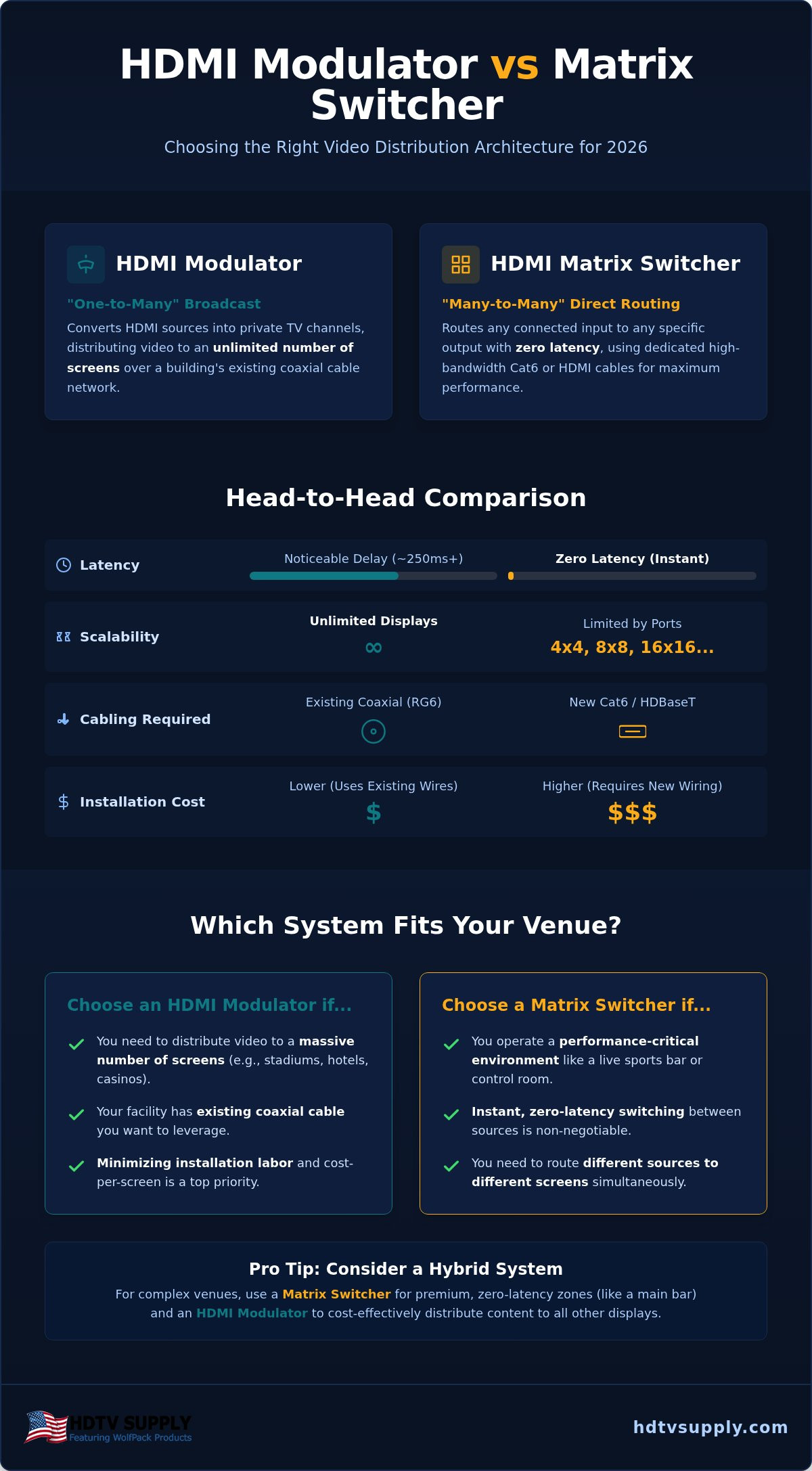
Head-to-Head Comparison: Cabling, Latency, and Cost-per-Screen
Choosing between an hdmi modulator vs matrix switcher requires a direct analysis of your venue’s technical limits and user expectations. While both systems distribute high-definition video, they offer vastly different experiences for both the installer and the end user. The following table highlights the critical specification gaps between these two architectures.
| Feature | HDMI Modulator | HDMI Matrix Switcher |
|---|---|---|
| Primary Cabling | Coaxial (RG6) | Twisted Pair (Cat6) |
| Max Distance | 1,000ft+ (with amps) | 330ft (via HDBaseT) |
| System Latency | 200ms – 500ms | Near Zero (Instant) |
| Control Method | TV Channel Remote | Centralized iPad/WolfPad |
| Signal Quality | Compressed (MPEG2/H.264) | Uncompressed (4K 60Hz 4:4:4) |
The “Latency Gap” is a deciding factor for many venue owners. In a modulator system, the encoding process creates a delay that can cause sync issues if you’re running a separate house audio system. If the crowd hears the goal on the radio or house speakers before they see it on the screen, the experience is ruined. Matrix switchers eliminate this risk by delivering the signal at hardware speeds. User experience also differs significantly; modulators require staff to use standard TV remotes to change channels, whereas matrix systems allow for instant source switching across all screens from a single interface.
The Infrastructure Factor
Retrofitting an existing building often makes the modulator the winner on labor costs alone. If the walls are already full of RG6 coax, pulling new wire is an unnecessary expense. However, in new construction, installing an hdmi extender over cat6 infrastructure and a matrix system is the professional standard for future-proofing. While HDBaseT matrix systems are limited to roughly 330 feet, modulators can push signals over 1,000 feet using standard RF amplifiers, making them ideal for massive multi-floor facilities.
Image Quality and Compression
Modulators rely on MPEG2 or H.264 compression to fit the video signal into a standard RF channel. For most sports bar environments, this quality is more than sufficient. When absolute pixel accuracy is required, such as in high-end digital signage or medical imaging, the uncompressed path of the matrix is necessary. While 4K 60Hz 4:4:4 performance is the standard for WolfPack Matrix systems, modulator performance varies based on the encoding chipset. If you’re unsure which path fits your budget, contact our engineers for a free custom AV design to map out your distribution needs.
Decision Framework: Which System Fits Your Venue?
Finalizing your choice between an hdmi modulator vs matrix switcher requires a pragmatic assessment of your venue’s physical layout and daily operational needs. Don’t make a hardware purchase based solely on price. Consider the long-term impact on your staff’s workflow and the customer experience. Use this five-point checklist to determine your path:
- Display Count: Is your system under 16 screens (Matrix) or exceeding 25 to 50 screens (Modulator)?
- Cabling Status: Do you have existing, accessible RG6 coaxial runs, or are you prepared for new Cat6 pulls?
- Latency Tolerance: Does your venue feature live play-by-play audio that must sync perfectly with the video?
- Control Requirements: Do you need a centralized iPad interface like WolfPad, or is a standard TV remote sufficient?
- Content Variety: Will every TV show something different, or will large groups of screens share the same few sources?
In Scenario A, a 12-TV sports bar focused on the “hero” viewing experience should choose the matrix path. A WolfPack system ensures zero-latency 4K performance for the main event. In Scenario B, a 60-TV casino or senior living facility should prioritize the modulator path. Leveraging existing coax for venue-wide broadcasting saves thousands in labor and hardware receivers. Many savvy owners utilize a “Hybrid Approach,” installing a matrix for the high-performance main bar and a modulator for the patio or overflow areas. This maximizes performance where it matters most while keeping costs low for secondary zones.
Calculating Your ROI
Your Total Cost of Ownership (TCO) includes hardware, installation labor, and ongoing maintenance. While modulators often have a lower initial price for high screen counts, consider how easy the system is for your staff to use. Systems integrated with WolfPad TV control reduce training time and prevent “wrong channel” errors during busy shifts. Troubleshooting is also a factor. A matrix system provides direct feedback on digital handshakes, while modulators rely on stable RF signal levels. Minimizing downtime is essential for venue profitability.
Custom Solutions from HDTV Supply
We maintain an inventory of over 12,000 professional AV products to ensure we can meet any technical requirement. Navigating the hdmi modulator vs matrix switcher debate alone often leads to expensive trial-and-error. Our seasoned industry veterans function as reliable consultants to help you design a system that works the first time. Avoid the frustration of signal dropouts or latency issues by getting a professional perspective. Contact our technical support team today for a free custom AV design tailored to your specific venue architecture.
Optimize Your Venue Architecture for 2026 and Beyond
Deciding between an hdmi modulator vs matrix switcher isn’t just about hardware; it’s about matching your system architecture to your venue’s physical reality. If your facility relies on massive scale and existing coaxial lines, high-density modulators offer the most efficient ROI. For premium zones where zero-latency 4K performance is non-negotiable, the WolfPack modular matrix remains the industry standard. Choosing the right path today prevents costly retrofits tomorrow.
Avoid the pitfalls of trial-and-error by consulting with a seasoned specialist. As an authorized WolfPack distributor with over 12,000 Pro AV products in stock, we provide the technical depth required for complex integrations. Our industry veterans are ready to help you navigate these specifications to ensure your installation is both reliable and scalable. We’re here to turn your technical requirements into a functional reality.
Get a Free Custom AV System Design from HDTV Supply Experts and secure a distribution system that exceeds your expectations. Your vision deserves professional execution.
Frequently Asked Questions
Does an HDMI modulator work with 4K video signals?
Yes, professional grade HDMI modulators in 2026 fully support 4K video signals. These devices use H.265 HEVC encoding to maintain high resolution while distributing video over coaxial networks. While many legacy models were capped at 1080p, current high density units at HDTV Supply handle 4K inputs, though they introduce slight compression compared to a matrix. This ensures your venue’s 4K sources reach every screen with acceptable clarity for broadcast environments.
Can I use my existing coaxial cable for a matrix switcher?
No, standard HDMI matrix switchers cannot operate over coaxial cabling. They require dedicated Cat6 or Cat6A twisted pair cables or high speed HDMI cables to maintain the necessary bandwidth for uncompressed signals. If your building only has coax in the walls, an HDMI modulator is the correct solution. For those wanting matrix performance on coax, you’d need to pull new Cat6 lines to support the HDBaseT or WolfPack architecture.
What is the maximum distance for a matrix switcher vs. a modulator?
Distance limits vary significantly between an hdmi modulator vs matrix switcher setup. A matrix switcher using HDBaseT technology typically reaches a maximum of 330 feet over Cat6 before signal degradation occurs. In contrast, an HDMI modulator can push signals over 1,000 feet using existing coaxial trunk lines and standard RF amplifiers. This makes modulators the preferred choice for massive multi floor facilities where screens are far from the central head end.
How much latency does an HDMI modulator add to live sports?
An HDMI modulator typically introduces a processing delay between 200ms and 500ms. This latency is caused by the hardware encoding the HDMI source into a digital RF signal for the TV tuner to decode. While this half second lag is invisible during standard viewing, it’s problematic if your venue uses a separate house audio system that isn’t delayed. Matrix switchers avoid this issue entirely by providing near instantaneous, zero latency signal routing.
Do I need a special remote to control an HDMI matrix switcher?
You don’t need a specialized physical remote, but you do need a centralized control interface. Most professional systems integrate with WolfPad TV control systems, allowing staff to manage every display from a single iPad. This is much more efficient than using individual TV remotes or IR blasters. You can route any source to any screen with one touch, which is a major advantage when managing an hdmi modulator vs matrix switcher environment.
Can a matrix switcher handle different TV resolutions at the same time?
Yes, professional matrix switchers like the WolfPack series utilize advanced EDID management to handle mixed resolutions. If you have a mix of new 4K displays and legacy 1080p screens, the matrix can downscale the signal for specific outputs or force the source to a compatible resolution. This prevents the lowest common denominator problem where one old TV forces your entire system into standard definition, ensuring each screen performs at its peak.
Which system is easier to expand if I add 10 more TVs next year?
The HDMI modulator is significantly easier to expand for large screen counts. Since it functions like a broadcast system, you simply add a splitter and a new coaxial run to the additional TVs. A matrix switcher is limited by its physical port count; if you have an 8×8 matrix and want to add a ninth TV, you’ll need to replace the entire chassis. Modular WolfPack systems offer more flexibility but still require dedicated ports.
Is HDCP 2.2 compatibility required for sports bar distribution?
Yes, HDCP 2.2 compatibility is mandatory if you intend to distribute 4K content from modern cable boxes, media players, or streaming devices. Without this copy protection handshake, your screens will likely show a black screen or a content not supported error. All WolfPackSecure matrix switchers and modern modulators sold by HDTV Supply are designed to meet these 2026 standards, ensuring your system remains compliant with encrypted high definition broadcast requirements.
Leave a Reply
Want to join the discussion?Feel free to contribute!