
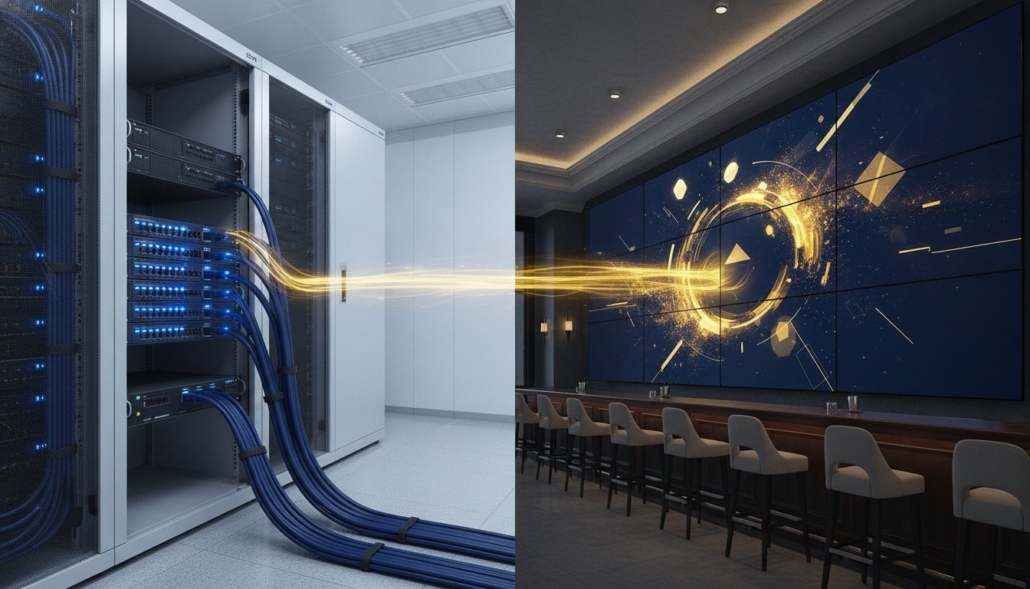
HDMI Extender over Cat6: The Professional Guide to Long-Distance Signal Distribution
Standard HDMI cables are built for consumer living rooms, not professional signal distribution over long distances. Once you cross the 25-foot threshold, traditional copper fails. Deploying a high-performance hdmi extender over cat6 is the only way to maintain signal integrity in a commercial environment. You’ve likely faced the frustration of intermittent signal dropouts or HDCP handshake failures just as a system goes live. These technical hurdles aren’t just inconveniences; they’re system failures that compromise your professional reputation.
We agree that the choice between HDBaseT and HDMI over IP often creates unnecessary confusion in complex matrix setups. This guide helps you master the technical nuances required to eliminate signal loss and build reliable Pro AV systems. You’ll learn how to achieve stable 4K 60Hz video at distances exceeding 100 feet while integrating IR and RS232 control over a single cable. We’ll analyze system architecture and compare distribution methods to ensure your next installation is both scalable and cost-effective. From WolfPack modular systems to sports bar distribution, we’ll provide the specifications you need for a flawless deployment.
Key Takeaways
- Learn why passive HDMI cables fail beyond 25 feet and how an hdmi extender over cat6 uses active Balun technology to maintain 4K signal integrity.
- Compare HDBaseT for uncompressed, zero-latency video against HDMI over IP for virtually infinite scalability across existing network infrastructure.
- Determine the correct cabling requirements by evaluating the performance differences between Cat6, fiber optics, and shielded versus unshielded twisted pairs.
- Master the integration of IR and RS232 control signals to manage remote displays without running additional dedicated wiring.
- Explore how to scale your system using WolfPack modular matrix switchers and WolfPad control for high-capacity, professional-grade AV distribution.
What is an HDMI Extender over Cat6 and Why is it Necessary?
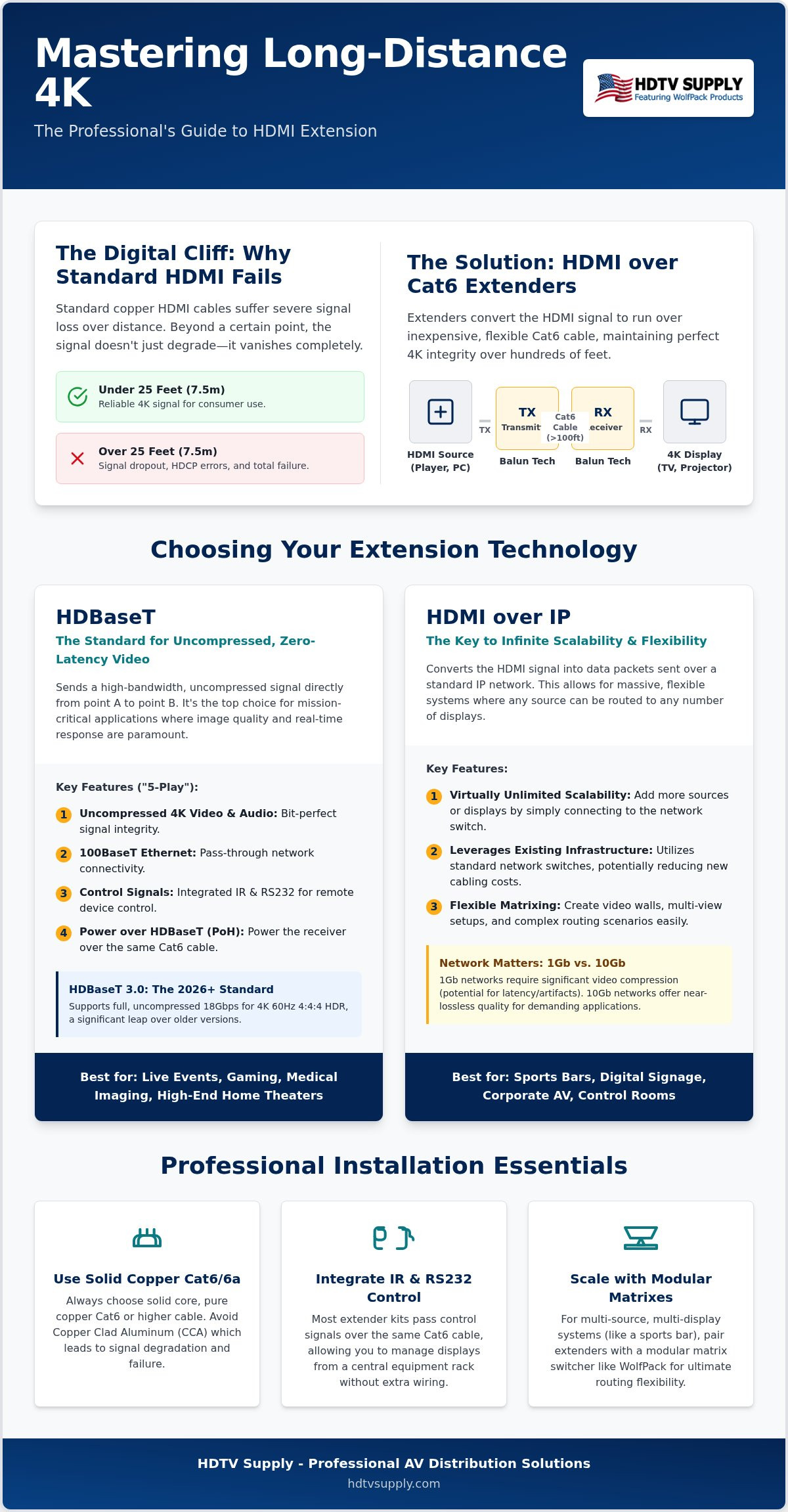
Standard HDMI cables suffer from high-frequency signal loss over distance. Once you exceed 25 feet, you encounter the “digital cliff,” where the signal doesn’t just degrade; it disappears entirely. An HDMI extenders kit, specifically an hdmi extender over cat6, solves this by converting the TMDS (Transition Minimized Differential Signaling) into a format suitable for twisted-pair copper. This setup utilizes a Balun (Balanced-Unbalanced) architecture, consisting of a transmitter (TX) at the source and a receiver (RX) at the display.
Why choose Cat6? It’s about physics and logistics. High-speed HDMI cables are thick, rigid, and expensive to manufacture in long lengths. Cat6 is ubiquitous, inexpensive, and designed for long-distance data transmission. It allows installers to pull raw cable through tight conduits and terminate it in the field, a feat impossible with factory-molded HDMI connectors. This flexibility is essential for professional cable management in large-scale deployments.
HDMI Cable vs. Cat6 Extension: The 2026 Comparison
By 2026, 4K 60Hz 4:4:4 has become the baseline for professional installations. Standard copper HDMI cables cannot reliably carry this 18Gbps bandwidth beyond 5 to 7 meters without massive signal attenuation. Cat6 extension systems bypass these limits. While a 100-foot HDMI cable is a literal “cable of failure” due to weight and signal loss, an hdmi extender over cat6 maintains bit-perfect integrity over the same distance. Cat6 offers superior flexibility for tight turns in commercial infrastructure, making it the preferred medium for modern AV distribution.
Key Use Cases: From Home Theaters to Sports Bars
Professional integration requires centralizing hardware to maintain a clean aesthetic and simplify maintenance. In high-stakes environments like a Sports Bar TV Distribution System, you might need to route signals to 30 or more displays. Managing 30 thick HDMI cables is a physical nightmare; managing 30 Cat6 runs is standard practice. These extenders integrate seamlessly with WolfPack modular matrix switchers, allowing you to scale your routing architecture without worrying about distance. Whether you’re hiding a media player in a remote rack or pushing 4K content across a stadium concourse, Cat6 extension provides the reliability that mission-critical systems demand.
How HDMI over Cat6 Works: HDBaseT vs. HDMI over IP
Selecting the right hdmi extender over cat6 requires a clear understanding of the two primary transmission protocols: HDBaseT and HDMI over IP. While both utilize standard copper cabling, they handle data in fundamentally different ways. HDBaseT is the industry standard for point-to-point uncompressed video. It uses a proprietary modulation technique that allows it to carry high-bandwidth signals without the latency or artifacts associated with video compression. For mission-critical environments where every millisecond counts, such as live sports or competitive gaming, HDBaseT remains the superior choice.
The core of HDBaseT technology is its “5-Play” feature set. This allows a single Cat6 cable to simultaneously transmit uncompressed 4K video, digital audio, 100BaseT Ethernet, various control signals like IR or RS232, and up to 100W of power (PoH). This convergence simplifies installation and reduces the total number of cable runs required for a clean, professional setup. If you’re building a system that requires uncompromised quality, our technical team can help you integrate these solutions into WolfPack modular matrix switchers for seamless distribution.
The Evolution of HDBaseT: 2.0 vs. 3.0
HDBaseT 2.0 has been the workhorse of the industry for years, but it often requires light compression to handle 4K 60Hz 4:4:4 signals. HDBaseT 3.0 is the modern standard for 2026, offering a massive leap in bandwidth. It supports the full 18Gbps required for uncompressed 4K 60Hz 4:4:4 and HDR without any signal degradation. This standard also improves USB 2.0 support and enhances interoperability between different manufacturers. For high-end commercial displays, 3.0 is the baseline for future-proofing your infrastructure.
HDMI over IP and 1Gb vs. 10Gb Networks
HDMI over IP takes a different approach by packetizing the video signal and sending it across standard network switches. This method offers virtually infinite scalability. You aren’t limited by the fixed port counts of a traditional matrix switcher. 1Gb networks typically use compression algorithms like JPEG 2000 or H.264/265 to fit the signal into the available bandwidth. While this introduces a small amount of latency, it’s often negligible for digital signage or general office use. 10Gb networks provide enough headroom for uncompressed video, bridging the gap between the scalability of IP and the performance of HDBaseT. Managing HDCP handshakes and EDID across these networks requires robust hardware to ensure stable switching and display compatibility.
Cat6 vs. Fiber vs. Coax: Choosing Your Extension Medium
Every professional AV project starts with a critical cabling decision. While the hdmi extender over cat6 is the industry workhorse, certain environments demand alternative media to maintain signal integrity. Cat6 and Cat6a represent the “sweet spot” for the vast majority of Pro AV installations. They offer the best balance of cost, ease of termination, and bandwidth. For distances up to 330 feet, Cat6a provides the 10Gbps pipeline necessary for 4K 60Hz distribution without the extreme costs of specialized glass. It’s the pragmatic choice for installers who need reliability without the complexity of fiber optics.
Planning a large-scale venue requires a strict cost-per-foot analysis. Cat6 is inexpensive and readily available in bulk, making it the most cost-effective scaling solution for multi-display environments. It handles the physical rigors of conduit pulls better than fiber and offers higher bandwidth than legacy copper options. We recommend Cat6a for any new installation to ensure your infrastructure can handle the 18Gbps requirements of modern 4K content. Before committing to your distribution architecture, understanding the hdmi modulator vs matrix switcher decision is essential, as your choice of switching hardware directly impacts which cabling strategy delivers the best return on investment.
When to Choose HDMI to Coax Conversion
In retrofit projects, you’ll often find existing RG6 or RG59 cabling already pulled through the walls of older buildings. If your project involves a massive facility where pulling new Cat6 isn’t feasible, leveraging this legacy infrastructure is a smart move. You’ll need to consult our HDMI to Coax Pillar to understand how modulators convert HDMI into RF signals for distribution. Keep in mind that coax is typically limited in terms of raw bandwidth. It lacks the uncompressed, zero-latency performance found in a high-quality hdmi extender over cat6 setup, but it remains a viable solution for massive, low-budget distribution.
Fiber Optic HDMI: The Future of Long-Haul 8K
When your cable runs exceed 330 feet or pass through high-interference industrial zones, fiber becomes the only solution. Fiber optic cables transmit data via light, making them immune to electromagnetic interference (EMI) from heavy machinery or high-voltage power lines. This medium is the king of distance, supporting 8K resolutions and 48Gbps bandwidth over thousands of feet. However, fiber isn’t a universal fix. It’s fragile and can’t be easily field-terminated like Cat6. If a connector breaks during a pull, the entire cable is often useless. Use fiber for long-haul backbones and Cat6 for the local distribution “last mile.”
Professional Installation: Selecting Cables and Avoiding Signal Loss
Cable quality is the primary cause of extender failure. You can deploy the most advanced transmitter on the market, but if you pair it with substandard copper, your system will fail. For a reliable hdmi extender over cat6 installation, you must prioritize signal integrity through superior physical media. High-frequency 4K data packets are incredibly sensitive to attenuation. Any compromise in the cable’s construction will lead to immediate handshake issues or total signal loss. Don’t let a cheap cable run ruin a professional AV deployment.
Shielded Twisted Pair (STP) is mandatory in commercial environments. While Unshielded Twisted Pair (UTP) works in isolated residential settings, it’s vulnerable to electromagnetic interference (EMI). In a sports bar or corporate office, your data runs parallel to high-voltage lines, fluorescent ballasts, and wireless routers. STP utilizes an internal foil shield to drain this interference, ensuring the 18Gbps pipeline remains clear. Always ground your shielded connectors to the extender’s chassis to complete the circuit.
Termination quality defines the success of your 10Gbps signal. A poorly crimped RJ45 connector introduces crosstalk and return loss. These physical defects effectively kill the high-speed clock signals required for 4K 60Hz video. Use high-quality shielded connectors and verify every termination with a professional tester. You must also distinguish between Power over Cable (PoC) and Power over Ethernet (PoE). PoC is a proprietary system where one power supply at the transmitter side sends DC power to the receiver. PoE follows specific IEEE standards and is generally reserved for HDMI over IP systems using network switches. Mixing these power protocols can lead to permanent hardware damage.
Cable Selection: Cat5e vs. Cat6 vs. Cat6a
Stop using Cat5e for 4K 60Hz extension. It lacks the bandwidth for modern frequencies and will cause intermittent blackouts. Cat6a is the professional standard for 2026. It supports frequencies up to 500MHz, which is essential for HDBaseT 3.0’s uncompressed 18Gbps throughput. Beware of Copper Clad Aluminum (CCA) cables. CCA has significantly higher resistance than solid copper and is prone to physical breakage during conduit pulls. We only recommend 23AWG solid copper for all mission-critical runs.
Troubleshooting Long-Distance Signal Issues
Signal degradation often manifests as “sparklies”—white pixels flickering across the display—or periodic blackouts. These symptoms indicate that the receiver is struggling to maintain a sync with the source’s clock. If you encounter these issues, check your cable distance and termination points first. For advanced diagnostic steps and system calibration, refer to our Pro Guide to Signal Distribution. Using a dedicated HDBaseT tester allows you to verify link quality and cable length before the final handoff. Shop our professional-grade Cat6a cables and extension kits to ensure a flawless installation.
Scaling Your Venue with HDTV Supply Extension Solutions
Scaling a large-scale AV environment requires more than just individual point-to-point connections. It demands a centralized architecture where every hdmi extender over cat6 works in harmony with your core switching hardware. Integrating our extension kits with WolfPack modular matrix switchers allows you to distribute uncompressed 4K signals across massive footprints while maintaining granular control over every endpoint. This modularity ensures that as your venue grows, your distribution system can expand without requiring a complete infrastructure overhaul. Our hardware is built to handle the rigorous demands of stadium-scale deployments and commercial venues.
Managing remote displays becomes effortless with the WolfPad TV Control System. It eliminates the complexity of controlling remote monitors by providing a unified, tablet-based command center. Whether you’re managing a Sports Bar TV Distribution System or a multi-floor corporate campus, the synergy between our hardware and control software ensures immediate accessibility. For high-volume venues looking to eliminate cable clutter while syncing 50 or more displays, pairing your extension infrastructure with the best HDMI to IPTV encoder for sports bars delivers a scalable, network-based distribution solution that grows with your venue. Our systems are engineered for 24/7 operation in high-demand commercial environments, providing the durability that consumer-grade alternatives lack. If you’re planning a complex layout, our experts provide free custom AV system design services to help you map out the most efficient signal paths.
WolfPackSecure: High-Bandwidth Extension for Secure Facilities
Operational security is a core requirement in government and corporate settings. Our WolfPackSecure 4K 60 4:4:4 HDMI Matrix Switchers are designed to maintain HDCP 2.2 compliance across all endpoints, preventing unauthorized signal interception. These systems support full 4:4:4 chroma subsampling, which is critical for displaying crisp text and detailed graphics in command centers or boardrooms. By using a high-quality hdmi extender over cat6 within this secure framework, you ensure that high-resolution data remains uncompressed and protected throughout the entire transmission chain.
The HDTV Supply Difference: Support and Warranty
We function as a high-capacity provider and a reliable consultant for the global AV community. Our inventory includes over 12,000 professional products, ensuring we have the specific hardware needed for any technical challenge. Every purchase comes with access to our toll-free technical support for system commissioning and troubleshooting. This immediate assistance is vital for installers working under tight deadlines. We also offer extended warranty options to protect your hardware investment over the long term. We provide direct sourcing for installers and integrators worldwide, maintaining a vast inventory that supports immediate project needs. This scale allows us to function as a one-stop resource for everything from individual extenders to complete stadium-scale distribution networks.
Future-Proof Your AV Infrastructure with Precision Extension
Mastering long-distance signal distribution requires a technical commitment to uncompressed quality and robust cabling standards. You’ve mastered the distinction between HDBaseT and IP protocols, ensuring your next hdmi extender over cat6 deployment meets the 18Gbps demands of 2026. By prioritizing Cat6a STP and precision termination, you eliminate the intermittent dropouts that compromise professional reputations. These foundational choices transform a simple display setup into a reliable, high-performance system.
Scaling your venue effectively means moving beyond basic connections toward integrated modular systems. We maintain over 12,000 professional AV products in stock to ensure you have immediate access to the right hardware for any environment. Our specialists provide free custom system design services to help you navigate complex routing requirements. If you encounter technical hurdles during commissioning, our expert technical support is available to assist your installation team. We’re ready to help you deploy a system that handles 4K 60Hz 4:4:4 with absolute stability.
Take control of your next project with hardware designed for 24/7 reliability. Shop Professional HDMI over Cat6 Extenders at HDTV Supply today and build a system that performs without compromise. Your vision deserves the dependability of professional-grade architecture.
Frequently Asked Questions
Can I use an existing network switch for my HDMI over Cat6 extender?
You can only use an existing network switch if you’re deploying an HDMI over IP system. Standard HDBaseT extenders are point-to-point solutions that utilize RJ45 connectors but carry non-Ethernet signals. Connecting an HDBaseT transmitter directly to a standard network switch can cause permanent hardware damage to both devices. For IP-based systems, ensure your switch supports IGMP snooping and Jumbo Frames to handle the high-bandwidth video traffic effectively without crashing your local network.
Does HDMI over Cat6 introduce any noticeable input lag or latency?
HDBaseT technology provides zero-latency transmission, making it the preferred choice for live sports and gaming. Because the signal is uncompressed, there’s no processing delay between the source and the display. HDMI over IP systems introduce a small amount of latency, typically ranging from 17ms to 30ms depending on the compression codec used. While this delay is negligible for digital signage, it’s often noticeable in fast-paced interactive environments or synchronized multi-screen setups where timing is critical.
What is the maximum distance I can extend 4K 60Hz video over Cat6?
The maximum distance for stable 4K 60Hz video is 100 meters, or approximately 328 feet, when using a high-quality hdmi extender over cat6 based on HDBaseT 3.0 specifications. Achieving this distance requires Cat6a cable to handle the 18Gbps bandwidth. Standard Cat6 may limit your 4K 60Hz runs to 40 or 70 meters depending on the specific hardware and environmental interference. Always verify your extender’s specific rating against your required cable run length before starting your installation.
Do I need shielded Cat6 cable for my HDMI extender installation?
Shielded Cat6 (STP) cable is highly recommended for all professional installations to prevent signal dropouts caused by electromagnetic interference. In commercial environments, data cables often run near high-voltage lines or wireless equipment that can disrupt the sensitive high-frequency clock signals of an HDMI extender. Using STP cable with shielded RJ45 connectors provides a path to ground for this interference. It’s a critical requirement for maintaining the 10Gbps+ throughput necessary for uncompressed 4K video distribution.
What is the difference between HDBaseT and HDMI over IP?
HDBaseT is a point-to-point technology designed for uncompressed, zero-latency transmission over a dedicated cable run. It’s the standard for high-performance reliability in single-room or simple matrix setups. HDMI over IP packetizes the video signal, allowing it to move through standard network switches for virtually limitless scalability. While IP systems offer more flexibility for large-scale distribution, they typically involve signal compression and slight latency that HDBaseT avoids through its proprietary, uncompressed modulation technique.
Can I extend IR and RS232 control signals along with the video?
Most professional hdmi extender over cat6 kits support the simultaneous transmission of IR and RS232 control signals. This “5-Play” feature allows you to manage remote displays and source equipment using the same Cat6 cable that carries your video and audio. It eliminates the need for extra control wiring, simplifying the installation process in complex environments like sports bars. Ensure your specific transmitter and receiver units include the dedicated 3.5mm ports or phoenix connectors required for these signals.
Will an HDMI extender work with HDCP 2.2 protected content like Netflix?
An HDMI extender will only work with protected content like Netflix or Disney+ if both the transmitter and receiver are HDCP 2.2 compliant. HDCP is the digital copy protection standard that prevents unauthorized recording of high-definition content. If any component in your signal chain lacks this compliance, the source will downscale the resolution to 1080p or show a black screen. Our WolfPack systems prioritize HDCP 2.2 compatibility to ensure seamless playback of all modern 4K protected media.
Why is my HDMI extender showing a black screen or intermittent signal?
A black screen or flickering signal usually indicates a physical layer failure or an HDCP handshake error. Check your RJ45 terminations first, as a single poorly crimped wire can prevent the high-speed clock from syncing. Verify that your cable length doesn’t exceed the extender’s maximum rated distance for your specific resolution. If the signal is intermittent, check for nearby power lines causing interference or ensure you’re using a solid copper cable rather than a copper-clad aluminum alternative.
Leave a Reply
Want to join the discussion?Feel free to contribute!