
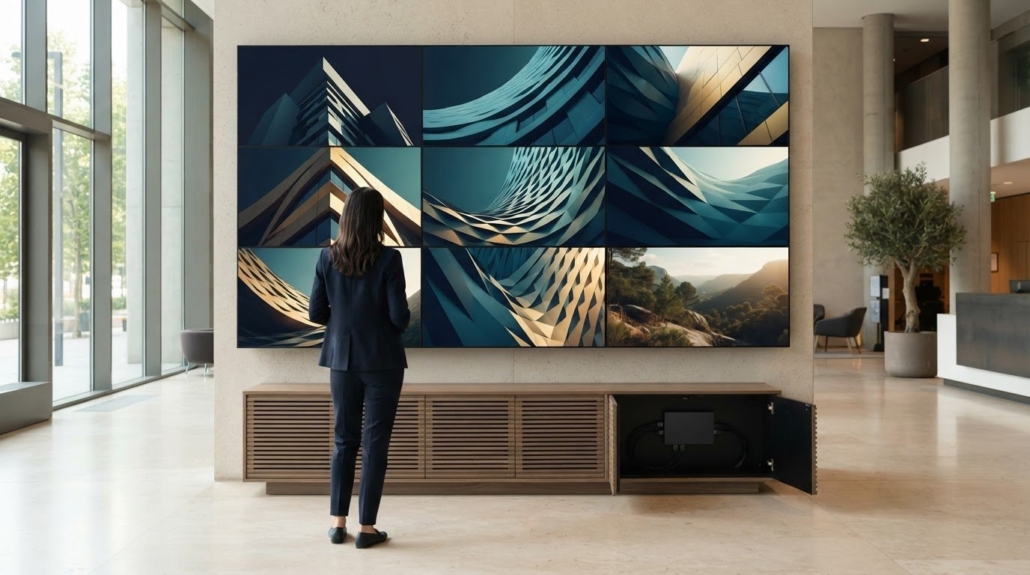
4 Corporate Lobby Video Wall Ideas for Branding and Displays
A lobby video wall should do more than fill a wall: it should welcome visitors, communicate your brand, or help people find their way. The best corporate lobby video wall ideas match the display and content to the space’s lighting, viewing distance, and daily use. Four practical directions are brand storytelling, technology suited to the environment, ambient visuals, and useful visitor information.
A striking image can make a strong first impression, but the right approach depends on what visitors need from the lobby. Some spaces call for company stories and visual identity; others benefit more from wayfinding, announcements, or a calm atmosphere while visitors wait.
Explore how branding, LED, LCD, and projection options, ambient light, and real lobby needs shape a video wall plan. Align the display with the space and choose content that stays relevant to the people who use it.
Key Takeaways
- Shape the wall’s content around a clear purpose, from telling your company story to helping visitors orient themselves.
- Choose LED, LCD, or projection by weighing the room, viewing distance, and type of content you plan to show.
- Plan display brightness alongside lobby lighting to keep visuals comfortable and easy to see throughout the day.
- Map out practical content such as wayfinding, announcements, and ambient visuals to make the screen useful beyond its first impression.
1. Immersive corporate branding and storytelling
Popular corporate lobby video wall ideas include a mission-led brand story, a rotating achievement reel, or ambient branded visuals. A sequence, for example, can move from the company’s purpose to current work, then to visitor-facing services. These formats give digital signage a clear identity instead of treating the wall as a changing backdrop. Choose a concept by deciding what first-time visitors should remember.
Build the story around specific company details: its mission, values, milestones, and work. A practical sequence might open with a concise mission statement, show a project or achievement, then close with a welcoming message. This gives each screen a role in the narrative. Keep the wording focused so visitors can grasp the message as they enter or cross the lobby.
For a more immersive effect, use motion and scale to make brand imagery fill the lobby’s visual field. Projection mapping can create a dramatic experience in a large space when informing visitors isn’t the main goal. Separate that spectacle from practical brand messaging, such as mission statements or company achievements. This keeps the visual impact aligned with each scene’s purpose.
Plan the content as carefully as the visual identity. Design each scene for the display’s aspect ratio and resolution, so logos and text remain legible across the full wall. Set a refresh cycle for reels and seasonal visuals to keep the experience from feeling repetitive. Since 2023, advances in software programming have made multiple content modes possible for spaces. Use that flexibility to shift between storytelling, branded backgrounds, and visitor information.
2. LED, LCD, and projection-based video walls
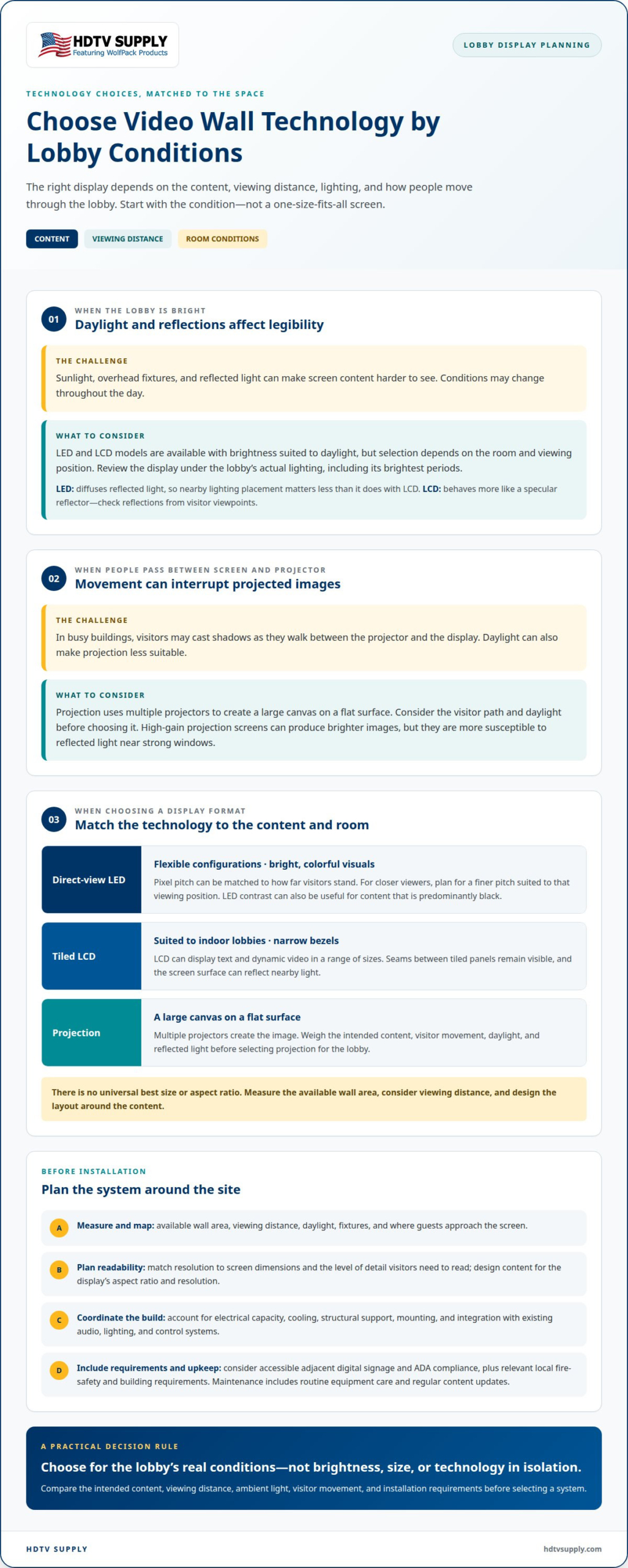
Choose display technology to suit the application, content, viewing distance, and room conditions. Direct-view LED supports flexible configurations and bright, colorful visuals. Its pixel pitch can be matched to how far visitors stand from the screen. Tiled LCD suits indoor lobbies and offers narrow bezels, though seams remain visible. Both can display text and dynamic video in a range of sizes.
Projection uses multiple projectors to create a large canvas on a flat surface. In busy buildings, visitors may cast shadows as they pass between the projector and display. Daylight can also make projection less suitable. For dark content that is predominantly black, LED’s contrast can be useful. No single technology suits every lobby, so compare the intended content and environment before selecting a system.
There’s no universal best size or aspect ratio. Measure the available wall area, consider viewing distance, and design the layout around the content. Match resolution to screen dimensions and the level of detail viewers need to read. For LED, select pixel pitch for the expected viewing distance; closer viewers need a display planned for that position.
Address accessibility, fire safety, and building requirements during design. Include accessible adjacent digital signage and consider ADA compliance. Apply relevant local fire-safety and building requirements to the project’s placement and construction.
Maintenance includes routine equipment care and regular content updates. Service life depends on technology, operating conditions, and upkeep; operating costs depend on power use, operating hours, and maintenance needs.
Plan electrical capacity, cooling, and structural support around the selected equipment and site conditions. For installation planning, define content needs, measure the wall and viewing distance, select a display type, then coordinate power, mounting, and integration with existing audio, lighting, and control systems. An HDMI video wall processor can support multi-panel content layouts; explore video wall display options as you develop the system plan.
Choose a resolution that matches the wall’s dimensions and the level of detail visitors need to read. Select LED pixel pitch based on viewing distance, with a finer pitch suited to closer viewers.
3. Ambient light and display brightness
Map the lobby’s daylight and fixtures before selecting a display. A wall opposite large windows faces different conditions from one beside an interior corridor. Note where sunlight falls, when overhead lights are on, and where guests approach the screen. This lighting map helps match display technology to the installation environment instead of choosing brightness in isolation.
Direct-view LED diffuses reflected light, so nearby lighting placement matters less than it does with LCD. LCD surfaces behave more like specular reflectors. Position lobby lamps so they don’t point directly at the screen, and review reflections from visitor viewpoints. A ceiling fixture reflected across a directory, for example, can reduce legibility even when the display is bright enough.
Daylight doesn’t automatically rule out a video wall. LCD and LED models are available with brightness suited to daylight conditions, but the right selection depends on the room and viewing position. Compare the display under the lobby’s actual lighting, including its brightest periods. High-gain projection screens can produce brighter images, but they’re more susceptible to reflected light, making them less forgiving near strong windows.
Set brightness for changing conditions, not just the brightest moment. Dimming a wall as ambient light decreases can improve energy efficiency and viewing comfort compared with running it at full power continuously. A practical control plan can reduce brightness in the evening, then raise it during brighter daytime conditions. Keep signage readable without overpowering the room or distracting guests.
Finally, coordinate the wall with the lobby’s lighting controls and content schedule. A powerful visual can impress visitors, but excessive brightness may compete with nearby fixtures or make a quiet reception area feel harsh. Test a bright brand reel, a white directory screen, and a darker ambient scene in the installed space. Compare reflections, text visibility, and comfort from the main paths before finalizing display settings.
4. Lobby video wall use cases
Start with the visitor’s task, then give the wall a useful role. In a corporate headquarters, it can welcome guests, introduce company services, and show staff introductions. A building lobby may prioritize tenant directories, meeting-room wayfinding, event notices, and emergency exit instructions. Choose content that helps people act instead of filling the screen with unrelated messages.
Content can combine timely information with brand communication. A headquarters, for example, might alternate CEO updates or company-wide meeting streams with announcements and a concise services overview. A directory can guide visitors to meeting rooms and tenant suites, while ambient nature scenes suit waiting areas. Schedule changes around lobby activity and refresh content regularly so the display doesn’t become static or repetitive.
Installation cost depends on display technology, wall dimensions, mounting requirements, and integration with existing systems. Content management and planned audio, lighting, and control connections also shape project scope. Define these requirements first to build a realistic project plan rather than relying on a generic price.
Integrate the display with the architecture before fixing its position. Review the wall surface, sightlines from entry points, visitor circulation, and nearby signage. Align the screen with the lobby’s visual features, such as reception desks or corridor approaches, while keeping paths clear. Coordinate mounting and system connections with the building layout, including existing audio, lighting, and control systems.
Make the content plan match the space’s rhythm. A reception area can foreground welcomes and meeting directions, while a shared building lobby can rotate tenant updates and event notices. Use a video wall processor when the design needs synchronized panels or several media streams on one display. This lets the screen serve distinct visitor needs without reducing every moment to a single static message. To plan a display system around your lobby’s content and layout, explore video wall solutions.
A lobby wall can also carry live news, financial market tickers, weather forecasts, announcements, tenant updates, and emergency alerts. Interactive or auto-playing wayfinding videos can guide visitors to meeting rooms, amenities, and tenant suites.
HDTV Supply: WolfPad TV Control Systems
HDTV Supply offers display components for corporate lobby projects that need coordinated video and control equipment. WolfPad TV Control Systems fit projects where TV control is part of the system plan, while HDMI Video Wall Processors support video wall configurations. WolfPackSecure 4K 60 4:4:4 HDMI Matrix Switchers are another option for projects involving HDMI signal distribution.
Start with the content plan and display layout, then identify the signal routing and control equipment needed to support them. This ties product selection to the lobby’s intended use, whether the wall presents brand content, visitor information, or multiple media sources. Choose components around system requirements rather than adding equipment without a clear role.
Explore HDTV Supply’s video wall and control options, or contact HDTV Supply to discuss your project.
Turn Your Lobby Concept Into a Working Plan
Treat the lobby wall as an evolving communication channel, not a finished decor decision. Before content goes live, assign an owner for scheduling, review, and updates. Define which messages belong on the display, who approves them, and how visitor needs change throughout the day. Include reception and communications staff in planning, since they understand common visitor questions and upcoming message changes. This operating plan keeps future campaigns aligned with the space without requiring a redesign whenever priorities shift.
The strongest corporate lobby video wall ideas also account for system needs beyond the screen. If your project includes source routing or centralized control, match equipment to the planned signal flow. HDTV Supply offers advanced matrix switchers, robust video distribution platforms, and intuitive tablet control systems. Choose each component for its role in your setup, alongside a clear content plan.
Bring your display goals, source requirements, and control needs together in a practical project brief. Contact HDTV Supply to discuss your lobby and move your concept toward a workable system. A focused plan gives your lobby a strong foundation for what comes next.
Frequently Asked Questions
LED video wall vs LCD video wall for a corporate lobby: which is better?
Neither technology is best for every corporate lobby; match your choice to the content and room. LED can suit high-impact visuals or content that is predominantly black, where its contrast is useful. LCD is an indoor option with narrow bezels, but its seams may affect a design built around continuous imagery. Compare content style and viewing positions before deciding.
What lighting and viewing-distance factors affect lobby video wall design?
Assess both the brightest and dimmest conditions visitors will experience, then check the display from actual approach routes. View it from the entrance and reception area at different times of day, for example. Reflections can obscure content, while distance affects how clearly viewers see text and detail. For LED, select pixel pitch to suit the expected viewing distance.
Leave a Reply
Want to join the discussion?Feel free to contribute!