
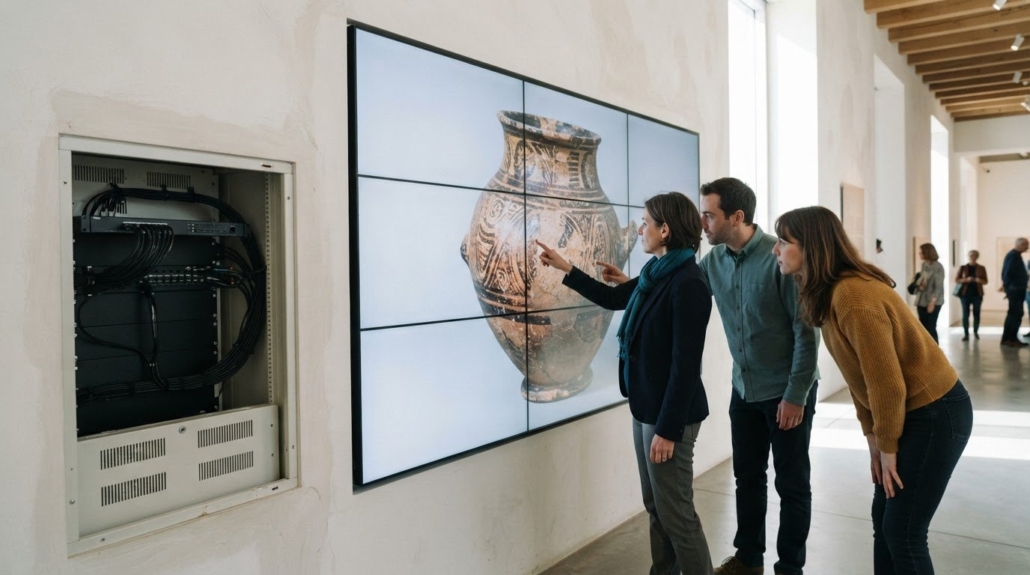
Interactive Video Walls for Museum Visitor Groups
A museum video wall has to do more than display a large image. An interactive video wall for museums can bring visitor groups together around digital artifacts, with shared displays and controls that make collections easier to explore. According to the Cleveland Museum of Art, its ArtLens Wall is a 40-foot interactive, multitouch display.
Large screens can draw attention, but the experience depends on how visitors interact with the content and how staff manage what appears. Group interaction may use touchscreens or gesture-based controls, while local controllers and cloud content management support different ways to operate and update displays.
This guide explains how interactive video walls can serve museums and public spaces, what digital artifact displays can offer, and how control and content workflows fit into the system. It also covers practical considerations, from room layout and visitor flow to display formats and equipment connections.
Key Takeaways
- Design group interactions around how visitors move through the space and engage with shared content.
- Choose a control approach that fits the museum’s display setup and content-management workflow.
- Use digital artifact displays to make collection details and context easier to explore together.
- Match wall formats and system components to the needs of each museum or public-space environment.
Simultaneous interaction by groups of visitors
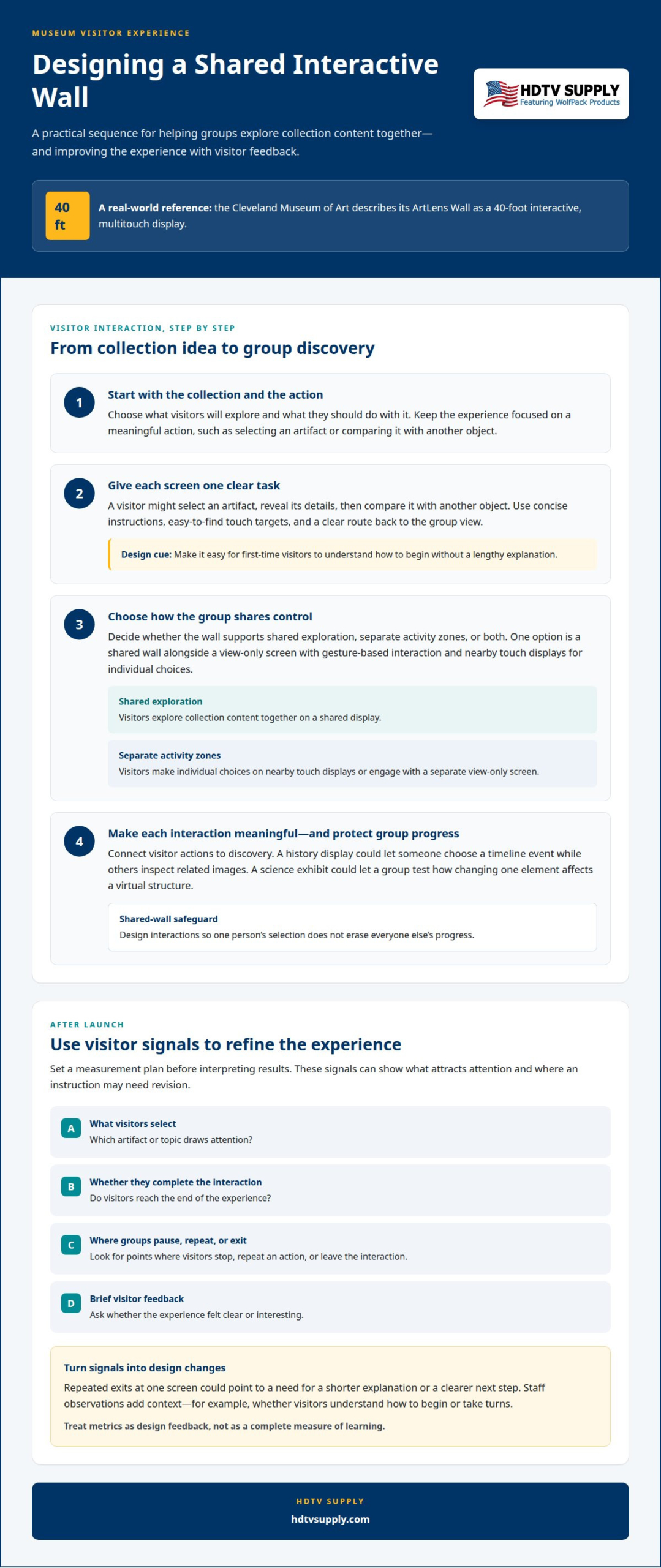
Group interaction needs clear ways for several visitors to explore without competing for control. According to the Cleveland Museum of Art, its ArtLens Wall is a 40-foot interactive, multitouch display. An interactive video wall for museums can invite visitors to browse a shared collection together. A separate view-only screen can use gesture-based interaction, while nearby touch displays handle individual choices.
How do museums design interactive video wall content for visitors? Start with the collection and the action you want visitors to take, then shape each screen around one clear task. Visitors might select an artifact, reveal its details, and compare it with another object. Use concise instructions, easy-to-find touch targets, and a clear route back to the group view. This gives first-time visitors a way into the experience without a lengthy explanation.
For hands-on learning, connect each action to a meaningful discovery. A history display could let one visitor choose a timeline event while others inspect related images. A science exhibit might invite a group to test how changing one element affects a virtual structure. On a shared wall, design interactions so one person’s selection does not erase everyone’s progress. Decide whether the display should support shared exploration, separate activity zones, or both.
Visitor feedback and usage data can help teams refine content after launch. Set a measurement plan before interpreting results. Useful engagement metrics can include:
- Which artifact or topic visitors select.
- Whether visitors reach the end of an interaction.
- Where a group pauses, repeats an action, or exits.
- Brief visitor feedback about clarity or interest.
These signals show which content attracts attention and where instructions may need revision. Repeated exits at one screen, for example, could prompt a shorter explanation or a clearer next step. Staff observations add context, such as whether visitors understand how to begin or take turns. Treat metrics as design feedback, not a complete measure of learning. This keeps an interactive video wall for museums focused on useful visitor actions.
On-site controller and cloud-based content management
Separate display control from content publishing to simplify operation. An on-site controller can manage signal routing and coordinate what appears across the wall. A cloud-based content management system (CMS) lets authorized staff prepare and publish media remotely. For example, a curator could schedule an artifact feature while the local controller manages its display output.
Which interactive video wall software platforms are available for museums? Options include digital-signage CMS platforms, interactive exhibit software, and custom-built applications. A museum can use a CMS to organize and publish media, then pair it with interactive software for visitor input. The right combination depends on whether the wall presents scheduled content, responds to visitor choices, or does both.
Map each job before selecting software. Identify who creates content, who approves it, where it is published, and which device controls the display. A curator may prepare artifact images and captions, while an AV operator manages input selection through the local controller. This division keeps collection updates separate from system operation.
- Use the local controller for display inputs and signal routing.
- Use the CMS to organize, schedule, and publish content.
- Use interactive exhibit software for touch or other visitor-driven actions.
- Define staff roles for editing, approval, and day-to-day operation.
Cloud and on-site components have different dependencies. A cloud CMS relies on network access for remote publishing, while locally connected equipment handles display functions at the venue. Plan how staff will update content and operate the wall during routine use. A museum with rotating exhibitions may need a straightforward publishing workflow, while a permanent artifact wall may prioritize stable, locally managed playback.
Signal flow matters too. A video wall processor can organize incoming sources for a multi-display layout, while a control system manages operator commands. Review video wall processing options as part of the system design, alongside the CMS and interactive application.
Multimedia solutions for museums, art galleries, events, and exhibitions can include interactive games, immersive projection, digital display devices, and central control systems. Choose interactive exhibit elements to suit the museum’s space, so displays and controls fit the venue.
Interactive video walls and digital artifact walls
Digital artifact walls combine collection media with visitor controls, while display hardware shapes how people access that content. The right configuration depends on the exhibit’s purpose, available space, and interaction method.
Digital Artifact Wall Uses
A digital artifact wall can bring together collection images, video, interpretive text, and interactive elements. Visitors could select an object, inspect a detail, then explore related material on the same display. Museum wall formats include interactive video walls, timeline walls, touch walls, sliding screens, display windows, and virtual recognition walls. Choose a format based on how visitors approach the exhibit and what they should discover.
Display Technology and Hardware
No single display is right for every museum video wall. LED screen displays, touch-sensitive displays, and digital projections suit different exhibit layouts; touchscreen software enables direct interaction. Other museum equipment includes holographic pyramids and fans, VR and AR telescopes, and transparent LCDs. Select hardware to suit the content and the museum’s space, not simply the screen size.
What display technologies and hardware are best for museum video walls? Match the display to the interaction: touch-sensitive screens support direct selection, while projection can place imagery across a surface. The Cleveland Museum of Art’s large screens are view-only and use gesture-based interaction, demonstrating that visitors can engage without touching the main display.
For an artifact display, check how image detail and text will appear from the expected viewing distance. A high-resolution collection image can support close inspection, while video can provide context across a shared screen. Include the playback source, display, and video wall processor in the signal path. Their compatibility affects how content reaches the intended screen layout.
Art museums can combine projections, touch-sensitive displays, and physical installations that visitors manipulate. A projection might introduce an artwork, then a touch display could reveal related collection material. Tie each interaction to a specific interpretive purpose, so hardware supports the exhibit rather than distracting from it.
Museum and public-space interactive video walls
Museums, galleries, and public spaces use video walls for interactive games, immersive projection, and digital presentations. The layout should suit visitor movement, exhibit goals, and the room’s AV system.
Museum and Public-Space Applications
In a gallery, a wall can combine collection media with a map or timeline. At an event or exhibition, interactive games can invite visitors to explore a theme together. Public-space designs should also account for people passing briefly, so instructions and starting points are immediately visible.
Video Wall Costs
There is no single price for an interactive museum wall. The total depends on the display configuration, playback and control equipment, interactive software, content production, and integration needs. A projection-based exhibit and a multi-screen touch installation have different system requirements. Define the project around the intended visitor experience, room, and existing AV equipment before comparing costs.
For U.S. projects, design accessible interfaces with clear text, strong contrast, and alternatives to touch interaction. Applicable accessibility requirements depend on the facility and project context.
Installation and AV Integration
Integration starts by mapping sources, displays, control points, and signal paths. A museum might route a media player through a video wall processor, then connect the processor to the display layout. Document how the new system works with existing AV equipment, including the control interface and content sources. This identifies compatibility needs before installation.
Maintenance and Operating Challenges
Plan operating costs around the equipment’s energy use, operating schedule, and service needs. Include content updates and routine system checks in the operating plan. Common challenges include unclear instructions, crowded interaction points, outdated media, and signal-path failures. A display that attracts a queue, for example, may need a revised visitor flow or interaction layout.
Define who manages content, monitors equipment, and handles issues during public hours. Explore video wall processing options for system designs that need coordinated display outputs.
KLEADER says interactive museum exhibits can use sight, hearing, and touch for immersive experiences. Cleveland Museum of Art’s ArtLens Wall displays between 4,200 and 4,500 artworks from the permanent collection that are currently on view.
HDTV Supply: HDMI Video Wall Processors
HDTV Supply offers HDMI Video Wall Processors for projects that need to organize visual content across a video wall. Consider them alongside the display layout, media sources, and control approach established during system planning.
For a setup that also needs source selection and distribution, WolfPackSecure 4K 60 4:4:4 HDMI Matrix Switchers provide another component to evaluate. WolfPad TV Control Systems may suit projects that need a dedicated control system. The right combination depends on the system design and how staff will operate the displays.
Contact HDTV Supply to discuss HDMI video wall processors for your museum or public-space project.
Plan the Next Step for Your Museum Display
Turn the exhibit concept into a system plan by mapping visitor actions to display outputs, content sources, and control needs. This gives your team a practical basis for specifying an interactive video wall for museums, whether the priority is shared exploration, artifact detail, or coordinated screens in a public space.
HDTV Supply offers WolfPack Modular Matrix Switchers and WolfPad TV Control Systems for AV signal routing and display control. Multi-screen distribution packages are also available to handle complex layouts and multiple display zones. Select equipment according to the intended signal flow and operating setup, rather than adding components without a defined role.
Use the next conversation to describe the room, display layout, sources, and visitor interaction you’re planning. Contact HDTV Supply about museum video walls to discuss the AV equipment that fits your project. A clear system brief helps move your display plan toward a focused equipment decision.
Frequently Asked Questions
What types of interactive video walls are used in museums?
Museums use interactive video walls, timeline walls, touch walls, sliding screens, display windows, and virtual recognition walls. A history exhibit might use a timeline wall to connect events with archival images, while a touch wall lets visitors select collection items. Other installations combine projections, gesture-based interaction, augmented reality, or virtual reality. Choose the format to suit the exhibit’s purpose and how visitors will engage.
What are examples of successful interactive video wall installations at museums?
The Cleveland Museum of Art’s ArtLens Wall is one prominent example. Its digital collection images were captured using cameras ranging from 48 to 192 megapixels, enabling detailed exploration of artworks. The museum’s collection photographs can reach 50 by 40 inches, with images enlarged to 220 by 160 inches on standard tablets, smartphones, or computer monitors. This approach connects a shared display with close inspection of individual works.
Leave a Reply
Want to join the discussion?Feel free to contribute!