
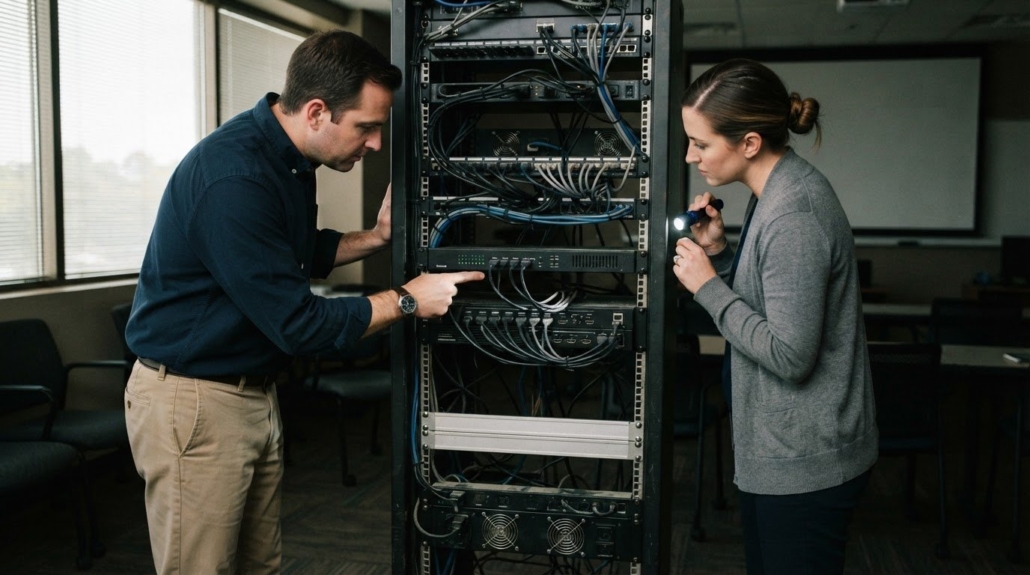
Getting Buy-In for an AV System Upgrade: Budget and Plan
An AV system can need an upgrade before it fails outright. Consider a refresh when recurring repairs, unreliable performance, or a setup process that takes longer than 10 minutes disrupts work. Commercial systems should be seriously evaluated around six to seven years, but the right decision depends on whether the equipment still meets your needs.
Weigh the cost of change against the inconvenience of keeping an aging system. Getting buy-in for an AV system upgrade is easier when you connect specific problems to business priorities, such as reliable meetings, room capacity, and support for current collaboration platforms.
This article explains how to spot signs that an upgrade may be needed, assess compatibility with modern meeting technology, and plan a budget for targeted or phased improvements. It also shows how to present the benefits clearly so decision-makers can see what needs attention now and what can wait.
Key Takeaways
- Weigh repair and downtime costs alongside equipment needs to decide whether to maintain, refresh, or replace a system.
- Assess platform fit with IT, including network bandwidth, security, and cloud tools.
- Prioritize the rooms and components with the greatest operational impact, then phase improvements to fit budget cycles.
- Consider modular upgrades that let you replace underperforming components while keeping equipment that still works.
Signs that an AV system needs an upgrade
Age alone does not mean a system needs replacing. Performance, support, and repair patterns can reveal when a refresh deserves consideration. Compare equipment limitations with employees’ needs and the operational cost of downtime.
Aging Equipment and Replacement Signs
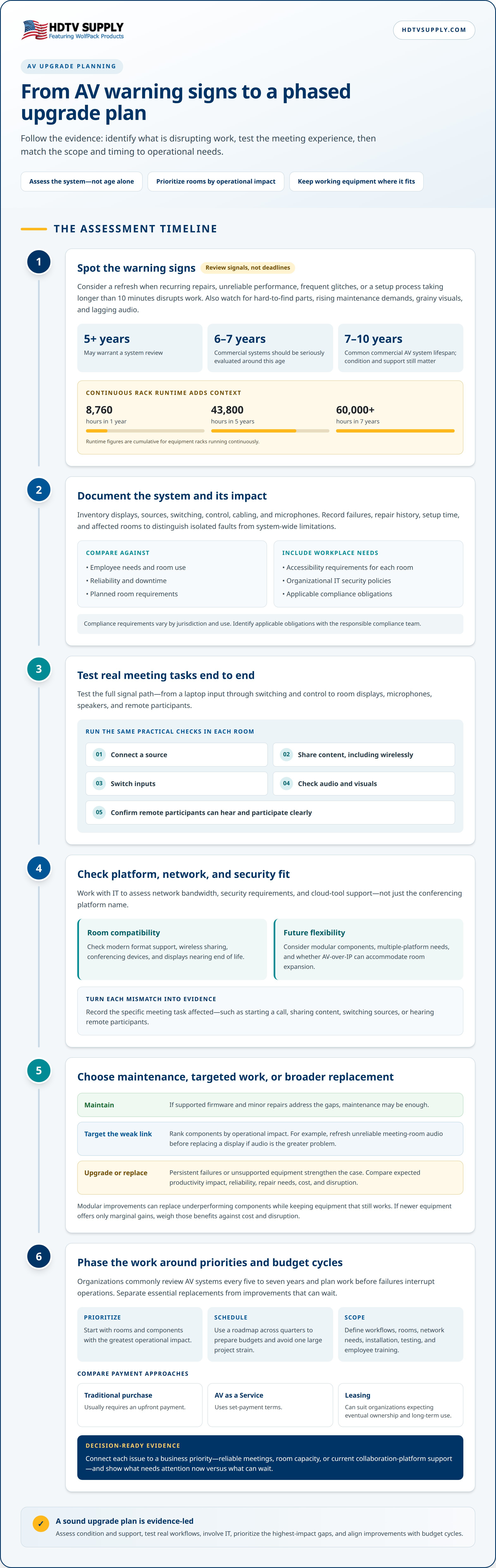
Aging AV equipment is hardware that no longer delivers reliable performance or fits operational needs. An AV system more than 5 years old may warrant review, while commercial systems should be seriously evaluated around 6-7 years. These are assessment signals, not automatic replacement deadlines.
Look for recurring repair work, hard-to-find replacement parts, rising maintenance demands, grainy visuals, lagging audio, and frequent glitches. A setup that takes longer than 10 minutes can also indicate avoidable friction for employees. Track each issue and its effect on room use, reliability, and downtime.
Runtime adds useful context: a continuously running equipment rack accumulates 8,760 hours in one year, 43,800 hours in five years, and more than 60,000 hours in seven years. Most commercial AV systems have a lifespan of 7 to 10 years, but actual replacement decisions should reflect condition and support.
Assessing Equipment and Workplace Requirements
An AV assessment compares each component’s condition and capabilities with workplace requirements. Inventory displays, sources, switching, control, cabling, and microphones. Record failures, repair history, setup time, and affected rooms. This evidence helps distinguish isolated faults from system-wide limitations.
Accessibility needs depend on how employees use each room and the requirements that apply to the workplace. Align security with organizational IT policies, network controls, and access practices. Compliance requirements vary by jurisdiction and use, so identify applicable workplace obligations with the responsible compliance team rather than assuming one rule covers every AV setup.
Next, test common meeting tasks: connect a source, share content, switch inputs, and check audio and visuals. Involve IT to assess network and security fit. Compare the results with employees’ needs, planned room use, and current system capabilities. If supported firmware and minor repairs address the gaps, maintenance may be enough. Persistent failures or unsupported equipment strengthen the case for an upgrade.
Compatibility with modern meeting platforms
A meeting room can have clear displays yet still fail employees if its AV chain cannot connect smoothly with current conferencing platforms. Technology that was top of the line 10 years ago may now lack modern format support, wireless sharing, or reliable integration with cloud tools. Test the complete signal path, from a laptop input through switching and control to room displays, microphones, speakers, and remote participants.
Compatibility involves more than a platform name. IT should assess network bandwidth, security requirements, and cloud-tool support alongside the room’s devices. Check whether employees can start a meeting, share content wirelessly, switch sources, and hear remote participants clearly. An assessment can reveal outdated cabling, incompatible conferencing devices, or displays nearing end of life. Record each mismatch and connect it to a real meeting task.
Design choices also affect future flexibility. Modular equipment can support component changes, while network-based systems with AV-over-IP can accommodate room expansion. Consider whether the system must work across multiple platforms, not just one preferred conferencing tool. Test whether the room’s camera, microphones, speakers, and content sharing support clear participation for employees joining remotely.
An AV integration company may assess existing equipment, coordinate with IT and facilities, and plan installation, programming, and testing. Its role is to align devices and signal flow with workplace requirements, not simply replace hardware. Before approving a project, define the meeting workflows, rooms, network needs, and training plan. After an upgrade, employees should know how to start a call, share a screen, and select the correct room audio.
Use those requirements to evaluate the integration approach. Does it address platform compatibility, network constraints, room expansion, and employee handoff? A written scope can show which problems the upgrade resolves and which rooms it covers. That gives decision-makers a practical basis for comparing system designs without mistaking a long equipment list for a functional meeting solution.
Planning budgets and phased upgrades
Build the budget around operational priorities, not blanket equipment replacement. Compare targeted improvements, phased work, and full replacement based on their expected effect on productivity.
Budget and Quality Trade-Offs
Budgeting means balancing initial hardware spending with performance, reliability, and ongoing repair needs. Cheaper equipment can cost more over time if it performs poorly or breaks often.
Rank components by their operational impact. For example, a commercial meeting room with unreliable audio may need an audio refresh before its display is replaced. A targeted upgrade can improve system performance without rebuilding everything. If newer equipment offers only marginal gains, weigh those benefits against the cost and disruption before approving the purchase.
Upgrade Timing and Payment Planning
Align upgrade timing and payment planning with budget cycles and equipment condition. Organizations commonly review AV systems every five to seven years and plan work before failures interrupt operations.
Separate essential replacements from improvements that can wait. A roadmap can spread work across quarters, helping departments prepare budgets and avoid the strain of one large project. Traditional purchasing usually requires an upfront payment. AV as a Service uses set-payment terms, while leasing can suit organizations that expect eventual ownership and long-term use. Compare the payment structure with ownership goals and operating budgets.
Upgrade Options and Disruption
Upgrade options range from maintenance and partial refreshes to phased projects or full system replacement. Maintenance can suit minor problems when firmware remains supported and the system meets current needs. A display, audio, or control-system refresh addresses a narrower gap; replacement makes sense when existing equipment no longer supports operations.
To minimize disruption for employees or customers, phase work by department or room. Start with critical spaces, then schedule other areas around business operations. For example, upgrade a high-priority meeting room first while keeping functioning rooms available. A phased plan can combine repairs with partial upgrades, giving the organization time to prepare for a broader refresh without treating every component as an immediate replacement.
Benefits of upgrading an AV system
A modern AV system can improve collaboration, room use, and readiness for changing workplace needs. Build the case around measurable operational improvements, not equipment age alone.
Building the Business Case
A business case connects specific AV limitations to organizational priorities and expected operational benefits. It helps decision-makers understand why an upgrade matters and which improvements deserve priority.
Start with a concrete example, such as a conference room where poor audio disrupts remote collaboration. Explain how the current system affects meetings, employees, and room availability. Then compare targeted improvements with broader replacement, considering maintenance and repair expenses, energy consumption, and productivity lost through downtime. Prioritize needs tied to daily operations over features that offer only marginal gains.
Include future plans in the rationale. If the organization expects hybrid work, additional rooms, or expansion, explain how a scalable, modular system could accommodate those changes. A clear case identifies the problem, the proposed improvement, and the business outcome stakeholders should monitor.
Measuring Upgrade ROI
AV upgrade ROI is the value of operational improvements compared with the resources required to achieve them. Tracking relevant measures helps show whether the investment addresses the original business problem.
Compare repair and maintenance demands before and after the change. Track downtime, meeting interruptions, room usage, and energy consumption when those measures reflect organizational priorities. For example, if an unreliable room system previously disrupted conferences, record whether disruptions decline after the upgrade. Avoid relying on equipment specifications alone. Connect each measure to employee productivity or room availability.
Other benefits may include remote management, improved uptime, and easier replacement of individual components in a modular system. Modern displays, including efficient LED video wall technology, may support sustainability goals. Choose measures that match the project’s scope, then review results against the original objectives. This evidence gives stakeholders a practical basis for prioritizing future AV improvements.
HDTV Supply: WolfPad TV Control Systems
HDTV Supply offers WolfPad TV Control Systems for projects where centralized TV control is part of the upgrade plan. Match the equipment to the system gap: comprehensive multi-display video distribution solutions support venue entertainment needs, while HDMI Video Wall Processors and advanced 4K HDMI Matrix Switchers address video processing and signal routing requirements.
For decision-makers, this makes product selection more specific than a general replacement request. Identify the room or venue, the current signal flow, and the operational need the upgrade should address. Then assess which equipment category fits the proposed scope and budget.
Contact HDTV Supply to discuss AV equipment options for your upgrade plan.
Turn the Upgrade Plan Into a Clear Next Step
A decision gains momentum when it has an owner, a defined scope, and a way to track whether the change meets its purpose. Keep the case for getting buy-in for an AV system upgrade connected to the work employees need to do. Carry that clarity into procurement by matching equipment to the intended signal flow, room use, and operational priorities.
HDTV Supply offers WolfPack Modular Matrix Switchers, a Sports Bar TV Distribution System, and WolfPad TV Control Systems. These products can help focus equipment discussions on specific AV needs rather than a generic replacement request. Bring the project requirements into the next conversation, including which rooms or systems are in scope and what the upgrade should support.
Contact HDTV Supply about your upgrade to discuss the equipment options that fit your plan. A focused next step can help turn a sound proposal into a practical path forward.
Frequently Asked Questions
When Should You Upgrade Your AV System?
Consider an upgrade when recurring faults, repair demands, or unsupported equipment interfere with essential work. Commercial AV systems should be evaluated seriously around six to seven years, though age alone does not determine the need. A system that still meets requirements may need maintenance instead. If planned expansion adds employees, rooms, or locations, assess capacity as part of the decision, even before failures begin.
What are the business benefits of upgrading an AV system?
An upgrade can make room technology easier to use consistently across teams and locations. For example, standardizing conference-room controls can simplify employee handoffs and reduce confusion for occasional users. Modular equipment can also allow an organization to replace one component while retaining functional hardware. These benefits matter most when they address a defined business need, such as supporting hybrid collaboration or preparing spaces for planned growth.
How much does a commercial AV system upgrade typically cost?
There is no single typical cost for every commercial AV upgrade. The total depends on project scope, selected hardware, how much existing equipment can be reused, and whether the room needs new cabling, power, or construction work. Budget planning should also account for programming, installation, staff training, and operational disruption. A targeted component refresh has a different scope from replacing systems across multiple rooms.
How do you get executive and stakeholder buy-in for an AV upgrade?
Getting buy-in for an AV system upgrade starts with connecting the request to measurable workplace needs. Present a specific example, such as a room where failed content sharing delays client presentations. Explain the effects on employees, operations, and IT, then show which proposed changes address them. Involve department leads, facilities, and IT early so the project scope reflects operational priorities, not just a hardware preference.
What are the steps and timeline for planning an AV system upgrade?
Start by documenting room needs and system limitations, then define upgrade goals and scope. Coordinate with IT on network requirements, and review room layouts, power, and wiring before scheduling installation. The timeline depends on equipment choices, room readiness, construction requirements, and coordination with daily operations. Include testing and employee training in the project plan so users understand the updated workflows when each space returns to service.
What risks and hidden costs should be considered in an AV upgrade?
Look beyond the equipment list. Existing cabling, insufficient power, poorly placed outlets, or the need for conduits and construction can add work. Network changes, system integration, testing, and employee training also require planning. Consider operational downtime during room work and the productivity impact of interruptions. If there is a concern about mold or asbestos in a room, address testing and remediation before upgrade work begins.
Leave a Reply
Want to join the discussion?Feel free to contribute!