
Digital Signage for Hotel Lobbies: Choosing Formats and Features
A screen alone isn’t a signage system. Effective digital signage for hotel lobbies combines displays, content management software, network connectivity, and a clear plan for what guests need to see. A practical starting point is a screen at least 42 inches, with 1920x1080p resolution.
It’s easy to focus on screen size or a polished welcome message, but digital signage for hotel lobbies works best when every display has a clear purpose. Guests may need directions, event schedules, dining details, or timely updates, while staff need a manageable way to keep information current.
This guide explains how to choose display formats, plan useful and personalized content, support wayfinding, and select the hardware and software that fit your lobby. You’ll also see how to shape a signage strategy around guest needs, operating requirements, and the spaces where information matters most.
Key Takeaways
- Match each display format to its location and purpose, from lobby welcome screens to directories and meeting-room updates.
- Prioritize timely guest information, then tailor messages and language to the people using each space.
- Use clear maps, directions, and amenity details to help guests navigate without relying on staff for every query.
- Plan the full system around content management, network connectivity, and display hardware so updates stay coordinated.
Hotel lobby signage formats and typical content
Lobby formats include wall-mounted screens, kiosks, and video walls. Content might cover welcome messages, check-in guidance, amenities, dining, schedules, and transport updates. In the U.S., signs directing people or identifying functional spaces must meet requirements for character proportions, finish, and contrast. Overhead signs also have character-height requirements, according to the U.S. Department of Justice. Keep public greetings free of details that identify individual guests, and distinguish paid promotions from hotel notices.
Screen Placement and Viewing Comfort
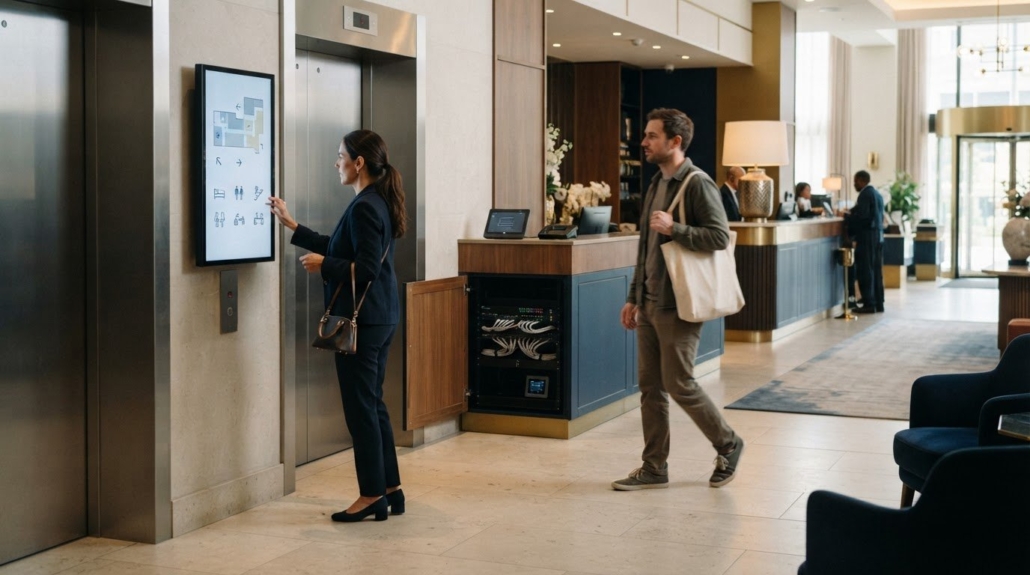
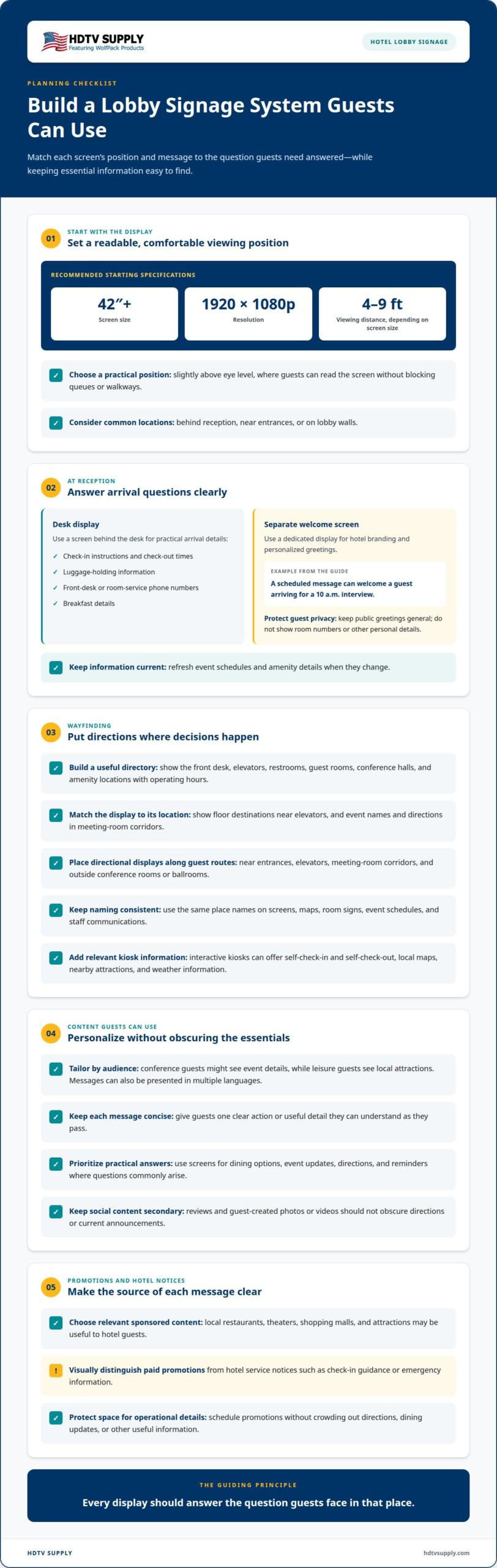
Screen placement means choosing a display location and viewing position that make information easy to read without obstructing lobby activity. The recommended screen size is at least 42 inches, with a resolution of 1920x1080p. Place screens 4-9 feet away, depending on screen size, and slightly above eye level. Behind reception, near entrances, and on lobby walls are common locations. A well-positioned screen helps guests read schedules and navigate without blocking queues or walkways.
Reception and Welcome Signage
Reception signage uses screens to support arrival with clear, timely messages. A display behind the desk can show check-in instructions, check-out times, luggage-holding information, front-desk or room-service phone numbers, and breakfast details. Use a separate welcome screen for branding and personalized greetings. For example, a scheduled message can welcome a guest arriving for a 10 a.m. interview. Keep public messages general rather than displaying room numbers or other personal details. Refresh event schedules and amenity information when they change, so guests see useful details at the point of arrival.
Lobby Advertising and Revenue
Lobby advertising adds paid promotions from other businesses or brands to the hotel’s screen content as a potential revenue source. Local restaurants, theaters, shopping malls, and attractions can be relevant, especially when they serve hotel guests. Visually separate sponsored content from hotel service notices, such as check-in guidance or emergency information, so guests can tell which messages come from the hotel. Schedule promotions without crowding out directions, dining updates, or other operational information.
Personalized and multilingual guest content
Hotel lobby signage can make guest information more relevant, easier to understand, and available without a front-desk conversation. Tailored messages, language options, reviews, and social content can support the guest experience and help reduce repeated questions.
Personalized and Multilingual Messages
Personalized signage adapts messages for a guest group, audience, or language, so each display offers information suited to its viewers. For example, conference guests could see event details while leisure guests see local attractions. Hotels can also tailor promotions to guest demographics and present them in multiple languages. Keep each message concise, with one clear action or useful detail, so guests can understand it as they pass.
Clearer Guest Communication
Put practical answers on screens where questions commonly arise. Displays can show dining options, event updates, directions, or reminders, helping guests find information without joining the front-desk queue. This can reduce repeated questions about events, directions, and dining. Use the same place names on screens, maps, and in staff communications, so guests can follow consistent terminology throughout their stay.
Guest reviews and social media feeds add another layer of content. Lobby displays can feature reviews or guest-created photos and videos, offering visitors a view of shared experiences. Choose content that supports the hotel’s branding and is appropriate for a public screen. Keep social posts secondary to essential information, so a scrolling feed doesn’t obscure directions or current announcements.
Signage can also ease front-desk workload by answering common questions before guests need staff assistance. Track views, interactions, and dwell time to see which content attracts attention. Compare recurring front-desk questions or the time staff spend giving directions before and after content updates. These measures help connect display performance to operational efficiency and show where content needs refinement.
For a coordinated display setup, explore professional AV system options alongside your content plan.
Digital wayfinding and lobby directories
Wayfinding works best when guests can move from a broad lobby map to clear directions at decision points. Digital signage for hotel lobbies can connect directories, meeting information, and nearby attractions throughout the guest journey.
Digital Maps and Lobby Directories
A digital map or directory organizes hotel locations and directions on a screen or interactive kiosk. Guests can find the front desk, elevators, restrooms, guest rooms, and conference halls without searching printed boards. Include amenity locations and operating hours, so visitors can choose a destination and know when it’s available.
Interactive kiosks can also act as information terminals, with self-check-in and self-check-out functions. A guest looking for a conference room can select its name and follow the displayed route. Local maps can show nearby restaurants, shopping, and attractions, while weather information helps guests plan outings. Keep labels consistent with the names used on room signs and event schedules.
Hotel Wayfinding Displays
Place directional displays along the routes guests actually use. Freestanding digital totems are often positioned near entrances, elevators, and meeting-room corridors. Hallway displays can guide visitors around a hotel campus, while screens outside conference rooms or ballrooms can show current meeting, event, or booking information.
Use each display to answer the question guests face at that location. Near an elevator, show floor destinations; in a meeting-room corridor, show event names and directions. In the lobby, pair a directory with a map that helps guests orient themselves before choosing a route. This layered approach makes digital signage for hotel lobbies useful beyond reception.
Wayfinding content can also promote nearby venues partnered with the hotel, such as restaurants, theaters, or shopping destinations. Keep promotional panels distinct from route instructions, so guests can identify directions quickly. When a destination, room assignment, or event schedule changes, update the relevant display and directory together. Consistent information across maps, kiosks, and hallway boards helps prevent conflicting directions and supports a smoother stay.
Digital signage hardware, software, and strategy
A reliable lobby system combines display hardware, content software, network access, and a clear operating plan. The right setup depends on screen format, how often content changes, and how staff will manage updates.
Costs, Installation, and Software
Hotel lobby signage costs vary with screen size and software, while installation scope depends on display format and mounting requirements. A typical system includes digital displays, browser-based players, content management software, and network connectivity. The software controls what appears, and the player delivers that content to each screen.
Wall-mounted screens are described as simple to install, while video walls may require professional installation. Digital updates can also reduce recurring printing-service costs by replacing printed notices with managed screen content.
Installing and Managing Lobby Signage
Installation connects the display, player, content management interface, and network so staff can publish and manage material. After setup, hotel teams can use the interface to update schedules, announcements, and social media content without replacing printed signs.
Some systems integrate with event-management or property-management tools. For multiple locations, centralized content management lets staff coordinate updates across properties. Assign ownership for each content category, such as meeting schedules or dining announcements, so updates have a clear path from approval to display.
Risks and Maintenance Requirements
A key operational risk is publishing outdated or conflicting information, such as an old meeting-room assignment beside a current event notice. Assign content owners, review time-sensitive messages, and remove expired promotions. Network connectivity and player status matter too, because remote updates depend on the system being connected.
Build routine content checks into operations. Confirm that key screens show current schedules, announcements, and branding, and review engagement through views, interactions, and dwell time. Promotional conversion rates can help assess revenue content, while check-in speed and missed-meeting patterns can show where the overall strategy needs adjustment.
For lobby display systems that need coordinated signal routing or video-wall processing, explore professional AV hardware options.
HDTV Supply
HDTV Supply offers AV components that can support the display side of a hotel lobby signage system. For multi-screen routing, WolfPackSecure 4K 60 4:4:4 HDMI Matrix Switchers can form part of a system design; HDMI Video Wall Processors are relevant when the lobby plan calls for a video wall. WolfPad TV Control Systems provide another option for managing TV displays.
Choose equipment based on the signal path, number of screens, and intended display format. These components address AV distribution and control; content planning and signage software are separate parts of the overall system. They are most relevant when a hotel is specifying connected displays or coordinating a video wall, rather than seeking content strategy alone.
Contact HDTV Supply to discuss AV equipment for your lobby display setup.
Build a Signage System That Can Grow
Plan digital signage for hotel lobbies as part of a wider AV system, not as a standalone screen purchase. Start by mapping how lobby displays connect with the property’s other screens and control requirements. This helps keep future expansion aligned with the hotel’s operating strategy.
HDTV Supply offers WolfPack Modular Matrix Switchers, advanced video distribution hardware, and WolfPad TV Control Systems. These products address different AV distribution and control needs; the right fit depends on the system design. For hotels planning additional displays, matching equipment to the signal path and intended use helps create a more coherent setup.
Explore the available options and discuss your AV requirements with HDTV Supply. Contact HDTV Supply for signage help and take the next step toward a lobby display system built around your property’s needs.
Frequently Asked Questions
What do I need for digital signage?
A signage setup needs a display, media player, content management software, and network connectivity. The player sends content to the screen, while the software gives staff a place to prepare and publish it. For example, a hotel could create separate content playlists for its entrance and reception displays. Match the setup to the content formats and control workflow the team plans to use.
Can I manage lobby screens across multiple locations?
Yes. Centralized content management can let hotel teams manage signage across multiple properties from a shared system. A corporate team might publish a brand campaign to every location, while local staff maintain property-specific notices. Set clear ownership for each content type, so local changes don’t unintentionally replace shared information. This helps coordinate screen content while preserving local updates.
Can one screen show a welcome message and check-in at the same time?
Yes. A screen layout can show a welcome message beside check-in guidance or rotate between them on a schedule. A split layout keeps both messages visible, while rotation gives each more display space. Use a concise greeting and a clearly separated instruction area, so arriving guests can identify the next step without confusing the welcome with operational details.
How can lobby screens strengthen brand display?
Lobby screens reinforce the hotel’s brand through consistent visual choices across guest-facing content. Apply the hotel’s logo, approved colors, typography, and image style to welcome messages, dining promotions, and event notices. For example, a branded welcome slide can transition into service information without changing the overall visual identity. Keep the text hierarchy consistent, with the hotel’s name distinct from the message.
How do digital welcome screens work in a lobby?
A digital welcome screen plays a prepared message on a connected display using a media player and content management software. Staff can schedule a general greeting or coordinate a message with an event or arrival period. For example, a conference welcome can show the event name and venue information. Keep greetings appropriate for public viewing and leave private guest details off shared screens.
What technology can be used in a hotel?
Hotels can use LCD, LED, or OLED displays, browser-based media players, content management software, and network connections for digital signage. Interactive kiosks can support information access, while matrix switching and video-wall processing serve AV distribution and large-format display systems. The right combination depends on screen layout, signal routing, and staff control requirements. Align guest-facing signage and other AV systems with their intended use.
Leave a Reply
Want to join the discussion?Feel free to contribute!