
Digital Signage Matrix Switcher: How AV Signals Connect
One source doesn’t have to dictate what every screen displays. A digital signage matrix switcher routes video from multiple inputs to selected displays, so screens can show different sources or share the same feed. In a 4×4 configuration, four inputs can be routed to four outputs; an 8×8 configuration provides eight inputs and eight outputs.
That flexibility matters when a venue needs to manage displays centrally instead of connecting each source directly to one screen. To choose a digital signage matrix switcher, consider how many sources and displays must connect, what each screen needs to show, and how the wider AV system is arranged.
This article explains what a digital signage matrix switcher does, how 4×4 and 8×8 routing works, and where it fits in professional AV and digital signage. You’ll also learn how switchers support applications such as video walls and multi-screen content distribution, and what to consider when matching a system to the task.
Key Takeaways
- Understand how switchers work alongside controllers, processors, and splitters to shape an AV signal path.
- Map the sources and displays in your system before choosing a port configuration, so capacity matches the routing job.
- Compare resolution, content protection, and audio-routing support against the signals and displays your setup uses.
- Explore matrix switchers, TV control systems, and video wall processors as options for different AV distribution needs.
What Is a Matrix Switcher?
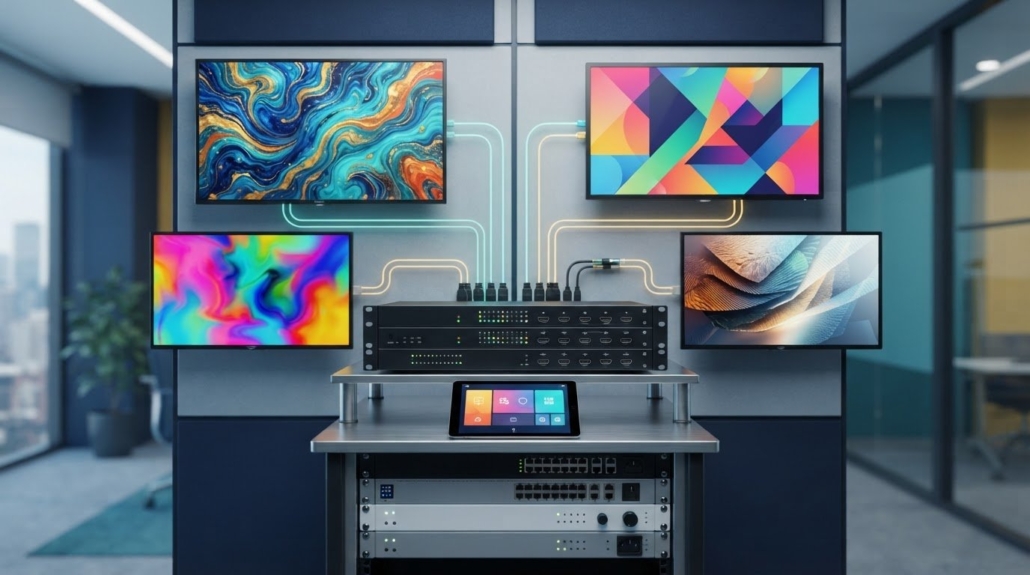
A digital signage matrix switcher routes signals from multiple sources to selected displays. It can send one source to several screens or direct different inputs to separate displays. The switcher handles routing, while other AV equipment may handle control commands or image processing.
Switcher and AV Component Roles
A switcher selects which input reaches each output, while controllers manage commands and processors modify or organize signals. A splitter duplicates one input across multiple outputs. Together, these components distribute signals. For example, a camera feed could reach a control-room display while a separate source feeds a video wall.
This distinction matters when planning an integration. A switcher handles routing, but it does not automatically perform every processing or control task. Identify which device selects sources, which processes the image, and whether a splitter is needed. Mapping these roles clarifies how each component works in the system.
Control Interfaces and System Integration
Control interfaces let an operator change routes without reconnecting cables. Described HDMI matrix switchers may use infrared (IR), RS-232, or IP control. A remote or front-panel buttons can also switch sources, while compatible AV automation can coordinate switching with other system commands.
Choose the control method around the installation. IR provides remote control, RS-232 supports serial commands, and IP enables control over a network connection. Integration depends on compatible interfaces and a control system configured to address the switcher. An operator might select a source for a display through a remote or automation interface.
What security, HDCP, and licensing requirements apply? HDCP compatibility matters when routing protected HDMI content; some HDMI 2.1 matrix switchers support HDCP 2.3. HDCP concerns signal protection, while permission to use content is separate and governed by the content provider’s terms.
How much does a matrix switcher cost in the United States? Cost depends on the configuration, supported signal formats, control options, and system requirements. Compare the inputs, outputs, and features your application needs to find suitable equipment.
What are common problems and troubleshooting steps? If a display has no image, check that the sources and displays are connected to the intended ports, then confirm the selected route. If switching fails, test the control interface and command path. For picture or audio problems, compare source and display compatibility.
What are the risks and limitations? A digital signage matrix switcher can route signals only within its available inputs, outputs, and supported capabilities. Incompatible formats or control interfaces can disrupt integration, while a routing change can send the wrong content to a display. Map sources, screens, and control needs before choosing a configuration.
4×4 And 8×8 port configurations
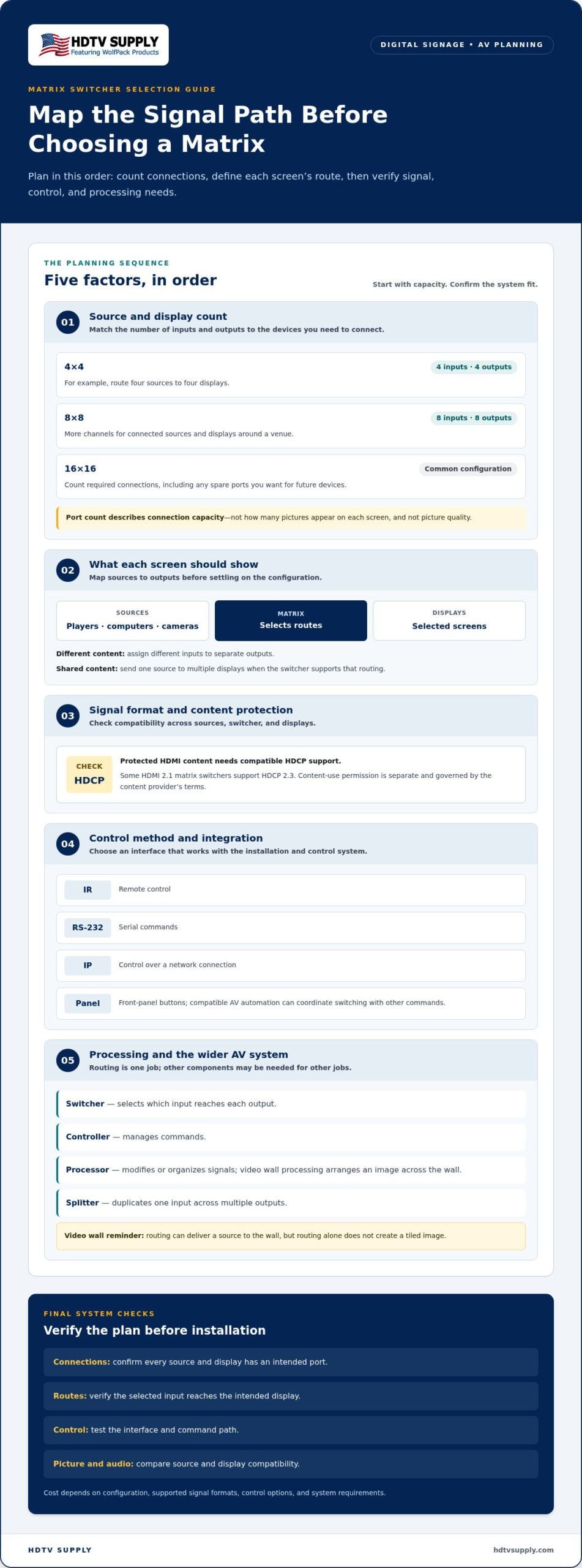
A matrix configuration names the number of inputs and outputs: a 4×4 unit has four inputs and four outputs, while an 8×8 unit has eight of each. In an HDMI matrix, inputs connect sources such as media players, computers, or cameras; outputs connect displays. The switcher assigns sources to displays, so port count describes connection capacity, not the number of pictures shown on each screen.
Consider a four-source presentation: a 4×4 switcher can route those sources to four displays. Each output can receive a selected input, allowing different visual content in separate areas. A source may also be distributed to multiple displays when the switcher supports that routing. This can keep a presentation consistent across screens without embedding a separate player at every display.
An 8×8 configuration provides room for eight connected sources and eight display outputs. For example, a venue could connect signage players, a computer, and camera feeds, then route selected content to screens around the site. The additional channels provide more routing choices, but they don’t automatically improve picture quality or create content. Those capabilities depend on the switcher and connected devices.
Common configurations also include 16×16. The practical choice depends on the source and display count, plus how each output needs to be used. Count every required connection, including spare ports for future devices, then map which sources must reach which screens. This reveals whether a 4×4 matrix fits a compact installation or an 8×8 system better supports expanded distribution.
Look beyond the number of ports. A seamless setup requires compatible signal formats across sources, the switcher, and displays. If a channel feeds a video wall, account for its processing needs: routing alone does not create a tiled image. For multi-screen presentations, sketch each source-to-display path before choosing equipment. This map can reveal missing inputs and outputs early.
For installations needing flexible routing, compare the system map with the capabilities of modular matrix switchers. Match the port count to the actual sources and screens first, then assess signal and control requirements for the intended applications.
Professional AV and digital signage applications
In professional AV, a matrix switcher routes content between sources and displays to serve different viewing zones. An HDMI matrix switcher can distribute one HDMI signal to multiple screens at once, such as sending the same information display to several locations. If screens need different content, independent outputs can route separate inputs to their assigned displays. Plan the routing around each screen’s role.
Video walls are another application. A matrix switcher can route content from a central point to a wall made up of multiple screens, including in transport settings. Routing selects the source; video wall processing arranges the image across the display surface. These are separate functions, so consider whether the system also needs a processor for scaling or wall layout.
In a university lecture room, a presenter might switch between a computer presentation and another video source. Matrix systems can support effects such as scaling, fading, and seamless switching. The required format and output resolution matter: source devices, switcher, processor, and screens must work together. Compatibility across the signal path affects how content appears.
Security systems can route camera feeds to a video wall. A network-connected camera system can provide feeds for display, while the matrix determines which source appears on each output. Operators can send a selected camera view to a monitoring screen without changing the physical connections. Confirm that the system architecture supports the intended signal path.
Plan the display layout before selecting processing equipment. For matrix tiling, screens should have consistent resolution, bezel size, and color parameters to create a uniform visual surface. Then map each source to its intended output and decide whether content should be shared or shown independently. This application-first approach clarifies the routing and processing capabilities the system needs.
What features should I look for in a digital signage matrix switcher?
Start with signal compatibility, then assess routing, audio, control, and installation requirements. A feature is useful only if it supports the sources, displays, and content in your AV system. Compare specifications across the entire signal path, not just the switcher.
- Video resolution: Match the switcher’s supported resolution to the source devices and screens. Matrix switchers may support 1080p or 4K; described HDMI 2.1 models support 8K video at 60 Hz. A digital signage matrix switcher should suit the highest resolution required by the connected displays.
- HDCP support: Protected content needs compatible HDCP handling across the signal path. Described HDMI 2.1 models support HDCP 2.3. Check compatibility among source, switcher, and display to avoid a blank output.
- Signal bandwidth: Compare the required format and data rate with the switcher’s capabilities. Support for 4K/UHD signals at 18Gbps is one example of a stated HDMI matrix capability.
- Audio routing: Separate audio routing can send sound to a different zone than its video. Audio extraction can also send sound from HDMI signals to an external system. Match the output connections and audio format to that equipment.
- Multi-view and processing: Picture-in-picture can show multiple feeds at once, with adjustable window size and position. Match source and display resolutions for switching or PIP, and determine whether the setup needs additional processing.
Installation conditions matter, too. Leave ventilation around the unit to help prevent overheating, and use a stable power supply with surge protection. Include these conditions in the system plan alongside signal and routing requirements for a digital signage matrix switcher.
Prioritize features by application: a signage system showing one source across displays may need different capabilities from a control room viewing multiple feeds. List content formats, display resolutions, audio destinations, and control needs before comparing specifications. This keeps selection focused on features the system will use.
Explore AV switching options to compare equipment for your signal, display, and routing requirements.
HDTV Supply: WolfPad TV Control Systems
HDTV Supply offers WolfPad TV Control Systems for projects that need a TV control solution alongside signal routing equipment. For a multi-display setup, consider how control, switching, and image processing fit together. WolfPackSecure 4K 60 4:4:4 HDMI Matrix Switchers provide a matrix-switching option, while HDMI Video Wall Processors address video wall processing needs.
Choose equipment to match the task: TV control, source-to-display routing, or video wall processing. These are distinct functions, so identify each component’s role before assembling the AV system. This helps align equipment with the application without treating a processor or control system as a substitute for matrix routing.
Explore HDTV Supply’s AV equipment options to find products suited to your project.
Plan the Next Step for Your AV System
Make the next decision based on the system’s needs. Identify what each display should show, which sources feed it, and how operators should manage those connections. This gives your digital signage matrix switcher selection a clear purpose, grounded in the signal path rather than a feature list alone.
HDTV Supply offers WolfPack Modular Matrix Switchers for signal routing, advanced venue display distribution systems, and WolfPad TV Control Systems for TV control. Match the product category to the task, then consider how it fits your existing AV components and planned display layout.
A clear requirements list helps focus your equipment selection: document your sources, outputs, signal formats, and control approach. Use these details to identify options that suit the planned system.
Contact HDTV Supply about matrix switchers and take the next step toward a well-planned AV setup.
Frequently Asked Questions
How Does It Work?
A matrix switcher receives signals at its inputs and routes selected sources to assigned outputs. An operator or control system chooses the route, and the connected display presents the source. For example, changing a conference-room output from a signage player to a presentation computer changes the selected signal path, not the physical cabling. The switcher handles routing; image scaling or wall layout requires suitable processing equipment.
What is a digital signage matrix switcher and how does it work?
A digital signage matrix switcher is an AV device that routes content from connected sources to selected displays. In one setup, one screen might show a media player while another displays a computer feed. The operator selects the desired source for each output using the available control method. This is useful when displays need managed source selection instead of permanent one-to-one connections.
How many video inputs and outputs do digital signage matrix switchers support?
Common input/output configurations include 4×4, 8×8, and 16×16. The first number represents inputs, and the second represents outputs, so an 8×8 model has eight source connections and eight display connections. Choose by mapping every source and screen in the intended system. A venue with more sources than outputs, or the reverse, should base its selection on the connections it needs to route.
What resolutions and video formats do digital signage matrix switchers support, including 4K and 8K?
Supported resolutions vary by model. Matrix switchers may support 1080p or 4K, while the described HDMI 2.1 matrix switchers support 8K video at 60 Hz. Resolution alone doesn’t establish full compatibility: the source, switcher, and display must support the intended signal path. Compare the formats each device accepts, especially when mixing older equipment with higher-resolution screens.
What is the difference between a matrix switcher, video wall controller, and HDMI splitter?
A matrix switcher selects and routes sources to outputs. An HDMI splitter duplicates a source signal across multiple displays, while a video wall processor arranges content across a multi-screen canvas. These devices handle different tasks: routing, duplication, and image processing. For example, a system may route a media player through a matrix, then use a processor to format its output across a tiled wall.
How do I connect and configure a digital signage matrix switcher?
First, map each source to an input and each display to an output, then connect the equipment to the appropriate ports. Power on the source, switcher, and displays, then select the desired input-to-output routes through the switcher’s control interface. If an output has no picture, confirm the selected route and check that the connected devices support compatible signal formats and resolutions.
Leave a Reply
Want to join the discussion?Feel free to contribute!