
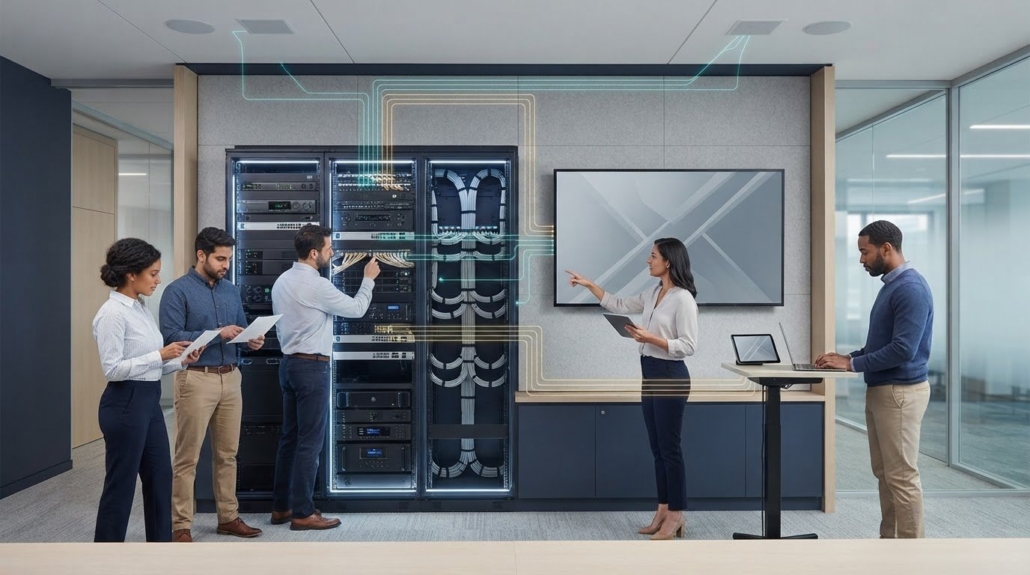
AV integration checklist for reliable, scalable setups
A room full of AV equipment is not an integrated system until its audio, video, control, and network components work together. An AV system integration checklist helps define those connections before installation, so compatibility and practical requirements are addressed early. The goal is a system that suits the space and can adapt as needs change.
Planning matters because equipment choices can fall short when the room’s acoustics, lighting, power, or layout are overlooked. Use this checklist to assess existing hardware and infrastructure, set project goals and scope, and identify what to document for testing, handover, and future troubleshooting. Each check focuses on a specific decision and explains why it matters, helping teams move from requirements to a more reliable, scalable AV design.
Key Takeaways
- Record signal paths, test results, equipment details, and unresolved issues so future troubleshooting starts with a clear system record.
- Assess existing hardware, software, and network infrastructure, then plan for equipment placement, cable management, and future expansion.
- Evaluate room acoustics, sightlines, lighting, power access, and other physical conditions before finalizing equipment choices.
- Define project goals, stakeholders, requirements, and exclusions early to keep the design aligned with the intended outcome.
Documenting integration processes and issues
ADA accessibility, electrical, fire, and building-code requirements depend on the jurisdiction and building. Before installation, check accessible routes and control locations, power and cable pathways, fire-rated penetrations, equipment mounting, and egress against applicable local requirements.
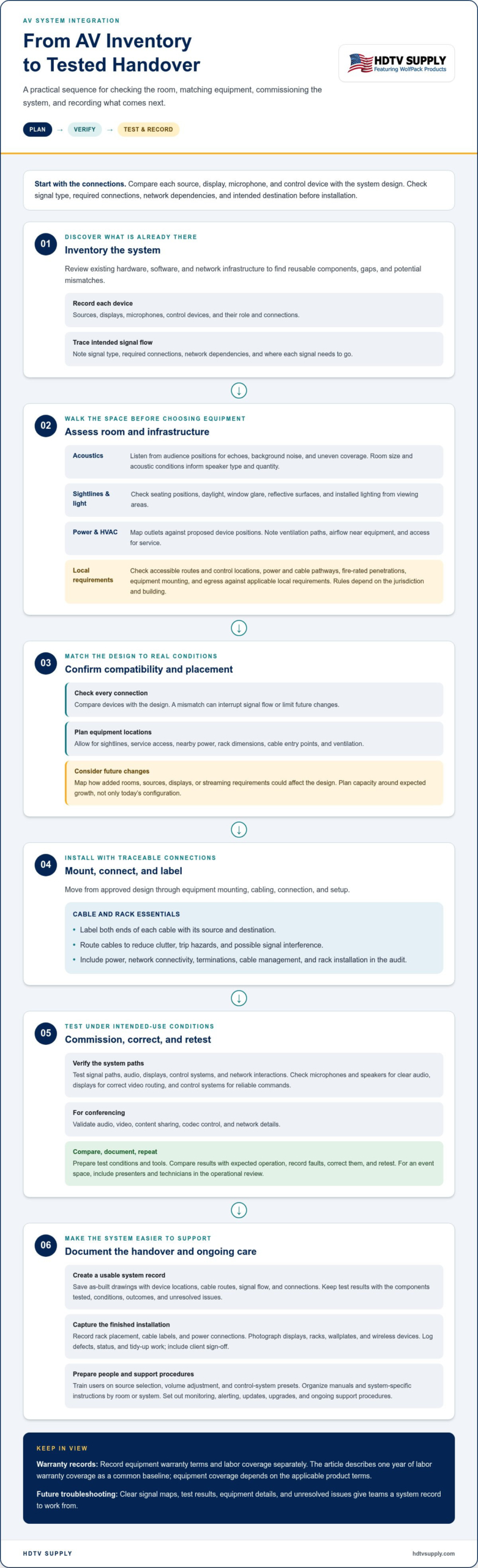
AV installation, configuration, and commissioning take the project from approved design through equipment mounting, cabling, connection, and setup. Technicians then test signal paths, audio, displays, control systems, and network interactions, correct faults, and document acceptance results.
- Document the deployment sequence, responsible roles, and support plan. A clear process helps the organization coordinate installation, commissioning, and post-deployment response.
- Save as-built drawings showing device locations, cable routes, signal flow, and system connections. These records make later troubleshooting and system changes more efficient.
- Keep test results with the tested components, conditions, outcomes, and unresolved issues. This creates a useful baseline when performance problems appear later.
- Record rack installation details, including equipment placement, cable labels, and power connections. A current rack record helps technicians trace connections without disrupting unrelated components.
- Capture visual records of displays, racks, wallplates, and wireless devices. Photos show the completed installation and help compare later changes against the handover state.
- Log each defect, its status, and the required tidy-up work. Complete the records with client sign-off so open items and acceptance are clear.
- Train users on everyday tasks, including source selection, volume adjustment, and control-system presets. Hands-on practice helps staff operate the setup without relying on technical support for routine use.
- Provide equipment manuals and system-specific operating instructions together. Keep them organized by room or system so users can find the right guidance quickly.
- Set out monitoring, alerting, updates, upgrades, and ongoing support procedures. These steps help teams track system performance and plan maintenance after commissioning.
Requirements vary by jurisdiction and building. For AV installation, check accessible routes and control locations, power and cable pathways, fire-rated penetrations, equipment mounting, and egress against applicable local requirements.
Equipment compatibility, reliability, and scalability
Compare every source, display, microphone, and control device with the system design. Confirm signal type, required connections, network dependencies, and intended destination. Review existing hardware, software, and network components too: a mismatch can interrupt signal flow or limit future changes.
Plan equipment placement around sightlines, service access, and nearby power sources. Check rack dimensions, cable entry points, and ventilation before installation. Label both ends of each cable with its source and destination, then route cables to reduce clutter, trip hazards, and possible signal interference. Include power, network connectivity, terminations, cable management, and rack installation in the audit.
Before handover, test microphones and speakers for clear audio, displays for correct video routing, and control systems for reliable commands. For conferencing, validate audio, video, content sharing, codec control, and network details. Compare results with expected operation, document faults, and retest after adjustments.
Prepare audit tools and test conditions before commissioning. Use the project’s signal paths and installed connections to guide checks, and document results for each component. Test under conditions similar to intended use; in an event space, include presenters and technicians in the operational review.
- Check scalability by mapping how added rooms, sources, displays, or streaming requirements affect the design. Plan capacity around expected growth, not just today’s configuration.
- Record equipment warranty terms and labor coverage separately. One year of labor warranty coverage is described as a common baseline for AV integration projects, while equipment coverage depends on the applicable product terms.
- Mitigate compatibility risks with an inventory and connection map before purchasing. Reduce operational risks with labeled cabling, documented test results, and a clear process for resolving defects.
For system planning that involves source routing or display control, explore professional AV equipment options.
Room acoustics, lighting, power, and HVAC assessment
Walk the room before selecting speakers, displays, or control locations. Note seating positions, sightlines, reflective surfaces, windows, existing outlets, and ventilation paths. This infrastructure assessment reveals physical constraints that equipment specifications alone cannot show.
- Assess acoustics from audience positions. Listen for echoes, background noise, and uneven coverage. Room size and acoustic conditions help determine speaker type and quantity.
- Check visual conditions throughout the day. Observe daylight, window glare, and installed lighting from each seating area. These conditions affect display placement and how clearly people can view content.
- Map power access and equipment locations. Record nearby outlets and power sources, then compare them with proposed device positions. This step identifies placement constraints before cabling routes are finalized.
- Review HVAC airflow around equipment locations. Note vents near proposed displays, control devices, and racks. Airflow and service access should be considered together when planning equipment placement.
- Inventory existing AV hardware and software. Record each device, its role, and its connections. This detail helps distinguish reusable components from gaps or redundant equipment.
- Assess the network infrastructure. Map available connections and the systems that use them. Identify where AV traffic and existing network needs may interact.
- Test existing systems before replacing components. Run representative audio, video, and control tasks in the room. Record failures, confusing operations, and repeated adjustments as specific improvement needs.
- Compare current conditions with project requirements. Match room observations and system test results to intended use. This makes equipment selection responsive to the actual space.
Organize the assessment by room, noting acoustics, lighting, power, HVAC, devices, and network connections. A visual record of display sightlines and equipment locations helps teams compare planned layouts with actual conditions. Revisit the notes whenever the room’s use or technology changes.
Defining the AV project scope and exclusions
Set the project boundary before selecting equipment or approving installation work. Document the intended outcomes, systems involved, stakeholders, and exclusions. A clear scope helps teams distinguish physical installation from integration, which connects components so they operate as a coordinated system. Experienced integrators like Arctic Controls emphasize this distinction when designing environments that bring audio, video, and control hardware together under a unified interface.
- State the objective in operational terms. Specify whether the project should improve communication, support remote work, or simplify presentations, so design choices serve a clear purpose.
- Name the systems and applications in scope. List sources, displays, speakers, microphones, control systems, and network connections that must work together, because omissions can leave gaps in the user experience.
- Describe expected outcomes. For a meeting room, define the desired path from a presentation source to the room display and speakers, so testing can assess the intended operation.
- Identify stakeholders and their requirements. Include the people who use, manage, and support the system, because presenters and IT teams may have different priorities.
- Separate installation tasks from integration tasks. Record physical equipment placement and cabling separately from configuration and system connections, so ownership and completion criteria stay clear.
- List exclusions explicitly. Note work outside the agreed AV scope, such as unrelated room renovations or non-AV network changes, to minimize assumptions and unplanned changes.
- Define success measures and acceptance tests. Describe observable results, such as selecting a source and routing its content to the intended display, so stakeholders can evaluate the completed system.
- Set a change-approval process. Document who can approve scope changes and how they affect deliverables and timing, keeping revisions visible to the project team.
- Maintain scope documentation. Keep requirements, decisions, exclusions, and approved revisions together, so the design and final system remain aligned.
A clear scope helps create a seamless user experience by connecting defined needs with practical system functions. For display routing or room control requirements, explore AV equipment options that align with the project’s documented goals.
HDTV Supply: WolfPad TV Control Systems
HDTV Supply offers WolfPad TV Control Systems for projects that include TV control in the documented AV scope. Match the selected equipment to the system requirements and intended operation. For projects routing video sources, HDMI Video Wall Processors and WolfPackSecure 4K 60 4:4:4 HDMI Matrix Switchers are also available. These offerings can be considered when the design calls for video wall processing or HDMI matrix switching.
Use your completed checklist to guide product selection. First identify the required functions, connections, and room needs, then compare them with the equipment under consideration. This keeps decisions tied to the project’s goals instead of adding components without a clear purpose.
Visit hdtvsupply.com or contact HDTV Supply to discuss the equipment that fits your project requirements.
Move from planning to a system that fits
Next, turn the agreed requirements into clear equipment decisions. Use the AV system integration checklist as a working reference when comparing system functions with the room’s needs and intended operation. Focus on the outcomes users need, not features without a defined purpose.
For video routing and control, HDTV Supply offers reliable modular matrix switchers, robust multi-display distribution systems, and intuitive touch screen control panels. The right fit depends on the system design and the role each component needs to perform. Keep your documented scope close when considering equipment, so selections stay aligned with the project instead of expanding it without reason.
Ready to take the next step? Discuss your AV project with HDTV Supply and explore equipment options for your setup. A clear plan gives your team a practical foundation for moving forward with confidence.
Frequently Asked Questions
What is System Integration?
System integration connects separate components so they operate as a coordinated whole. In an AV setup, that can mean routing a presentation source through a switcher to a display, while control devices manage the user’s selections. The integration plan identifies how components interact, where signals travel, and which functions users need. This makes the complete setup easier to operate than disconnected devices.
What Does an AV System Include?
An AV system can include microphones, speakers, displays or projectors, cameras, and control systems. The combination depends on the room’s purpose. A presentation space may route a source to a display and speakers, while a video meeting room may also need cameras and conferencing functions. Network connections and cabling can link components and support their intended operation.
What should an AV system integration checklist include?
An AV system integration checklist should cover project goals, stakeholders, equipment, signal paths, room conditions, compatibility, testing, and handover records. Include a clear list of work and exclusions, then define how the team will assess successful operation. For example, document which source should reach each display and what users need to control through the room interface.
How do you assess room requirements for an AV system?
Assess the room by considering its intended use, then observing it from user positions. In a boardroom, check whether seated participants can see the display and hear speech clearly. Note reflective surfaces, background noise, daylight, lighting, power access, equipment locations, and HVAC airflow. Compare these observations with existing system performance to identify room-specific constraints before choosing equipment.
What AV equipment and components are needed for a conference room?
A conference room may use microphones, speakers, displays or projectors, cameras, and control systems. Select components according to meeting tasks: local presentations, remote communication, or both. Map how content reaches the display and how participants’ voices reach the room audio system. A control interface can bring routine selections into one sequence, helping users start meetings without managing devices separately.
How do you check AV equipment compatibility and interoperability?
Check compatibility by mapping each component’s connections, signal requirements, software dependencies, and network interactions. Trace a signal from source to destination, then confirm every device in the path supports the required connection and function. Review how control commands reach equipment and test the complete route, not just individual devices. Document failures and retest after adjustments.
Leave a Reply
Want to join the discussion?Feel free to contribute!