
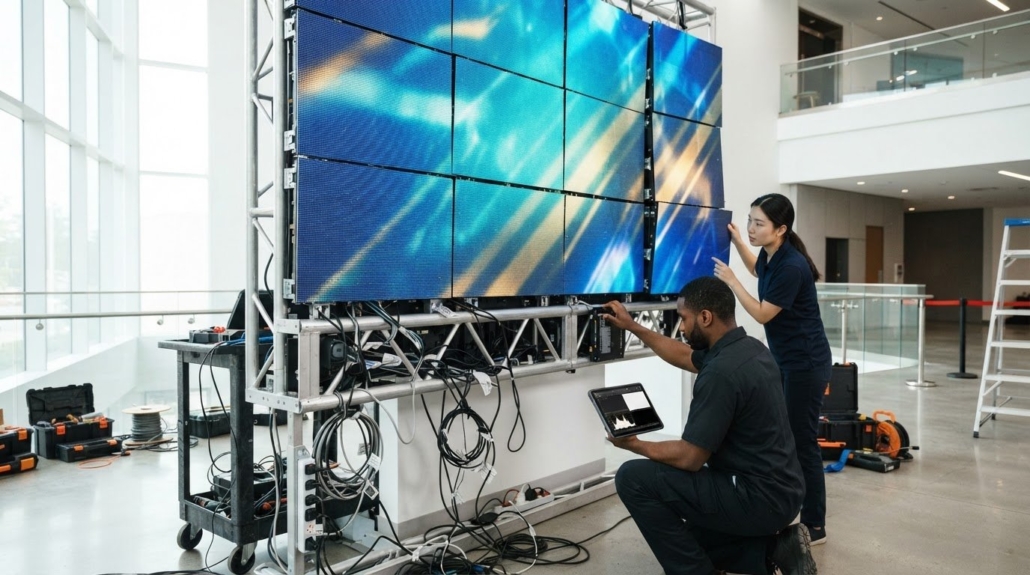
4 Common Video Wall Installation Mistakes That Disrupt Setup
The most disruptive common video wall installation mistakes happen before the screens are switched on: power, structure, testing, and content are planned as separate tasks instead of as one system. A mismatch in any of these areas can delay setup or compromise performance. Treat the installation as an integrated project from the start.
It’s easy to focus on the displays. But reliable results also depend on planning circuits and cable routes, preparing a stable mounting structure, and testing the hardware with the content you’ll actually use.
This guide covers four setup errors: poor power planning, inadequate testing, weak structural preparation, and content that doesn’t suit the wall’s resolution, aspect ratio, or viewing distance. Use the practical checks in each section to catch problems before they cause installation delays or visible performance issues.
Key Takeaways
- Map power distribution and cable routes before setup so the wall has a stable, organized signal and power path.
- Test layouts, color, resolution, and playback on the actual display system before handover.
- Assess the mounting surface and frame alignment to reduce the risk of instability, vibration, or visible seams.
- Match pixel pitch and content format to viewing distance, screen orientation, and the video wall’s intended use.
1. Power cable sizing, voltage drop, and circuit load distribution
Plan the mounting layout, power feeds, data ports, and signal paths together before installing panels. Record each panel’s power connection and map how circuits will serve each wall zone. As cable length and electrical load increase, voltage drop can become more significant; match conductor sizing to the actual run and load. One sizing example lists 14 AWG at 12.3 A at 45°C under NEC Table 310.16. Don’t treat that figure as a universal cable selection rule.
For permits and electrical-code requirements, follow the rules adopted by the local jurisdiction and the authority responsible for the installation. Requirements vary by location and project, so identify applicable permits and safety rules before electrical work begins.
Plan dedicated circuits, correct grounding, surge protection, and circuit fusing for an LED wall. Plan circuit allocation around the display’s actual load and electrical design, since suitable voltage and circuit distribution depend on the installation. Use the display’s actual load and the electrical design to assign circuits. Poor grounding or overloaded circuits can cause flicker, short circuits, or fire hazards.
Keep power cables separate from data cables to limit signal interference. Label both ends, secure cables in trays or conduits, and avoid tight bends. One routing guideline specifies a bend radius of at least six times the cable diameter. Make sure cable routes preserve access to service panels, mounting points, and control connections.
Troubleshoot in order: check the circuit and grounding, inspect panel power connections, then trace the data path. If a panel flickers, compare its power feed with neighboring panels and look for loose connectors. Confirm that the processor, control system, and display software follow the intended signal path. This staged check can isolate power, cabling, or control-system faults before you replace components or change settings.
2. Testing layouts, resolution, color, and playback across screens
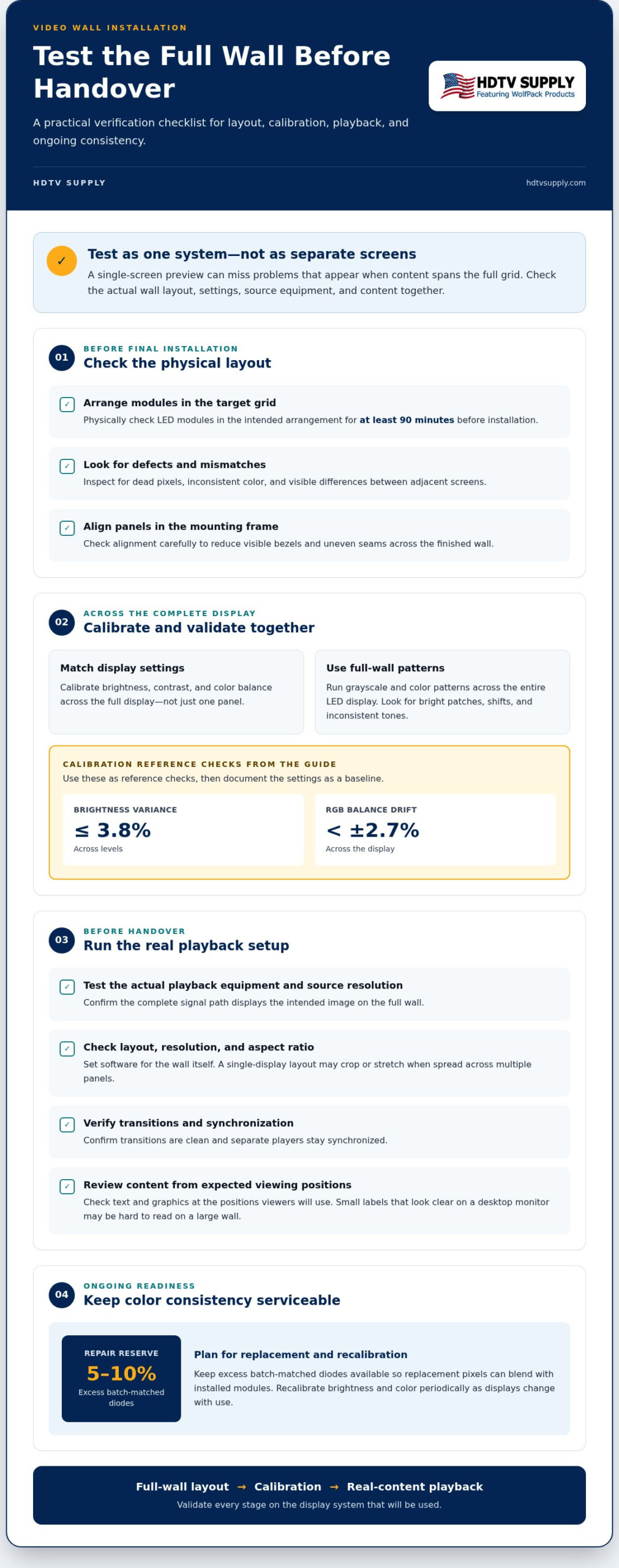
Test the complete display layout before wiring panels into their final grid. Physically check LED modules in the target arrangement for at least 90 minutes before installation. Look for dead pixels, inconsistent color, and visible differences between adjacent screens. A single-screen preview won’t reveal how content behaves across the full wall, especially when images span multiple panels.
To prevent visible bezels, uneven alignment, and color mismatches, align panels carefully in the mounting frame, then calibrate brightness, contrast, and color balance across the full display. Match software settings to the wall’s resolution and aspect ratio, not just to one screen. For example, a layout designed for a single display may crop or stretch when spread across a video wall.
Calibration needs validation, not just a saved preset. Run grayscale and color patterns across the entire LED display, checking for bright patches, shifts, and inconsistent tones. One calibration guideline sets brightness variance at no more than 3.8% across levels and RGB balance drift below ±2.7%. Use these as reference checks, then document settings so later adjustments start from a known baseline.
Test the actual playback equipment, source resolution, and content before handover. Confirm that screens show the intended image, transitions are clean, and separate players stay synchronized. Check text and graphics from the expected viewing positions: small labels that look clear on a desktop monitor may be hard to read across a large wall. Repeat the checks with the real content and each display configuration.
Plan for maintenance, too. Keep 5-10% excess batch-matched diodes available for repairs and color calibration, helping replacement pixels blend with the installed modules. Recalibrate brightness and color periodically as displays change with use. If you’re reviewing equipment for a video wall signal chain, explore video wall system options alongside your test plan.
3. Frame anchoring, structural loads, and vibration control
Begin with a site evaluation, not the mounting frame. Check the supporting structure, wall surface, lighting, and environmental conditions before fixing cabinets in place. A wall-mounted LED video wall may need reinforcement to support its weight. Determine whether the surface is plumb, convex, or concave, since each condition affects frame alignment and the finished image. Consider how viewing angles and ambient light will affect the audience, too.
Clearance depends on the wall design, mounting method, and ventilation needs. Leave room for airflow and service access, and account for thermal expansion: one guideline recommends at least 7.5 mm of perimeter gap for a 5 m × 3 m LED wall. Adequate airflow helps reduce overheating, while direct sunlight and humidity can affect alignment and viewing conditions.
For safe leveling and anchoring, align the mounting frame before attaching cabinets, then secure its rails to a suitable structure. One installation guideline specifies a drilling alignment tolerance of ±1.5 mm vertically and horizontally, M10 rail bolts at intervals no greater than 600 mm, and at least six bolts per rail for a 3 m frame. It also gives a final bolt torque of 28 N·m, with a ±3% tolerance. Treat these as cited installation figures, not a substitute for assessing the wall and system design.
Keep the frame rigid. A cited guideline says deflection greater than 1.5 mm over a 2 m span fails its stated frame-rigidity criterion. Movement during cabinet installation can shift the wall’s axes, creating uneven seams or a distorted aspect ratio. Secure cabinets consistently, avoid bumping the frame during assembly, and inspect cabinet stability monthly. For suspended walls, assess the structure and installation environment carefully, especially above crowded areas. These checks help limit vibration-related movement and preserve alignment over time.
4. Resolution, aspect ratio, pixel pitch, and content requirements
Start with the audience, viewing distance, and placement. Measure the display area, then map its width and height to the planned module grid. The total pixel resolution depends on the pixel dimensions and arrangement of the modules. Match the content canvas to that resolution and aspect ratio so images don’t stretch, crop, or leave unused space.
To estimate viewing distance, multiply pixel pitch in millimeters by 3.3 for a general distance in feet. For example, a 1.2 mm pitch gives a different viewing-distance guideline than a coarser pitch. Choose pitch around how close the audience will stand or sit. Also consider lighting: direct sunlight and bright ambient conditions can affect visibility and screen placement decisions.
Signal compatibility depends on the full path from source to display. Identify the source resolution and output, the processor’s supported inputs and outputs, the cable type and route, and each display’s accepted signal. A 4K signage network needs hardware capable of 4K output. Verify the processor, signal cables, and display configuration together; don’t assume that a cable or processor supports a resolution or refresh rate without checking its specifications.
Content planning includes scheduling, ownership, and review. Assign responsibility for creating, approving, and updating each playlist, then tailor schedules to the audience and time. A loop scheduled identically at 8 am and 8 pm may not suit morning commuters and after-hours staff. Review content older than four weeks unless it still serves a deliberate purpose; high-traffic signage benefits from weekly refreshes. Test font rendering at different resolutions and check layouts in landscape and portrait orientations before launch.
For the signal-processing part of your design, review video wall processor options against your planned content resolution and display layout.
HDTV Supply: WolfPad TV Control Systems
HDTV Supply is a practical next step when your video wall design needs coordinated control and signal routing. WolfPad TV Control Systems support TV control needs, while HDMI Video Wall Processors handle video wall signal processing. For systems routing multiple sources to displays, WolfPackSecure 4K 60 4:4:4 HDMI Matrix Switchers are another option.
Use the installation plan to define system requirements: list the sources, display layout, intended resolution, and control needs. Compare those requirements with relevant product specifications before selecting equipment. Matching control and processing components to the planned signal path keeps system design focused and prevents choosing equipment by name alone.
For help exploring these video wall and control-system options, contact HDTV Supply.
Turn Your Design Into a Ready-to-Run System
Before ordering equipment, turn your display concept into a system plan. Document the sources, screen arrangement, control needs, and content workflow in one place. This gives your team a practical reference for selecting compatible components and coordinating project decisions. It also helps prevent common video wall installation mistakes from carrying into commissioning.
HDTV Supply offers advanced routing hardware, venue-wide AV distribution platforms, and intuitive touch-panel control systems for different project requirements. Match the equipment category to the job: source routing, multi-display distribution, or customized system control. As you evaluate your setup, focus on the intended signal path and use case.
For a conversation about equipment options for your planned AV system, contact HDTV Supply. Take your system plan into that discussion and move forward with a clearer equipment shortlist. Your next installation decision can be deliberate, coordinated, and ready for the work ahead.
Frequently Asked Questions
What is the most common dvLED video wall installation mistake?
The most common mistake is treating the display as a collection of panels instead of a complete AV system. This can leave source routing, control, content format, and room conditions out of sync. For example, a wall may power on correctly but crop content because the source canvas and processor layout differ. Plan the full signal chain and room use before fixing equipment in place.
Why does my LED wall look washed out during the day?
Daylight and bright ambient lighting can reduce the visible contrast of an LED wall, especially when sunlight reaches the display directly. Assess the image from the audience’s actual viewing positions during the day, not only in a dim room. Consider placement, nearby windows, and display calibration together. If the image looks balanced after sunset but fades during the day, ambient light is a key factor.
What are the most common video wall installation mistakes?
Common video wall installation mistakes include overlooking how the wall will be used after setup. Checking a static test pattern without switching between actual content sources, for instance, can miss cropped graphics, blank inputs, or inconsistent playback. Test the wall with representative content and source changes. Note which input, layout, or screen position produces an issue so troubleshooting starts with a clear symptom.
What structural load and wall reinforcement are needed for a video wall?
The support required depends on the combined weight of the display, cabinets, frame, and mounting hardware, as well as how that load transfers to the building structure. Identify the wall construction and intended anchor points, then calculate the total supported load before selecting reinforcement. A surface that appears solid may not provide a suitable load path. Include a structural assessment in site planning.
What power, circuit, and cooling requirements should be planned for a video wall?
Use the display system’s power requirements to plan circuit capacity, distribution, and grounding, and account for the heat the equipment produces. Keep ventilation openings clear and avoid placing heat-producing equipment where its exhaust returns to the display’s intake. For example, a processor in a closed cabinet also needs an airflow plan. Review power and cooling together, since restricted airflow can contribute to overheating.
Leave a Reply
Want to join the discussion?Feel free to contribute!