
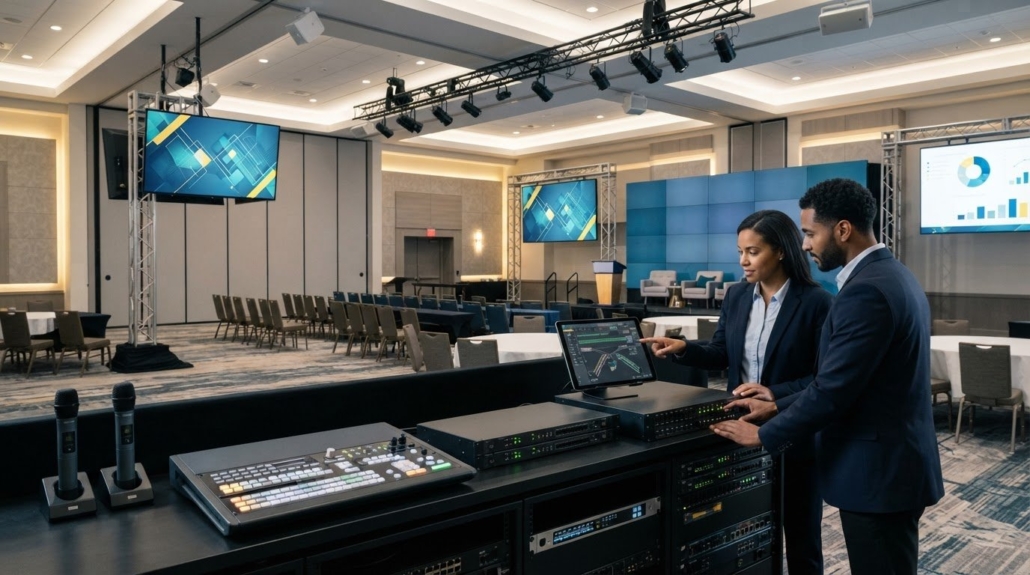
Hotel Ballroom AV: 2026 Buying Guide for Flexible Events
The most capable hotel ballroom AV system isn’t necessarily the one with the most equipment. It’s the one that can adapt when a keynote becomes a panel, a ballroom divides into smaller rooms, or a presentation needs to reach multiple displays without disrupting audio or control.
If you’re unsure how sources, screens, sound, and control should connect, start by listing the room configurations and events the system must support. Fixed systems can be difficult to repurpose, and signal compatibility gets more complex when rooms share equipment or host different event formats. Match the signal paths and system architecture to those real requirements before selecting equipment.
This guide compares centralized matrix switching and networked AV approaches, explains what to plan for across sources, displays, audio, control, and room layouts, and highlights compatibility questions to resolve before buying. You’ll also see how professional matrix switchers, control systems, and video wall processors fit into a practical equipment plan. With clear use cases and signal requirements, you can evaluate hardware for a ballroom setup built to support changing events.
Key Takeaways
- Plan a hotel ballroom AV system around the events it must support, including changing room configurations and display needs.
- Map sources, routing, signal transport, endpoints, audio, and operator control before choosing equipment.
- Compare matrix switching, AV over IP, and room-combine control against your source and destination count, room flexibility, and operating needs.
- Use a step-by-step planning process to document room measurements, existing infrastructure, signal paths, and user-control preferences.
- Match the approved system plan to professional switching, control, and video distribution hardware, then use product information and technical support to guide equipment selection.
Why a Hotel Ballroom AV System Must Adapt to Different Events
A ballroom may host a conference in the morning, a banquet at lunch, a product presentation in the afternoon, and a live performance that evening. Each format changes how people use the room and what the AV setup must deliver. A system designed around one layout can leave staff managing workarounds: sources routed to the wrong displays, speech that’s hard to hear from some seats, or controls that don’t match the room configuration.
A hotel ballroom AV system coordinates audio, video, signal routing, and operator control to serve the room’s changing event requirements. Its components need to work together, from the presenter’s source to the audience’s screens and speakers. That’s the practical value of understanding audiovisual systems: equipment and workflows need to suit different settings, from corporate conferencing to live theater.
Separate the permanent foundation from event-specific choices. Room cabling, connection points, display locations, and the routing approach shape what the venue can support. Microphone counts, playback sources, screen content, and operator workflows may vary by event. Establish infrastructure around the range of expected uses, then configure equipment and signal paths for each format.
Which ballroom events should shape the system brief?
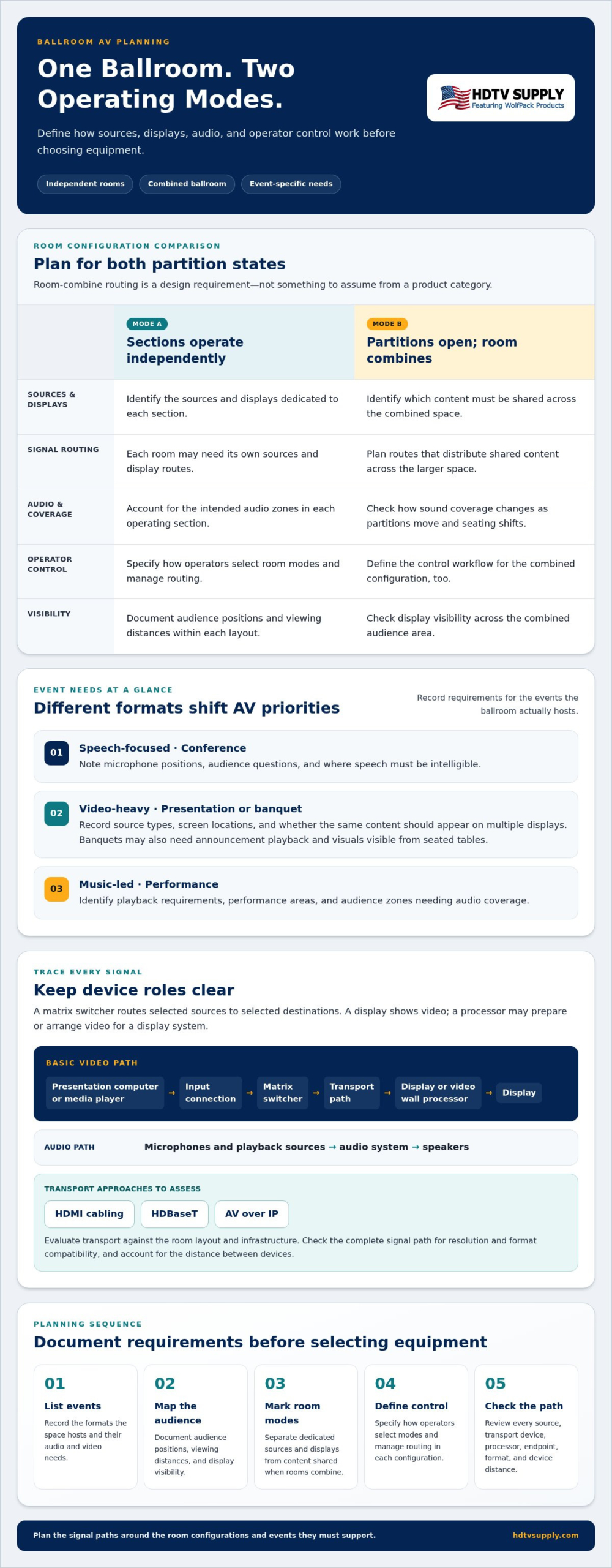
List the event types the space hosts, then record their audio and video needs. A conference may prioritize presenter and audience microphones with clear speech reinforcement. A banquet might need playback for announcements and visuals visible from seated tables. A presentation may rely on a laptop source and prominent screens, while a performance can place greater emphasis on music playback and coverage across the audience.
- Speech-focused: Note microphone positions, audience questions, and where speech must be intelligible.
- Video-heavy: Record source types, screen locations, and whether the same content should appear on multiple displays.
- Music-led: Identify playback requirements, performance areas, and audience zones needing audio coverage.
For each layout, document audience positions and viewing distances. A screen that works for front rows may be difficult to see from the rear or side seating. These observations help define display placement and coverage instead of assuming one configuration will suit every event.
How do divisible rooms change AV requirements?
When ballroom sections operate independently, each room may need its own sources, displays, audio zones, and operator workflow. When partitions open, the system may need to distribute shared content across the combined space while keeping audio and control useful throughout. Define both modes before selecting equipment. Room-combine routing is a design requirement, not a feature to assume from a product category.
- Mark which sources and displays stay dedicated to each section.
- Identify which content needs to be shared when rooms combine.
- Specify how operators select room modes and manage routing in each configuration.
Consider how sound coverage changes as partitions move and seating shifts. The routing plan should account for intended audio zones and display visibility in both independent and combined operation. Clear requirements make it easier to compare system architectures and choose hardware for actual ballroom use, rather than an idealized single-room setup.
What Components Belong in a Hotel Ballroom AV System?
A practical system plan follows the signal from its source to the audience, then accounts for audio and operator tasks. The main building blocks are sources, routing, signal transport, endpoints, audio, and control. Their roles are distinct, even when a device combines more than one function.
A matrix switcher routes selected sources to selected destinations; a display shows the video, while a processor may prepare or arrange video for a display system. Keeping those jobs clear prevents a common planning mistake: treating every device in the signal chain as interchangeable.
Basic video path: Presentation computer or media player → input connection → matrix switcher → transport path → display or video wall processor → display
Audio path: Microphones and playback sources → audio system → speakers
This is a planning model, not a prescribed design. A venue feed, additional display, separate audio route, or other destination may change the signal map. Document every source and endpoint the room needs to support.
What video and signal-routing equipment should buyers assess?
Start by listing likely sources, such as presentation computers, media players, and venue feeds. Then record which destinations must receive each source: a main screen, displays around the room, or a video wall. Matrix switching is worth assessing when multiple sources need to reach multiple destinations. Set the required inputs and outputs from the signal map and room operation.
Signal transport connects those points. HDMI cabling, HDBaseT, and AV over IP are approaches to evaluate against the system layout and infrastructure. Don’t select a transport method in isolation. Check the complete path, including the source, switcher, transport equipment, processor, and endpoint, for resolution and format compatibility. Account for the distance between devices, too. A mismatch or unsuitable link anywhere along the chain can limit the signal that reaches the display.
How should audio and operator control fit the system?
Give audio its own requirements list. Note microphone use separately from playback, then identify where sound must be heard in each layout. A speech-led setup and a music-led setup can have different coverage priorities. In divisible rooms, decide which audio zones operate independently and how they should behave when spaces combine.
Base control on operator tasks, not a preferred interface. Define how staff select a source, choose a destination, set a room mode, and manage audio. A clear task list can guide the choice of control hardware, such as a WolfPad TV Control System, without assuming a particular integration or workflow.
- Sources: What devices or feeds enter the system?
- Routing: Which sources must reach which destinations?
- Transport: What connection method suits the distances and infrastructure?
- Endpoints and audio: Where must video appear, and where must sound be heard?
- Control: What actions must operators perform in each room layout?
Use these categories to build a requirements-based equipment list, then compare professional AV hardware and product information at HDTV Supply’s AV equipment catalog.
Matrix Switching, AV over IP, or Room Combining: Which Approach Fits?
These approaches solve different parts of the routing problem. Matrix switching selects which sources feed which destinations. AV over IP transports signals over a network. Room-combine control coordinates how spaces behave when they operate separately or together. A hotel ballroom AV system may use one approach or combine them, depending on the signal map, room infrastructure, and operator workflow.
Compare each approach by the work it must do, not by its label alone. Choose an architecture that supports the venue’s documented source and destination count, room modes, signal paths, and day-to-day operation.
| Approach | Most relevant when | Planning considerations |
|---|---|---|
| Matrix switching | Multiple sources need routing to multiple displays or other destinations. | Size input and output requirements from the signal map; account for the transport path and endpoint formats. |
| AV over IP | Signals need to reach distributed endpoints across a venue. | Assess network infrastructure, endpoint placement, system management, and compatibility across the signal chain. |
| Room-combine control | Spaces must run independently, share selected content, or operate as one combined room. | Define the modes, routing behavior, audio zones, and operator actions for each configuration. |
These approaches aren’t always substitutes. A matrix switcher can handle source selection while AV over IP transports signals to distributed endpoints. Room-combine control can define how sources and destinations behave as partitions move. The design depends on the required signal flow and infrastructure.
When is a matrix switcher a practical fit?
Consider matrix switching when the venue needs flexible routing from multiple inputs to multiple displays. Set input and output counts from the documented signal map, not a guess based on room size. List every source and destination, including those used only in certain room modes. Modular matrix switchers are worth assessing when requirements may evolve. For further planning context, see this modular HDMI matrix switcher guide.
HDTV Supply sells WolfPack Modular Matrix Switchers and WolfPackSecure 4K 60 4:4:4 HDMI Matrix Switchers. Compare their product information with the venue’s planned signal paths and formats.
When should buyers evaluate AV over IP or room-combine control?
Evaluate AV over IP when endpoint locations and venue scale make network transport a relevant design option. This approach makes network infrastructure and management part of the system plan, so account for those needs alongside signal compatibility. IPMX, launched as a certifiable standard in 2026, is designed to support interoperability for audio, video, and control over IP networks.
For room-combine control, specify separate, shared, and combined modes in plain operational terms. Which sources remain local? Which displays share content when partitions open? What should operators select for each mode? A clear workflow keeps the design focused on defined tasks instead of adding features without a purpose.
How to Plan a Hotel Ballroom AV System Before Buying
Turn event needs into a documented signal plan before comparing equipment. Separate fixed room facts, such as dimensions and existing cable pathways, from operating preferences, such as who selects sources and how they want to control the system. This keeps hardware decisions tied to real constraints and expected workflows.
- Inventory event formats and room modes. Record representative events, partition positions, seating layouts, audience locations, and viewing distances.
- Measure the room and document infrastructure. Note display locations, equipment areas, available connections, cable pathways, and existing transport routes.
- List sources, endpoints, and audio equipment. Include presentation computers, media players, venue feeds, displays, processors, microphones, speakers, and operator control points.
- Map signal paths and formats. Trace each source to its intended endpoint. Record resolution, refresh rate, connector, content-protection needs, and transport distance where known.
- Set operational preferences, then select equipment. Define who operates the system and which routine actions should be simple. Compare hardware against the approved signal map, not preferences alone.
Use a matrix to expose routing differences between room modes before selecting equipment:
| Room mode | Sources | Endpoints | Required routing |
|---|---|---|---|
| Independent sections | Local presentation computers | Displays in each section | Keep each section’s source and display paths separate |
| Shared presentation | Presenter computer or venue feed | Displays in selected sections | Route the chosen source to the intended destinations |
| Combined ballroom | Shared presentation source and playback | Main and distributed displays | Define which destinations receive shared content |
What information belongs in the ballroom AV requirements list?
Capture room divisions, seating plans, audience positions, viewing distances, and typical event types. Inventory sources, displays, audio equipment, control points, and cable pathways. For each signal path, record connector, resolution, refresh rate, and content-protection requirements when known. These details make the requirements list useful for comparing hardware, rather than just a room inventory. For help understanding display negotiation, review this HDMI matrix EDID management guide.
How can buyers reduce compatibility and operation risks?
Trace every source-to-endpoint route and note format conversions or distance constraints along the way. Include EDID and HDCP in the compatibility review, especially where sources, switching equipment, transport, and displays connect. Then document who operates the system and the routine actions they need to perform, such as selecting a source or changing room mode. Clear tasks keep control requirements practical.
With the signal map and room requirements in hand, explore professional AV hardware that matches your planned switching, control, and video distribution needs.
Choose Ballroom AV Hardware That Matches Your System Plan
With the signal map approved, translate each route and operating mode into equipment requirements. Count the sources that need selection, the destinations that need feeds, and the formats each path must carry. Keep control and video distribution in the same plan, but assess them as separate functions. This helps you compare hardware against the actual hotel ballroom AV system requirements rather than choosing equipment by category name alone.
Which product categories align with common ballroom requirements?
For multi-source routing, evaluate matrix switchers against the required inputs, outputs, signal formats, and room modes. HDTV Supply sells WolfPack Modular Matrix Switchers to match switching hardware to a documented signal map. The company also sells WolfPackSecure 4K 60 4:4:4 HDMI Matrix Switchers to assess against planned signal paths and equipment requirements.
Control is a distinct requirement. HDTV Supply sells WolfPad TV Control Systems to support the review of routine operator tasks. Compare product information with the workflow you’ve defined. If the system includes large-format displays, a video wall processor may also belong in the plan. This video wall processor guide can help frame that part of the equipment review.
What should the final equipment shortlist include?
Make the shortlist traceable to the plan. For every candidate, record the job it must perform and the relevant signal-path requirements. This makes it easier to identify missing equipment or unnecessary overlap before purchase.
- Switching: Required source inputs, destination outputs, and routing modes.
- Signal formats: Known resolution, refresh rate, connector, and content-protection requirements.
- Transport: The planned connection method and distances between system components.
- Control: Operator tasks and the room modes those tasks must support.
- Endpoints: Display and processor counts, locations, and intended signal sources.
Check every shortlisted item against the documented signal path, from source through routing and transport to endpoint. A device category may suit the job, but the system still depends on compatibility across the complete chain. Keep the requirements list beside product information as you compare options.
HDTV Supply is an online source for professional AV equipment and technical support, with a catalog of more than 12,000 products. Use your shortlist to guide equipment selection, then explore professional AV hardware and get technical support.
Make Your Ballroom AV Plan Ready for What Comes Next
Treat the system plan as a working reference, not a one-time purchasing document. As room use changes, update the event scenarios, routing needs, and operator tasks before adding or replacing equipment. This keeps future decisions connected to how the ballroom operates and helps prevent isolated upgrades from creating gaps elsewhere in the signal path.
For each proposed change, start with the task it must support, then identify the affected sources, destinations, and control workflows. This gives your team a consistent basis for evaluating new requirements and keeping the hotel ballroom AV system adaptable over time.
When you’re ready to move from requirements to equipment selection, explore professional AV hardware and get technical support. HDTV Supply serves installers and integrators worldwide with product sales and technical support. Bring your system plan into the selection process to clarify which equipment your ballroom needs.
Frequently Asked Questions
Can one hotel ballroom AV system support several event formats?
Yes, if its routing and operating modes are planned for the events the venue actually hosts. A banquet may use background playback and a few announcement microphones, while a training session needs a presenter’s laptop sent to selected displays. Document which functions should change between events and which should remain consistent, such as connection locations or the basic steps staff use to select content.
Is a ballroom AV system different from a conference-room system?
It can be. A ballroom may have greater distances between sources and displays, varied seating positions, and partitions that change how the space is used. A conference room often serves a more consistent layout. For a ballroom, assess whether a source at one end must reach screens elsewhere and whether the signal paths and operating procedures still make sense when the room is divided.
What happens if presentation sources and displays support different video formats?
A format mismatch can prevent a usable picture or cause the signal to fall back to a format supported across the connected devices. Check the source, switching equipment, transport components, and display as one chain. For instance, a laptop may offer several output formats, but the selected route must still be compatible with the destination. Review EDID and HDCP behavior as part of the compatibility assessment.
Can a ballroom use separate audio and video systems?
Yes. Audio and video can use separate equipment and signal paths, provided they suit the event. A panel discussion, for example, may need microphones and room sound managed independently of laptop-to-screen routing. The planning challenge is coordination: specify which room modes affect audio, which affect video, and whether operators need separate controls or a shared interface for routine tasks.
How much equipment does a hotel ballroom AV system need?
There’s no useful fixed equipment count without a room plan. A setup with one source and one display has different needs from a divisible ballroom with several sources and destinations. Count each required input, output, transport point, audio zone, and operator control point for the planned room modes. Then distinguish essential paths from optional or occasional uses before finalizing the equipment list.
Does a ballroom AV system need video wall processing?
Only if the visual design includes a video wall or another display arrangement that requires processing. A single presentation display may not need a separate video wall processor. For a wall, define the display layout, intended content, source formats, and signal path first. Use those requirements to determine whether processing belongs in the system and how it fits with switching and distribution.
Can hotel staff operate a professional ballroom AV system?
Yes, staff can operate it when the control workflow is designed around their responsibilities and routine tasks. Keep common actions clear, such as choosing an event mode, selecting a source, or directing content to the intended display. More technical configuration can be separated from everyday controls. Write a short operating sequence for each room mode and use it to assess whether the interface is practical for staff.
Should ballroom AV equipment support future system changes?
Yes, plan for likely changes without buying capacity that has no defined purpose. Review expected additions, such as another source, destination, or room mode, and consider whether the proposed architecture can accommodate them. Modular matrix switching is one category to evaluate if requirements may evolve. Keep a record of signal formats and routing decisions so future changes can be checked against the existing system.
Leave a Reply
Want to join the discussion?Feel free to contribute!